AI search has introduced a new kind of visibility problem.
It’s no longer just about whether your content ranks, but also about whether your brand shows up in the answers themselves. Tools like Scrunch AI are built around this shift, helping you measure how often your brand is mentioned, cited, or represented across large language models.
It's an interesting direction. But it also comes with tradeoffs, especially when AI visibility starts overlapping with traditional SEO more than it seems on the surface.
In this review, I’ll break down Scrunch AI’s features, pricing, and overall positioning. I'll also point out where it fits depending on how your team approaches search today.
Surfer vs. Scrunch AI: What are the main differences?
After spending enough time with both tools, the differences are pretty clear to me.
Both tools track your brand visibility in AI-generated answers, but they're built for different jobs. Surfer is a full search optimization platform where AI visibility is one layer of a broader workflow that also covers keyword research, content creation, and auditing.
On the other hand, Scrunch AI focuses on answer engine optimization, specifically monitoring and reporting on AI visibility.
Here's a quick breakdown before we get into the details.
Prompt monitoring
Let’s start with the core feature because this is where most AI visibility tools look… very similar.
At a high level, Scrunch AI does what you’d expect.
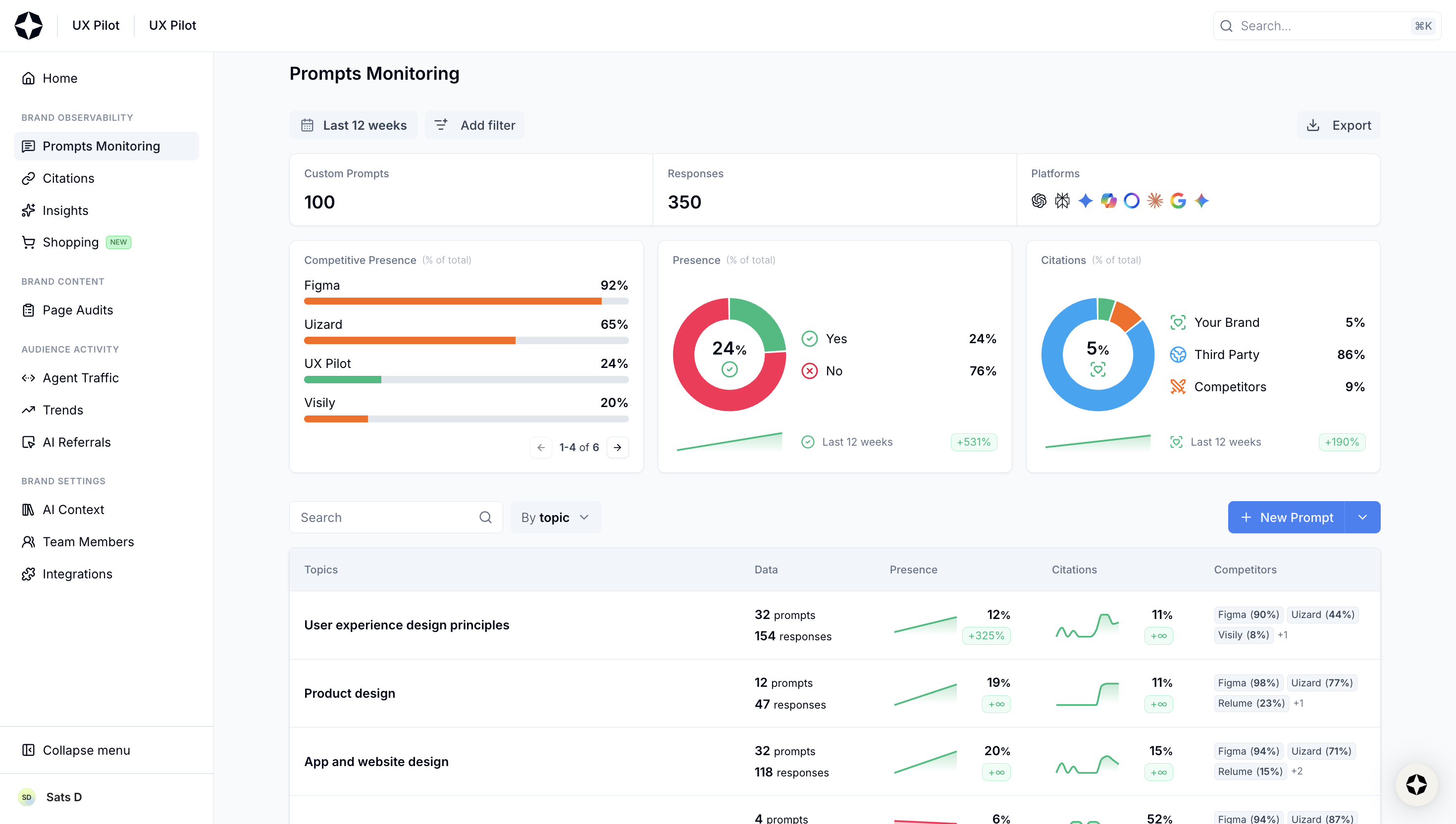
You define a set of prompts, the platform runs them across multiple leading AI platforms (i.e., ChatGPT, Google AI mode, Perplexity, etc.) and then reports back on things like:
- whether your brand shows up
- how often it’s mentioned across AI conversations
- where it appears in the AI generated response
- which sources are being cited
- how your competitors are performing against you
If you’ve used any AI visibility tracker before, these Scrunch AI dashboards won’t surprise you.
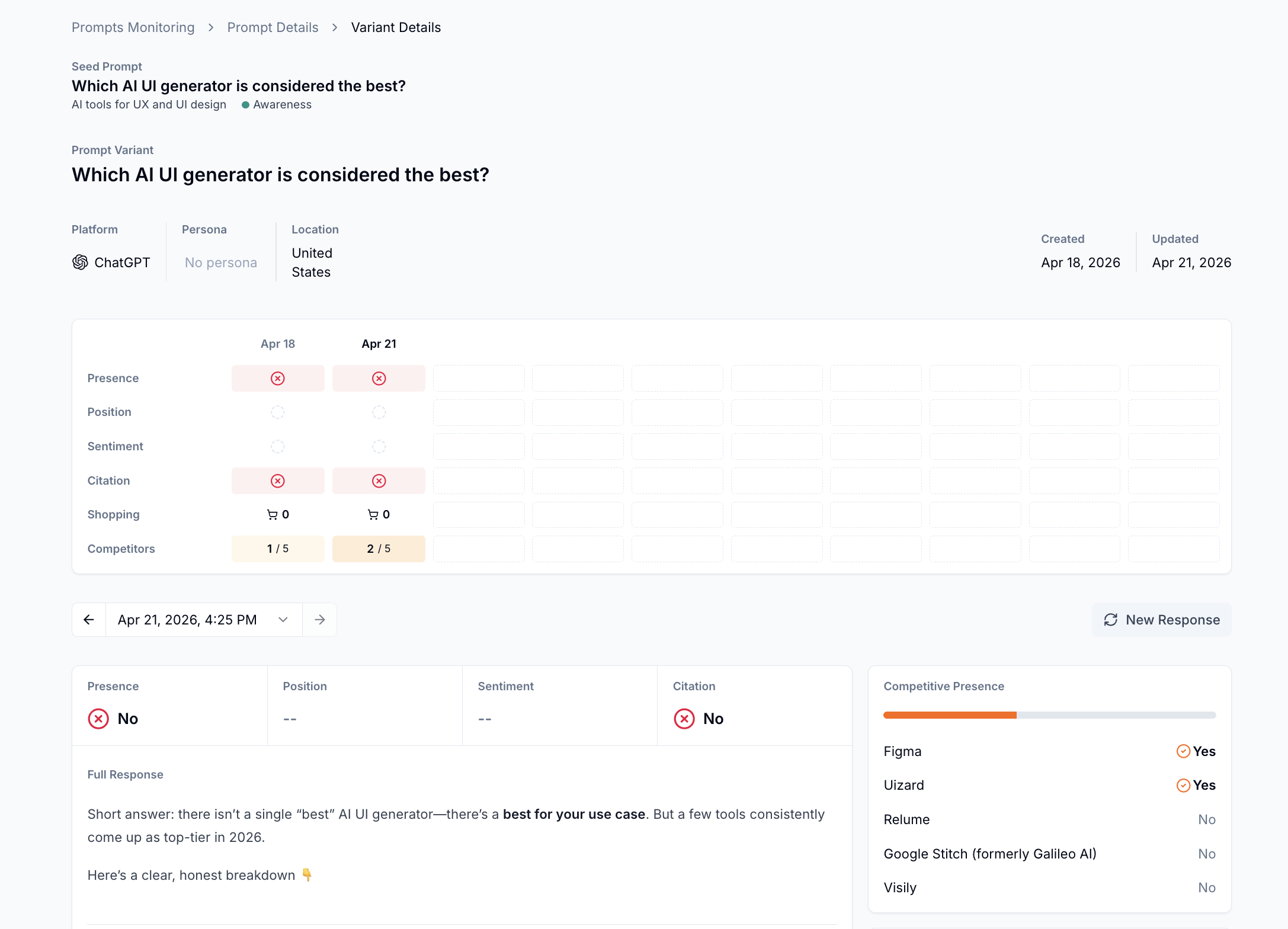
It gets a bit more useful with the per-prompt breakdown:
- Click on a prompt → You'll see performance data across all AI major platforms, broken down by presence, citations, and competitors
- Click on a specific variant → You'll see the full response from that model, plus a table tracking whether your brand appeared, its position, brand sentiment, and citation
The same goes for Surfer. The underlying idea is identical: run prompts across multiple AI engines, aggregate responses, and turn that into visibility metrics you can act on.
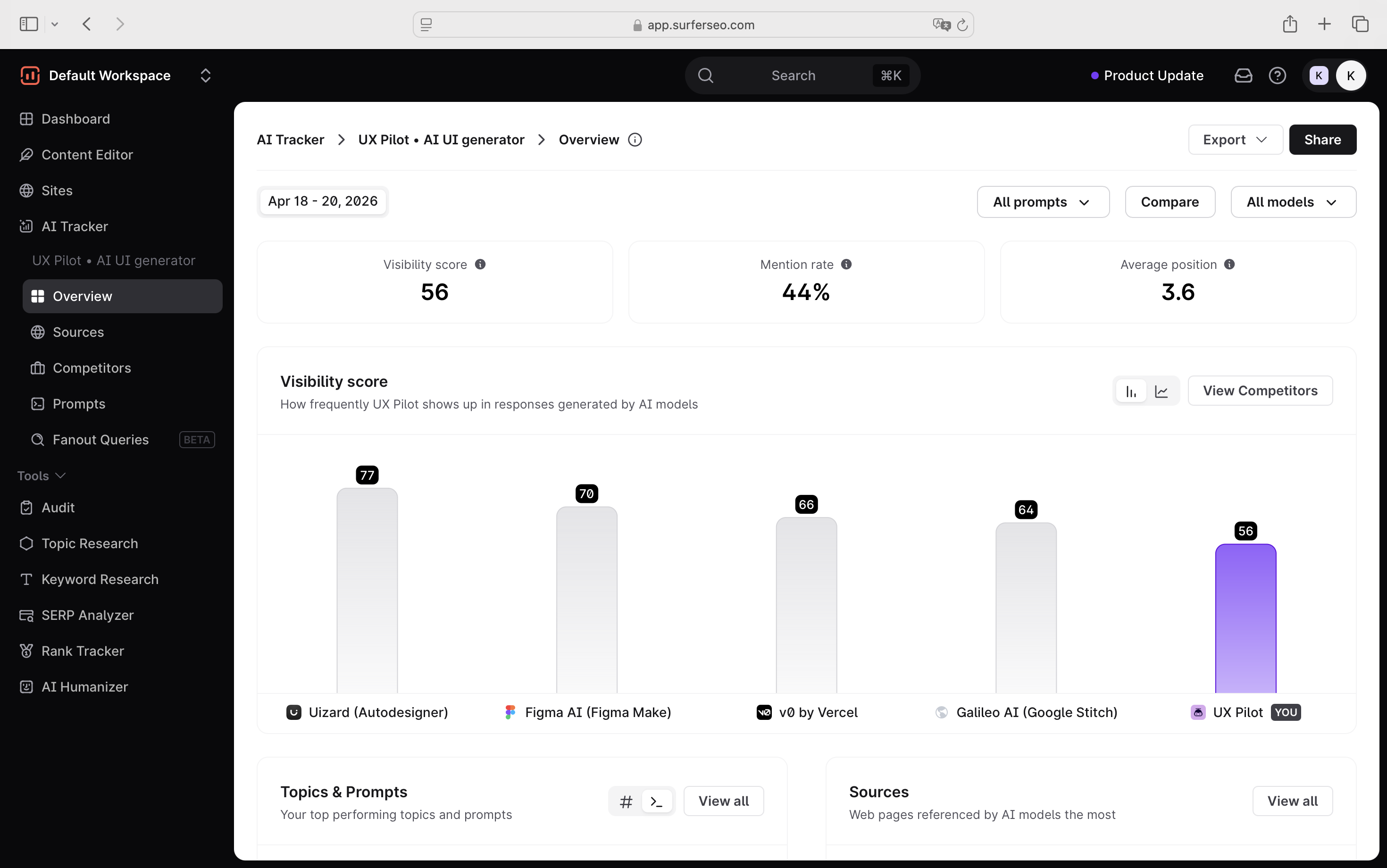
You'll find a couple of metrics, such as: visibility score, mention rate, average position across AI answers (if mentioned), visibility score broken down by prompts, and sources.
That said, how Surfer approaches per-prompt metrics is a bit different than Scrunch AI. The competitive context has already surfaced at the prompt list level, where you can filter by competitor directly from there.
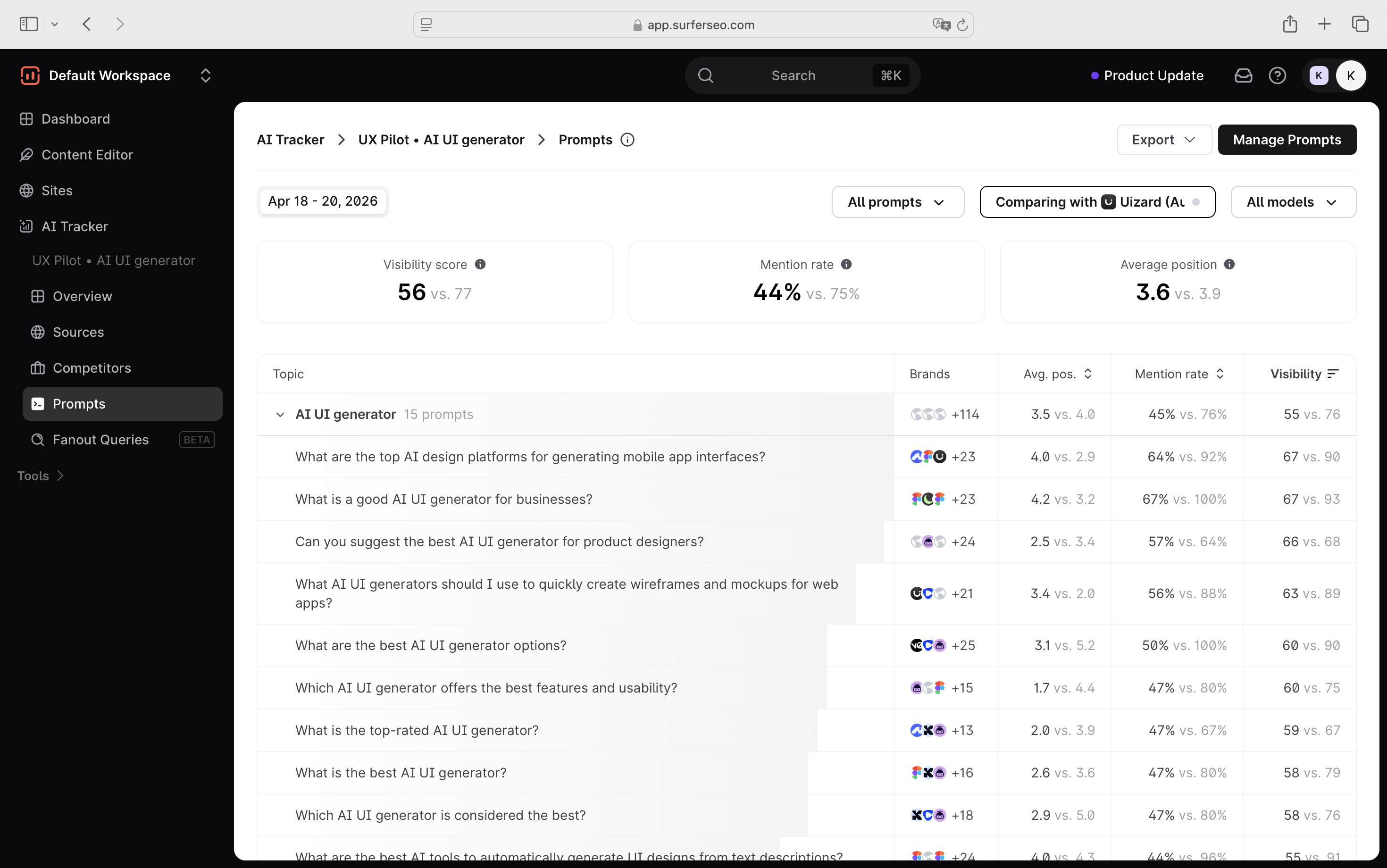
When you do click into a prompt, the level of detail is still accessible without requiring too many clicks to get to it. For example, when you click on a specific prompt, it opens a side window showing the prompt details.
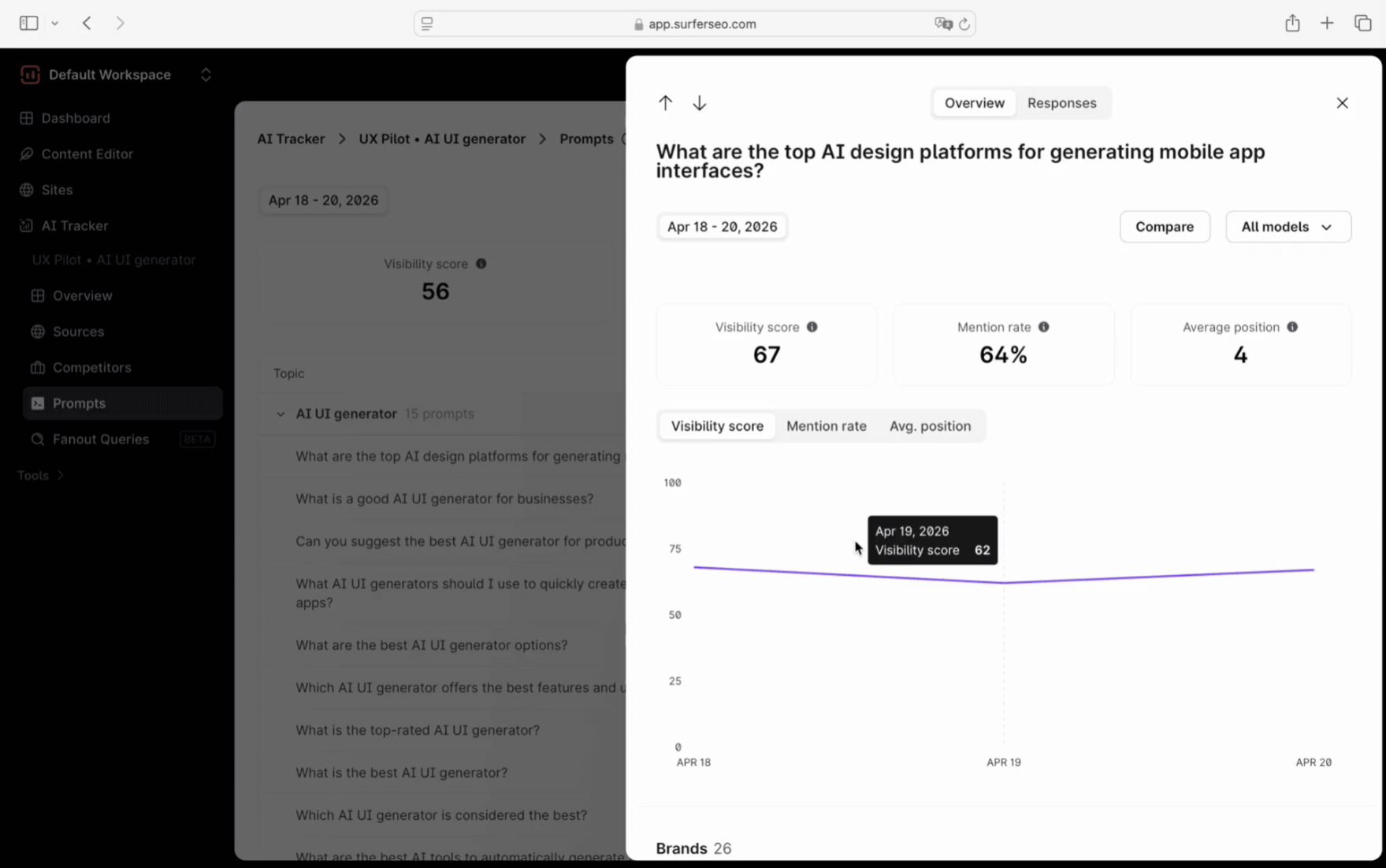
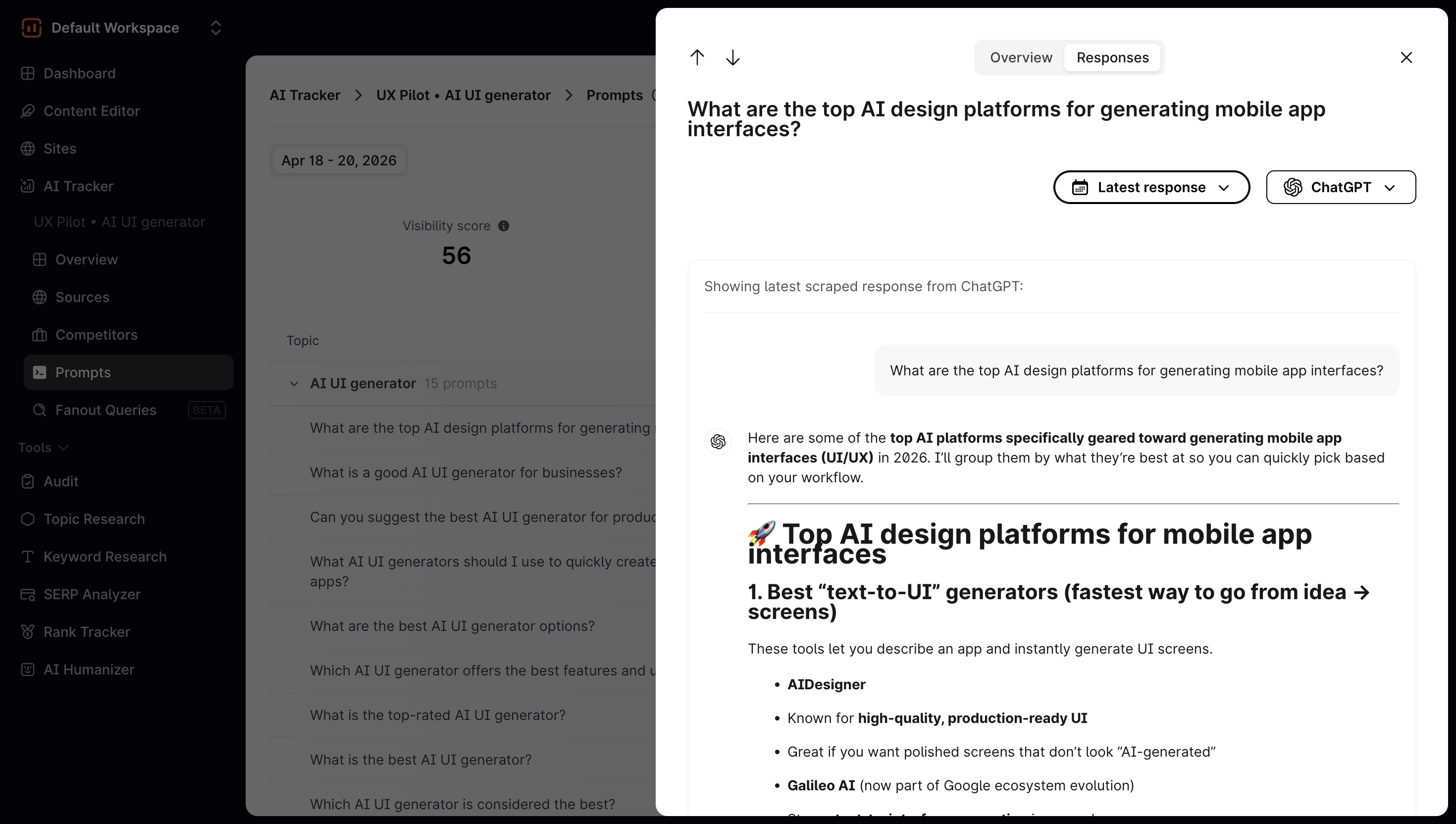
From there, you get an overview of how that prompt is performing (visibility score, impressions, etc.), as well as an example of the latest AI response to that prompt.
You can also filter the response by model to see how different AI tools, like ChatGPT, Perplexity, or others, are answering it.
That's not the only difference. It's also in how you get started and set up prompts.
Setting up prompts in Surfer is more straightforward
From a user perspective, setting up prompts in Surfer is… straightforward.
You:
- add your brand name
- choose a location
- either write, upload prompts yourself, or generate them automatically
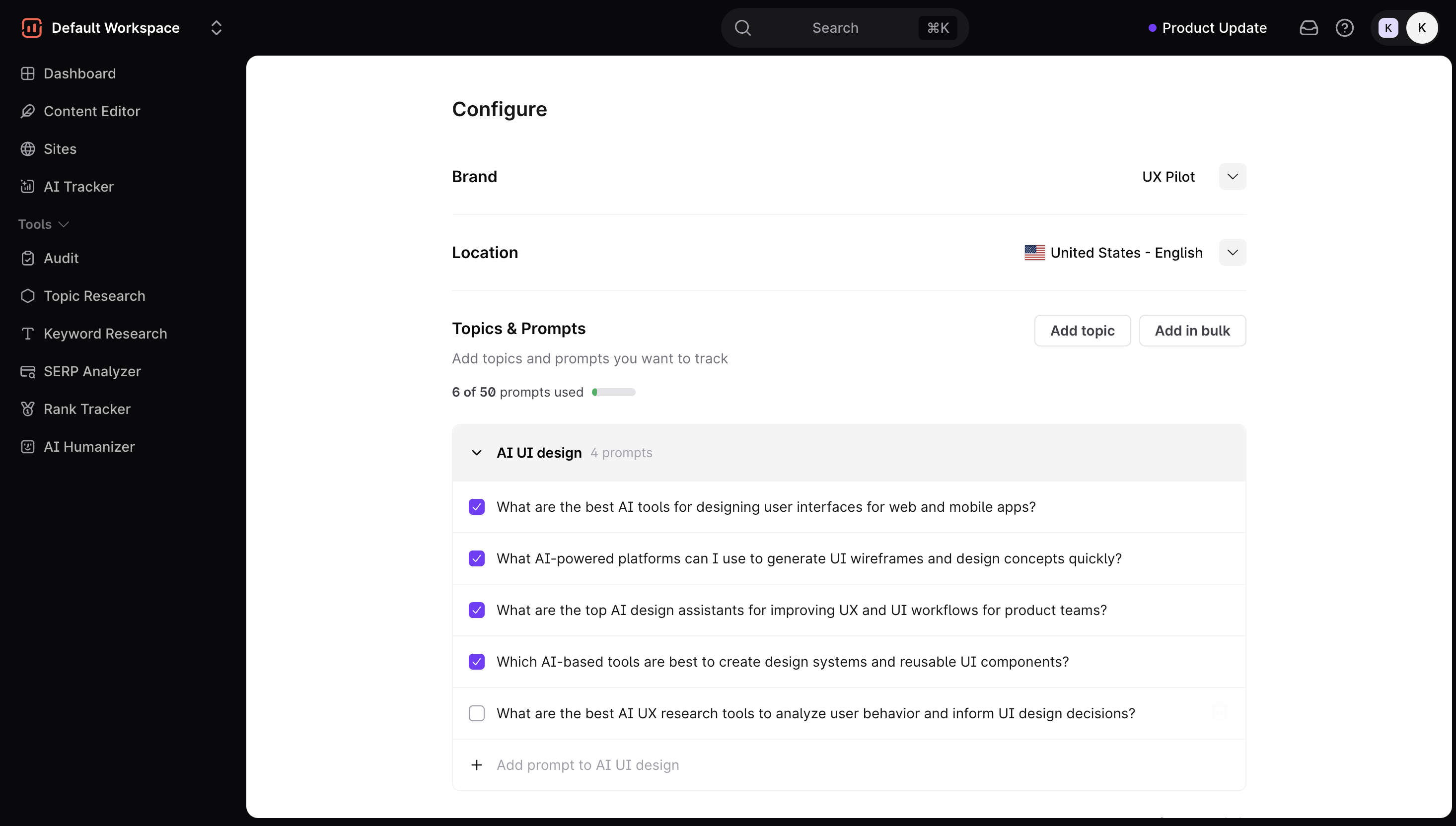
That’s it.
The generated prompts are usually usable out of the box. You can remove irrelevant ones, add new ones, and move on. There’s not much friction between “I have an idea” and “I’m tracking it.”
Scrunch AI gives you more options, but more friction
Scrunch AI technically offers similar options and a few more ways to add prompts, but the workflow feels less direct.
The first thing that threw me off was the setup.
Instead of defining your brand context inside the prompt workflow, you have to go to a separate AI Context section, configure everything there, and then come back. It’s not a huge step, but it breaks the flow early.
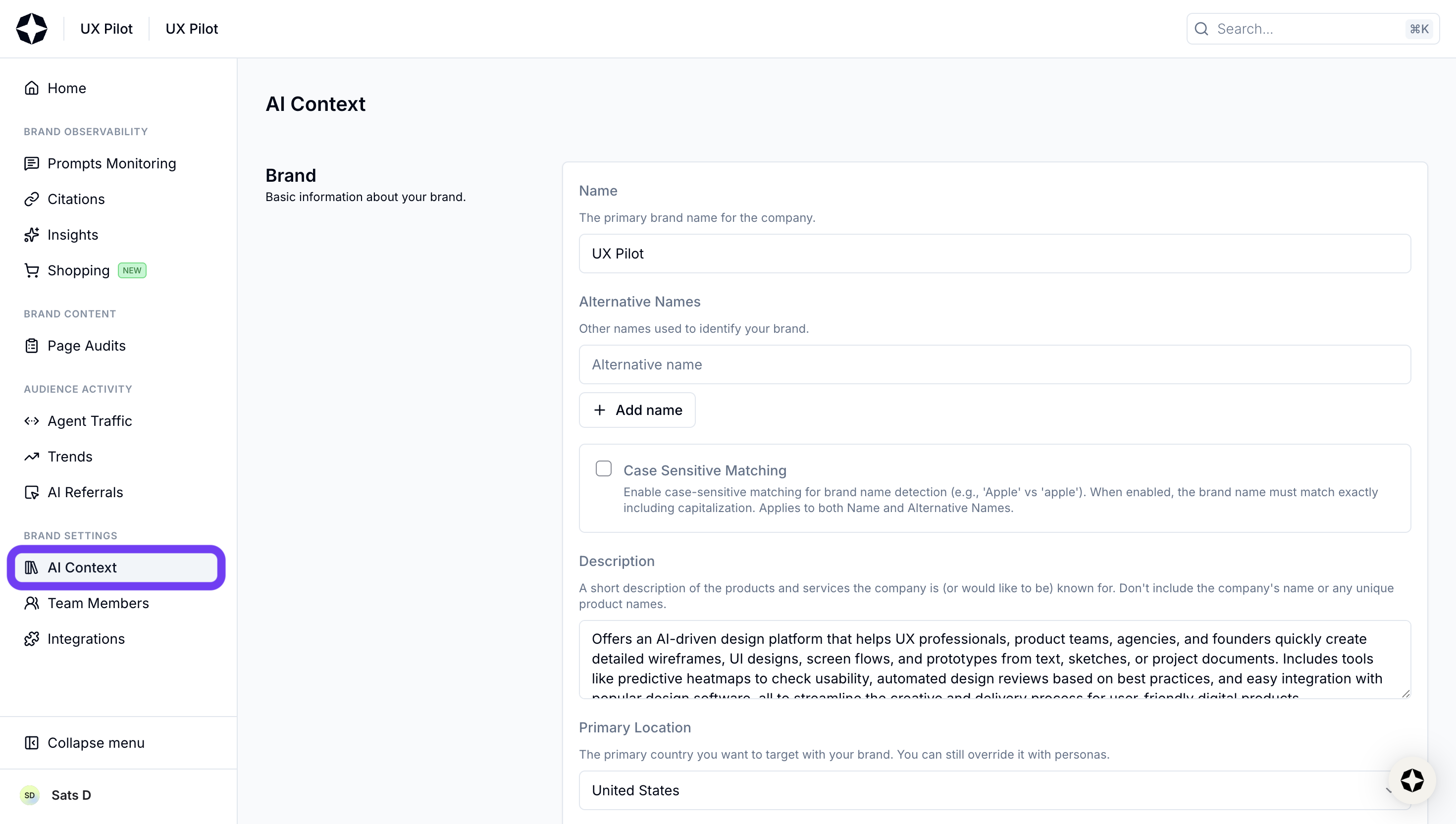
Then comes adding prompts.
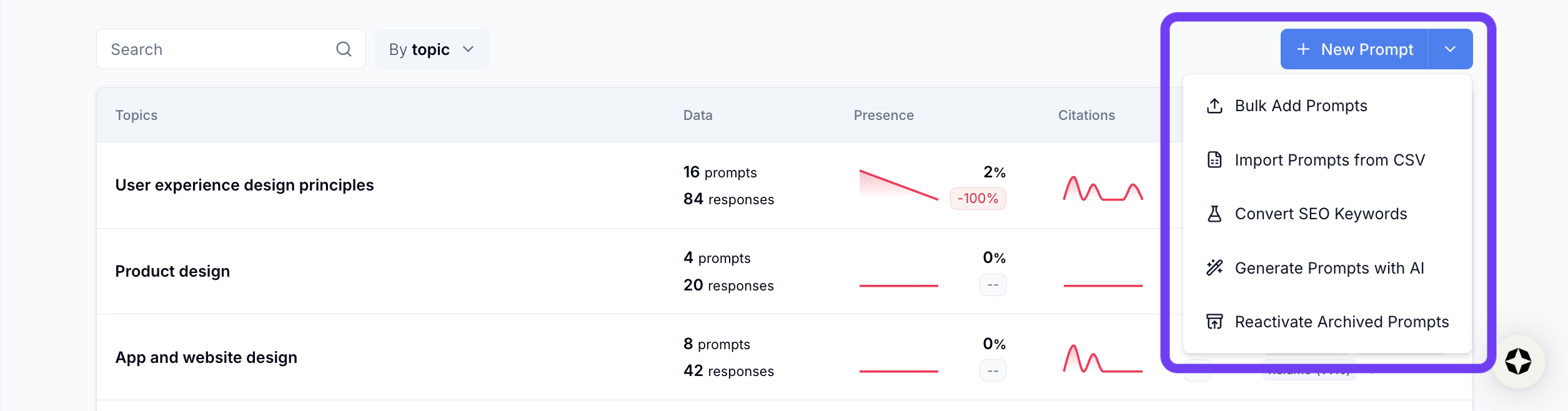
Here's a summary of some options that I tried:
- Bulk upload (CSV): I wasn’t sure where my prompts went after uploading. It turns out Scrunch automatically groups them into existing buckets if they’re semantically similar, but that wasn’t obvious upfront.
- Keywords or seed prompts for AI prompt conversion: This one is interesting. You feed in keywords, and it generates questions. The problem is… it generates a lot of them. Instead of narrowing things down, it tends to surface every possible variation. You end up spending more time filtering than actually tracking. It's such a classic case of selection paralysis.
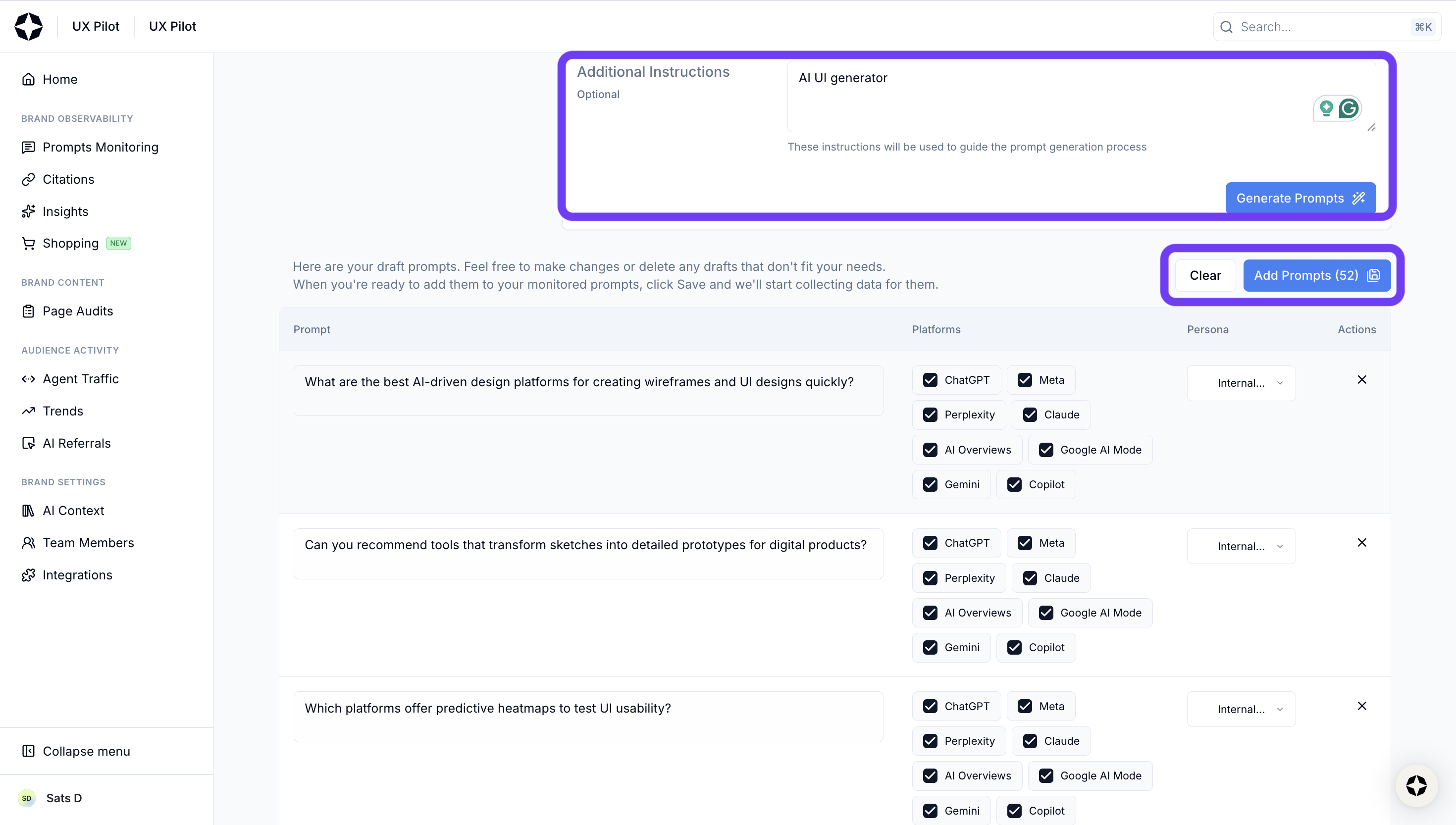
To be fair, the suggestions themselves aren’t bad. They’re often relevant. There are just too many of them, and not enough prioritization.
None of this breaks the product.
Scrunch AI still gives you the core functionality you need, like prompt tracking, visibility metrics, citation data; all of it is there and usable.
But the setup experience feels like something that’s still evolving. More flexibility is great, but only if it reduces effort. Right now, it occasionally does the opposite.
That said, this is also where newer tools tend to improve quickly. The foundation is solid, and it just needs a bit more tightening around how users actually get to that data.
Citations and sources
My experience with citations in Scrunch AI is fairly good. You get a high-level view first:
- percentage of citations your brand owns
- how much comes from third-party sources vs competitors
- top domains being cited across responses
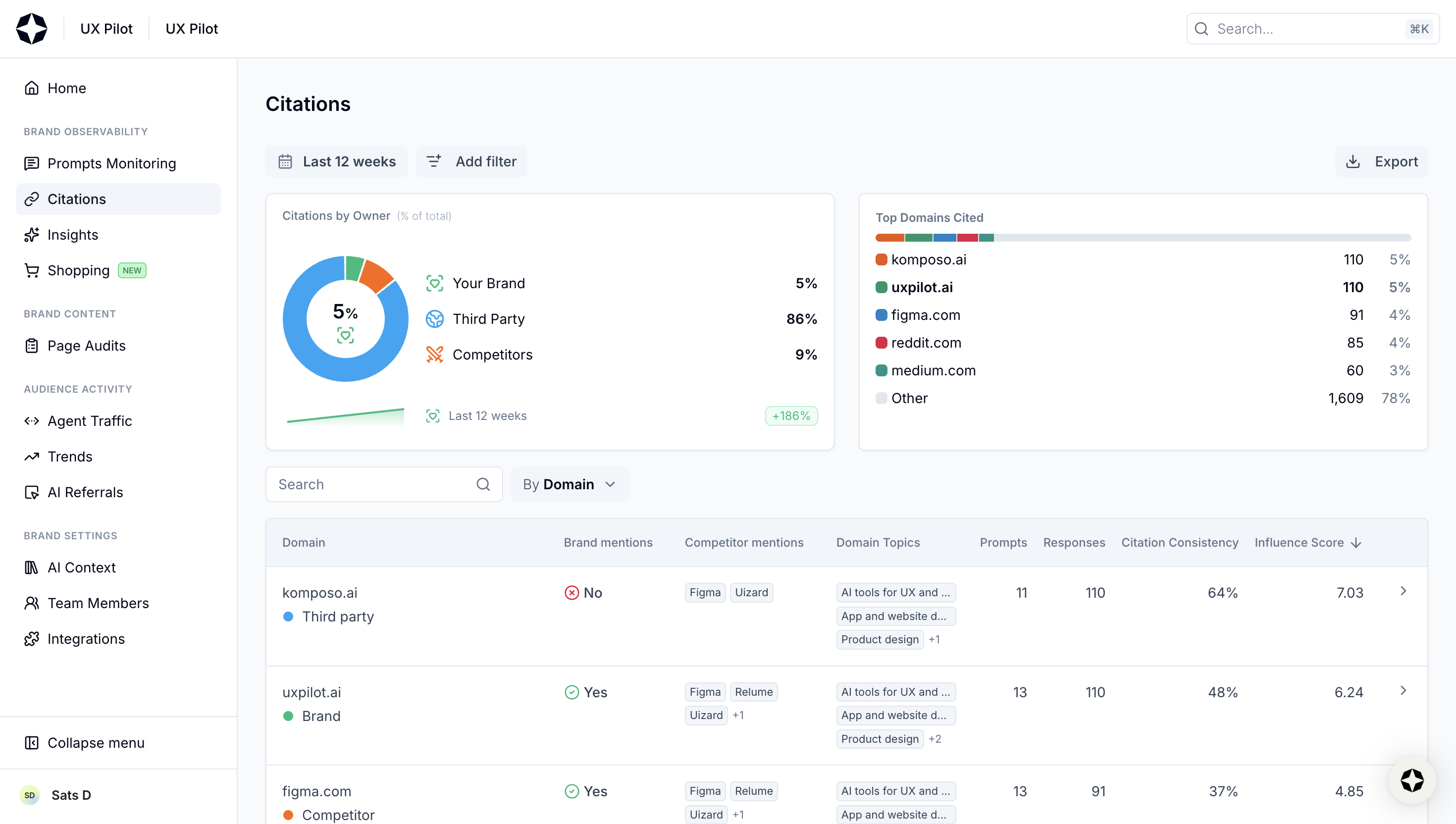
But if you ask me whether it provides much actionable insight, I'd say not really. The only action I'd take from these metrics is noting which URLs have the highest influence score where my brand isn't mentioned.
Then it goes deeper with a table that breaks things down by URL or domain, with details like:
- whether your brand is mentioned in that source
- how many prompts that source appears in
- total responses tied to it
- citation consistency over time
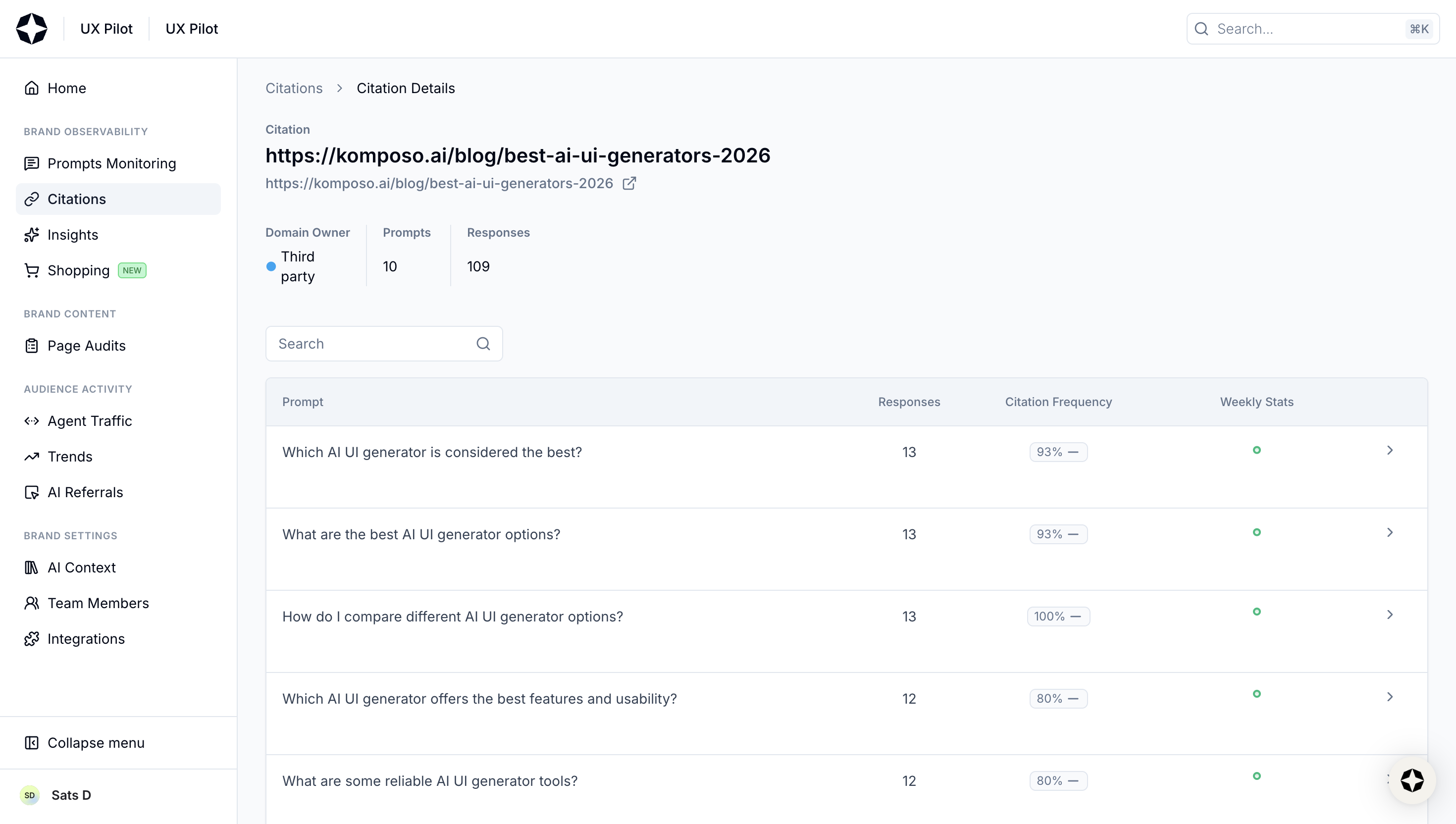
What I like here is how clickable everything is, where you can go from a domain to a specific URL, a URL to the exact prompts that triggered it, and from a prompt back to the response-level view across models. So it’s easy to trace why a certain page is showing up and how it connects back to visibility.
With Surfer, the foundation is similar, but the way data is framed is a bit different. You still get the core metrics:
- domains and URLs referenced
- how often they appear
- whether your brand is included
- which other brands are mentioned alongside you
But two things stood out to me.
1. The mention gap view: Instead of just listing sources, Surfer visualizes the gap between you and competitors. You can literally see where competitors are getting cited, and you’re not, and whether you’re ahead of them.
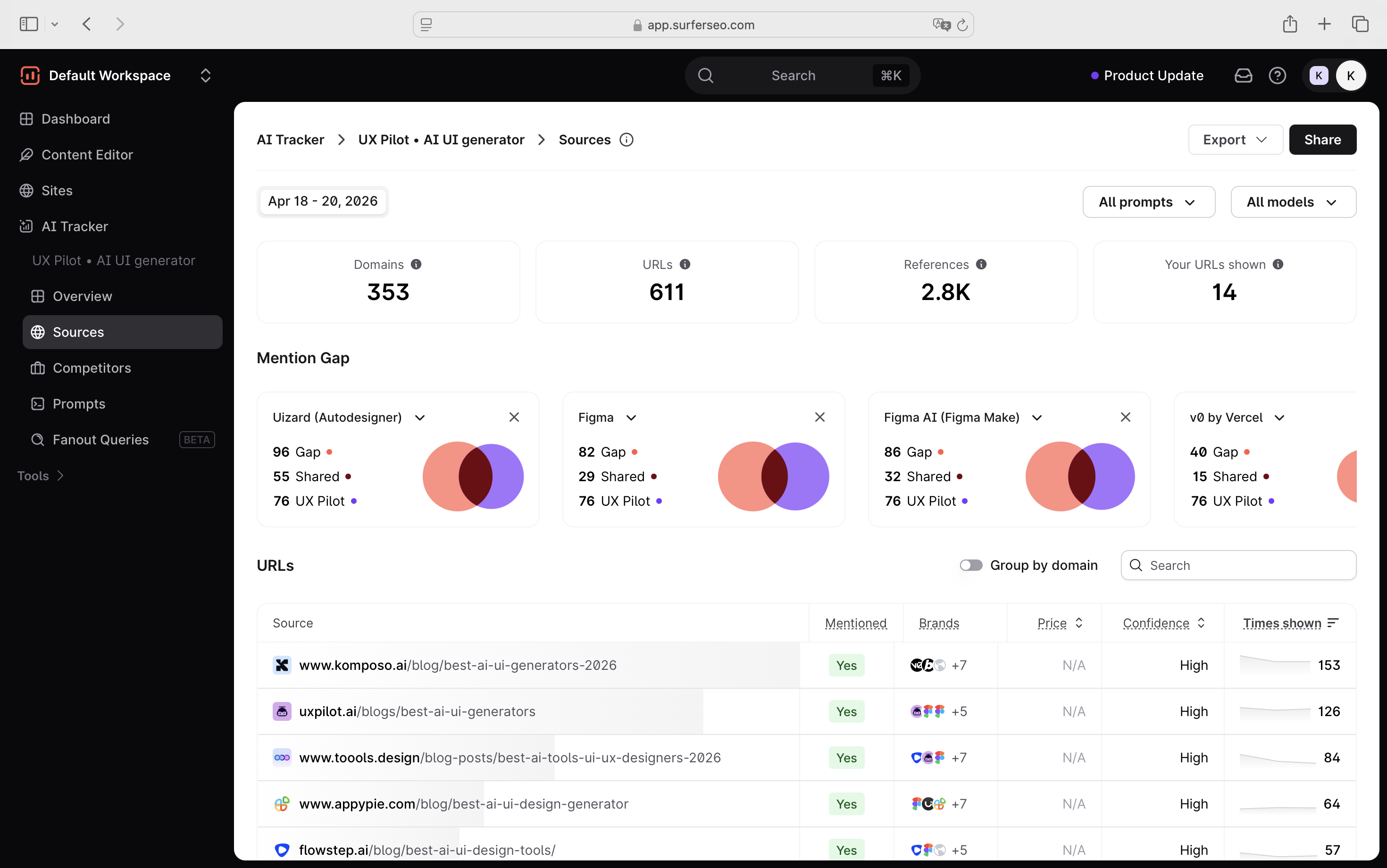
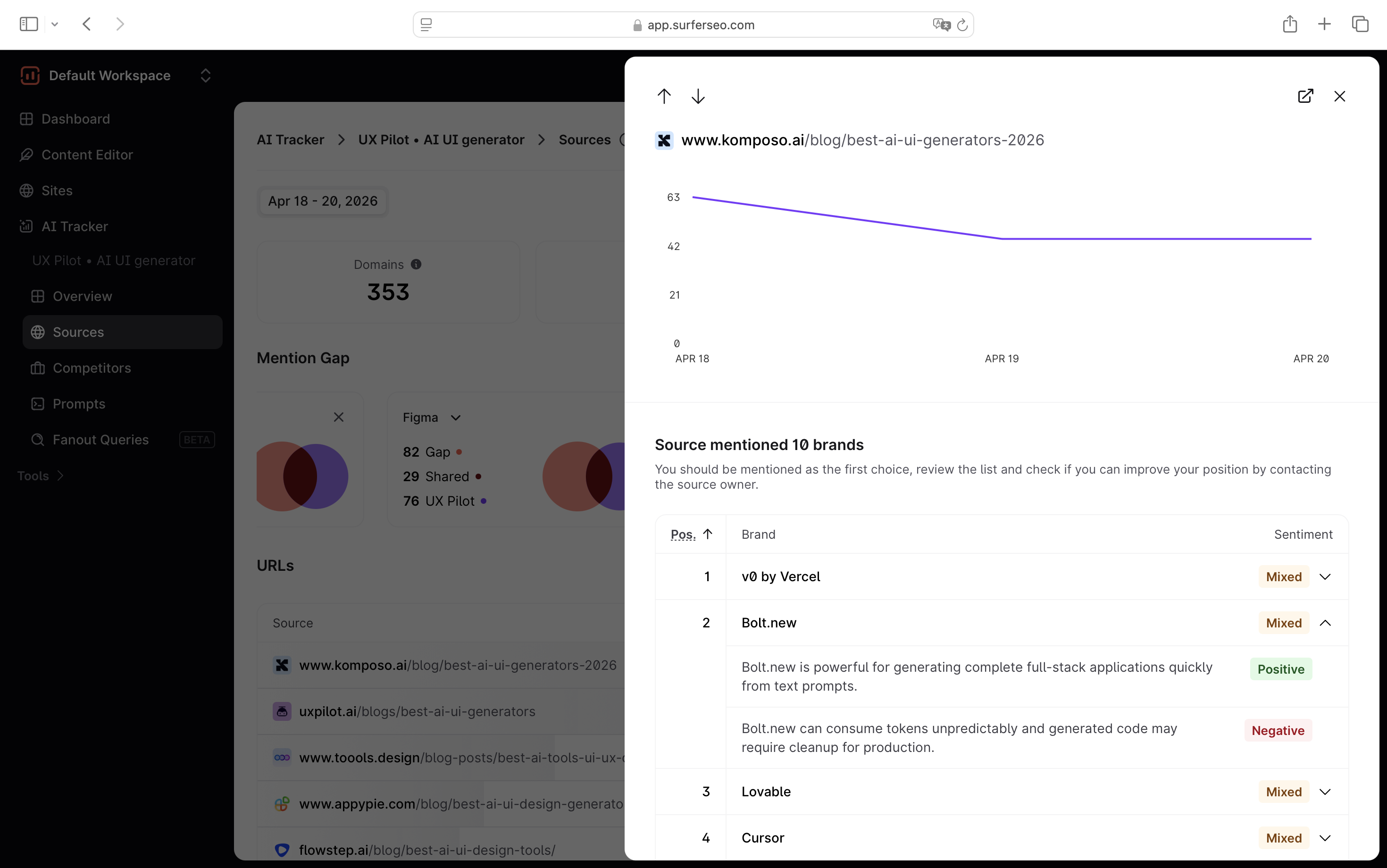
2. More context at the source level: When you click into a source, you don’t just see static data. You get:
- how often that URL shows up over time
- trends in visibility (is it gaining or losing presence)
- sentiment across brands mentioned in that source
That last part is surprisingly useful. Because it’s not just about being cited, it’s about how you’re being positioned. If a source is trending up and consistently mentioning competitors positively while you’re missing (or mentioned weakly), that’s a clear signal worth acting on.
Competitor visibility
This is where the difference between the two tools becomes a bit more obvious.
With Scrunch AI, competitor data is there, but it’s not really a standalone feature. You’ll mostly see it embedded inside other views, like prompt monitoring.
It does the job in terms of giving you context. But it feels more like a supporting layer than something you actively use to analyze competitors.
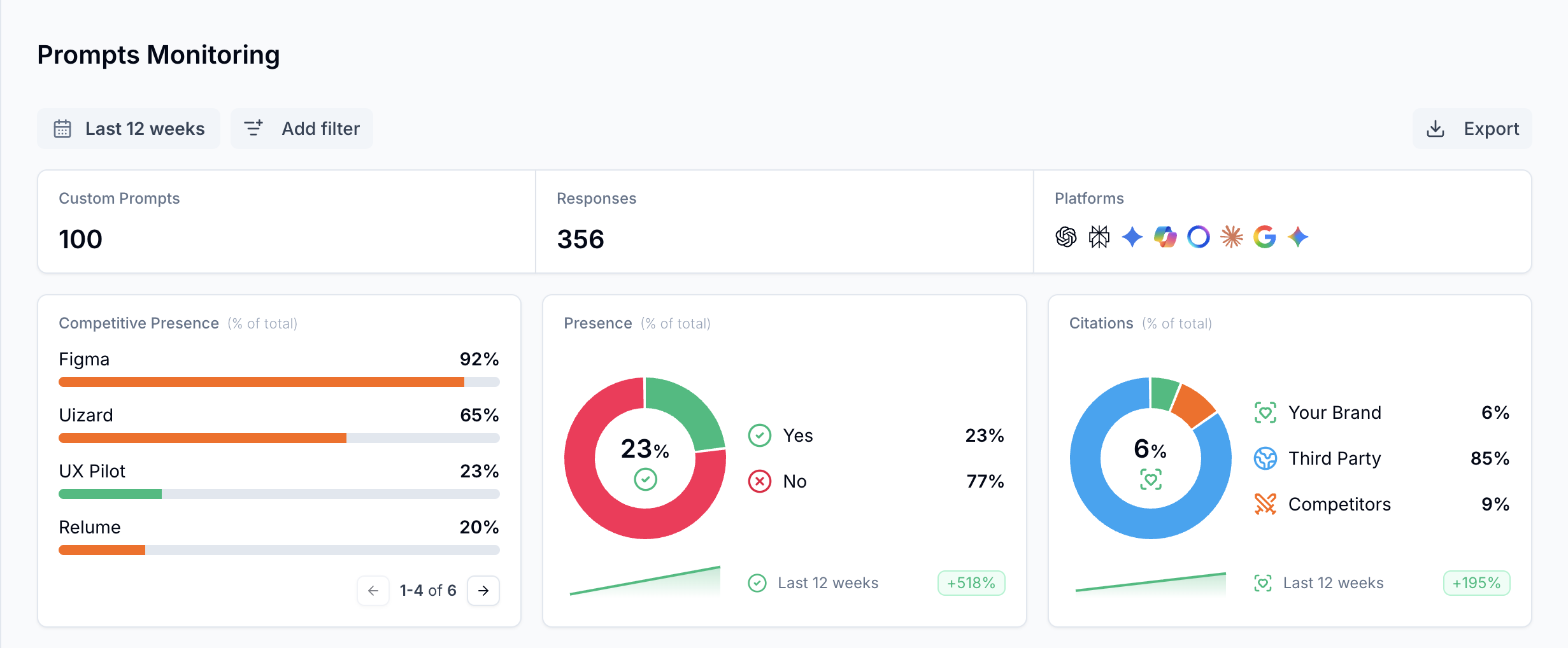
With Surfer, competitor analysis is much more intentional. Across different views, you’re constantly seeing your performance relative to others.
You also get a dedicated view for analyzing competitors, where you can filter them by prompt or AI models.
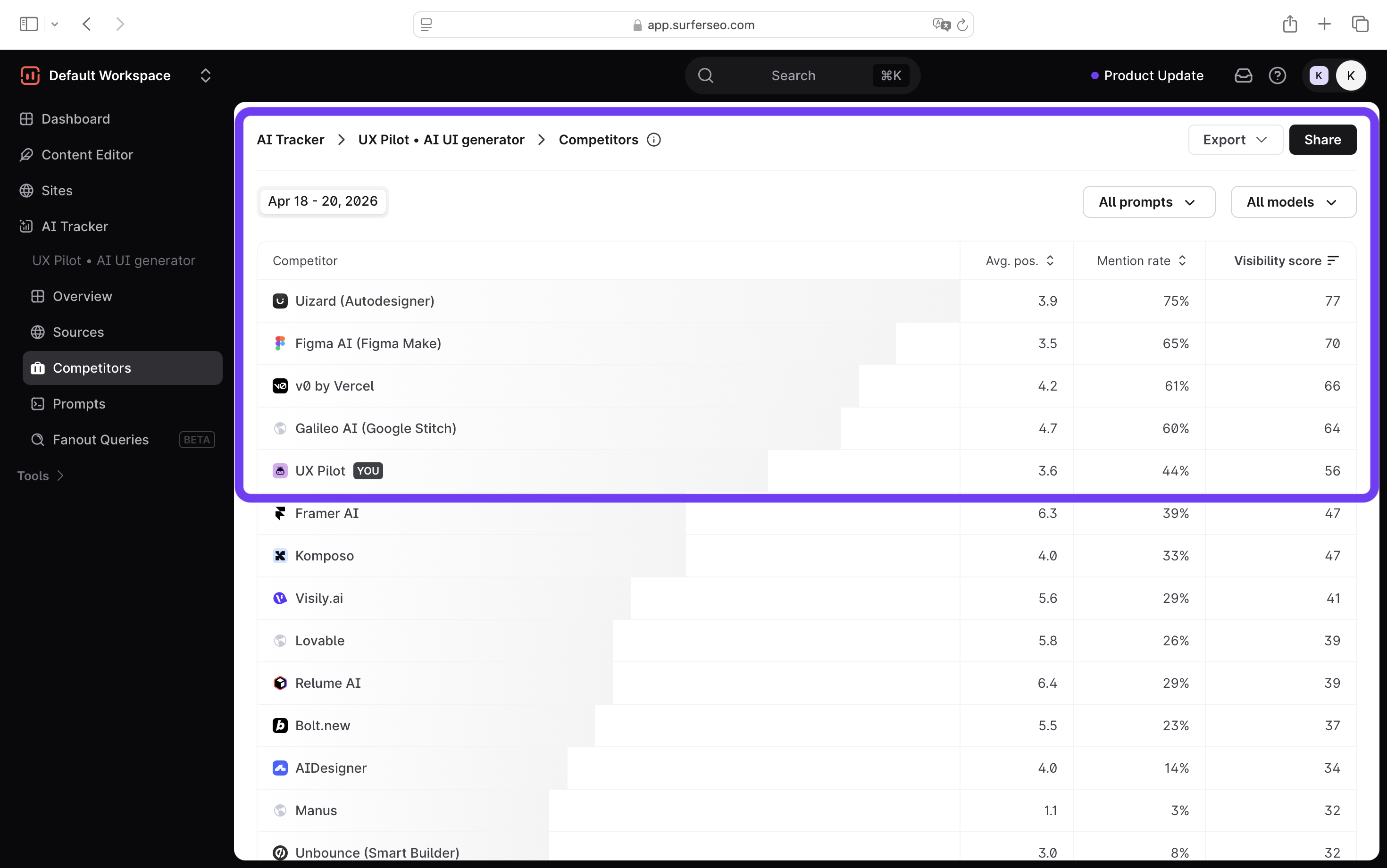
So instead of looking at isolated metrics, you immediately understand aspects like who you’re showing up against and whether you show up in the responses.
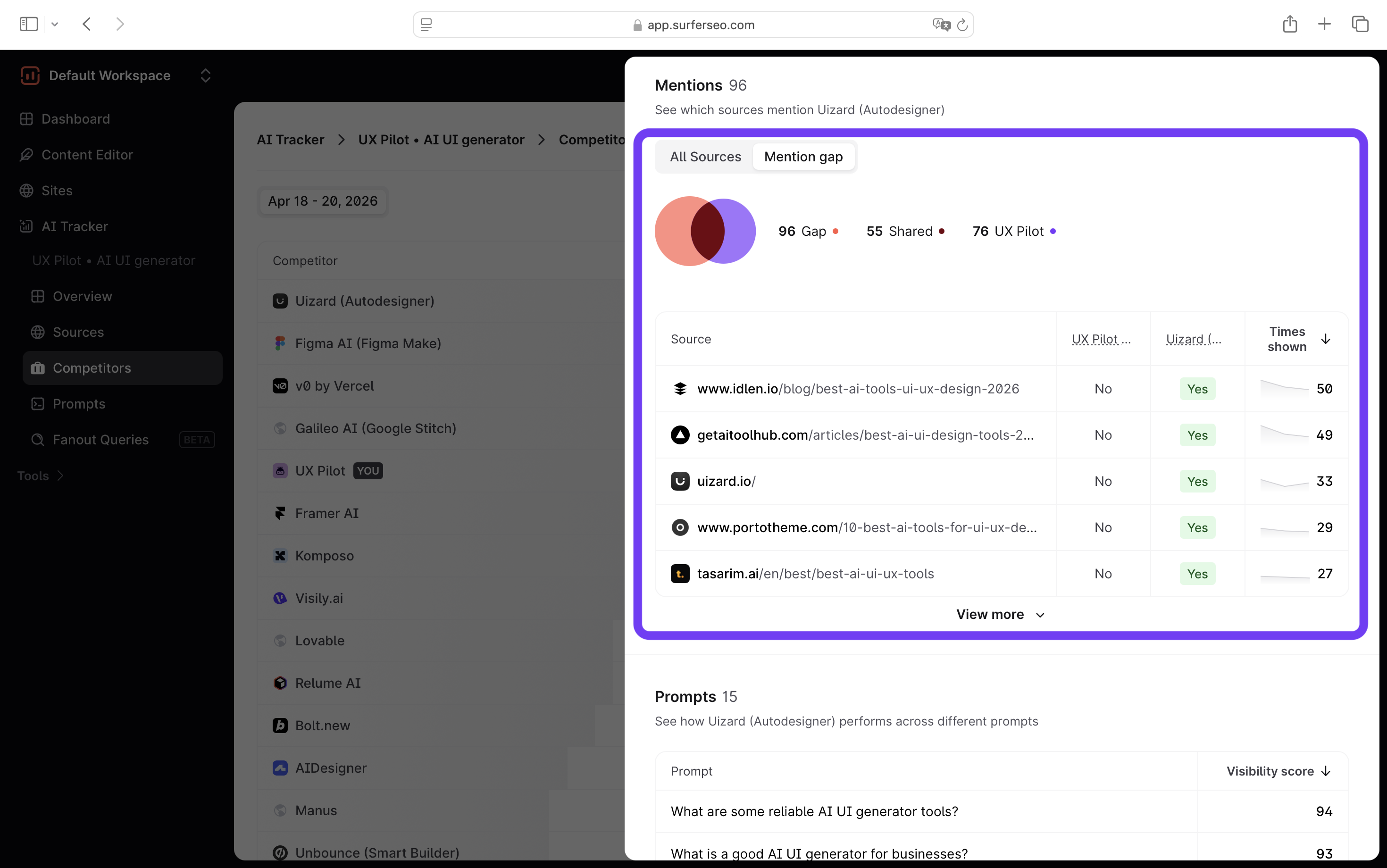
That context matters. Because without it, you don’t really know whether your positioning is working or if you’re even being compared to the right products in the first place.
And that last point is key. If AI keeps grouping you with the wrong competitors, your messaging might be off, and you wouldn’t catch it just by looking at your own visibility numbers.
Page audits
This is another area where the difference in philosophy between the two tools becomes pretty clear.
With Scrunch AI, page audits lean heavily toward the technical factors and AI readability. Instead of focusing on content improvements, Scrunch is mostly checking whether your site can even be seen and processed by AI systems in the first place.
Things like:
- whether your robots.txt allows AI crawlers
- if your content is accessible without JavaScript
- whether pages can be properly retrieved and parsed by AI bots
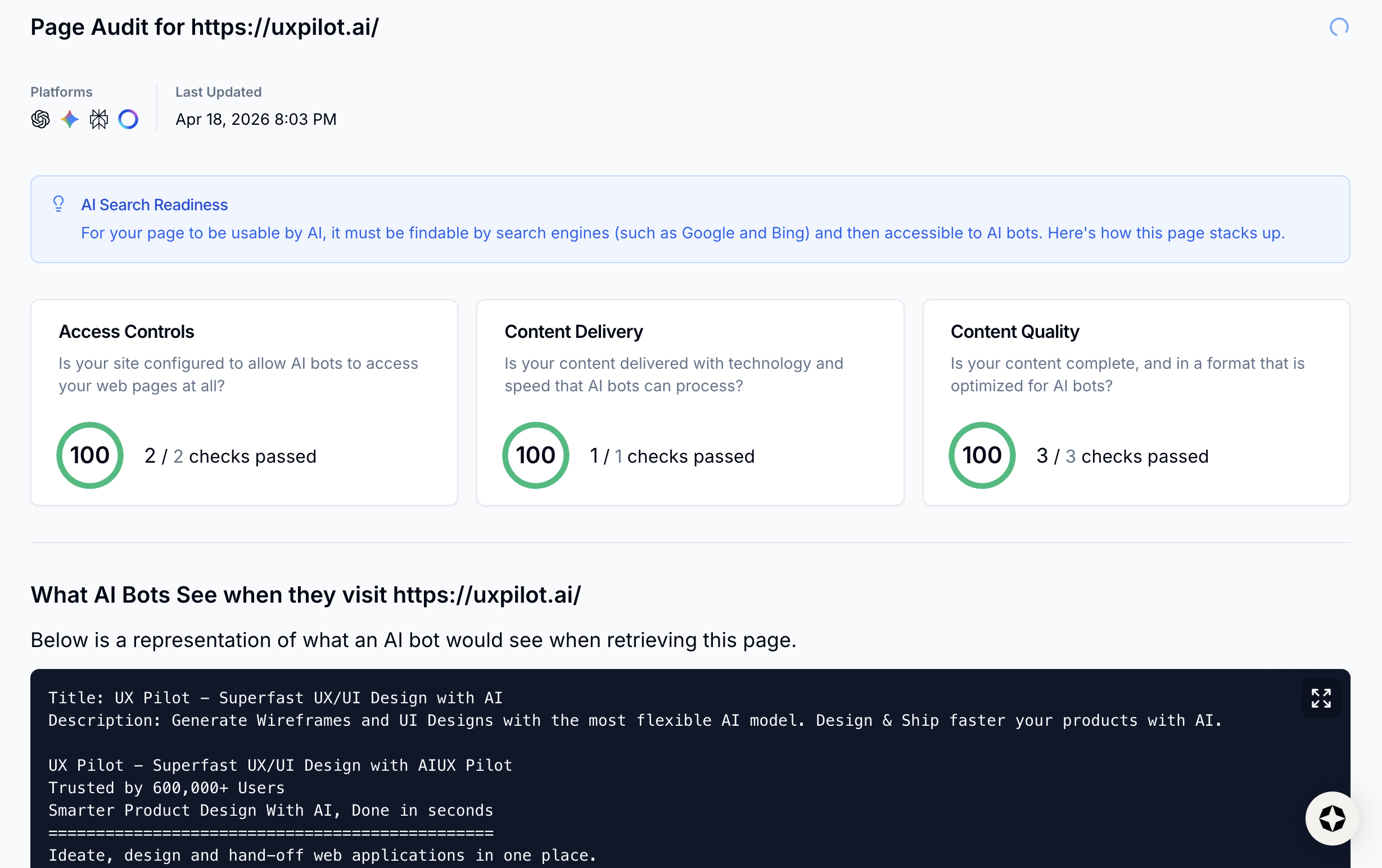
With Surfer, page audits sit inside a much broader idea: Search Everywhere Optimization.
So instead of treating audits as purely technical checks, Surfer splits them into two layers:
- on-page audit
- content audit
On the on-page side, I'm getting practical SEO improvements like missing or underused keywords, internal linking opportunities, or word count and structure issues.
This is the layer that helps you fix how your page is built.
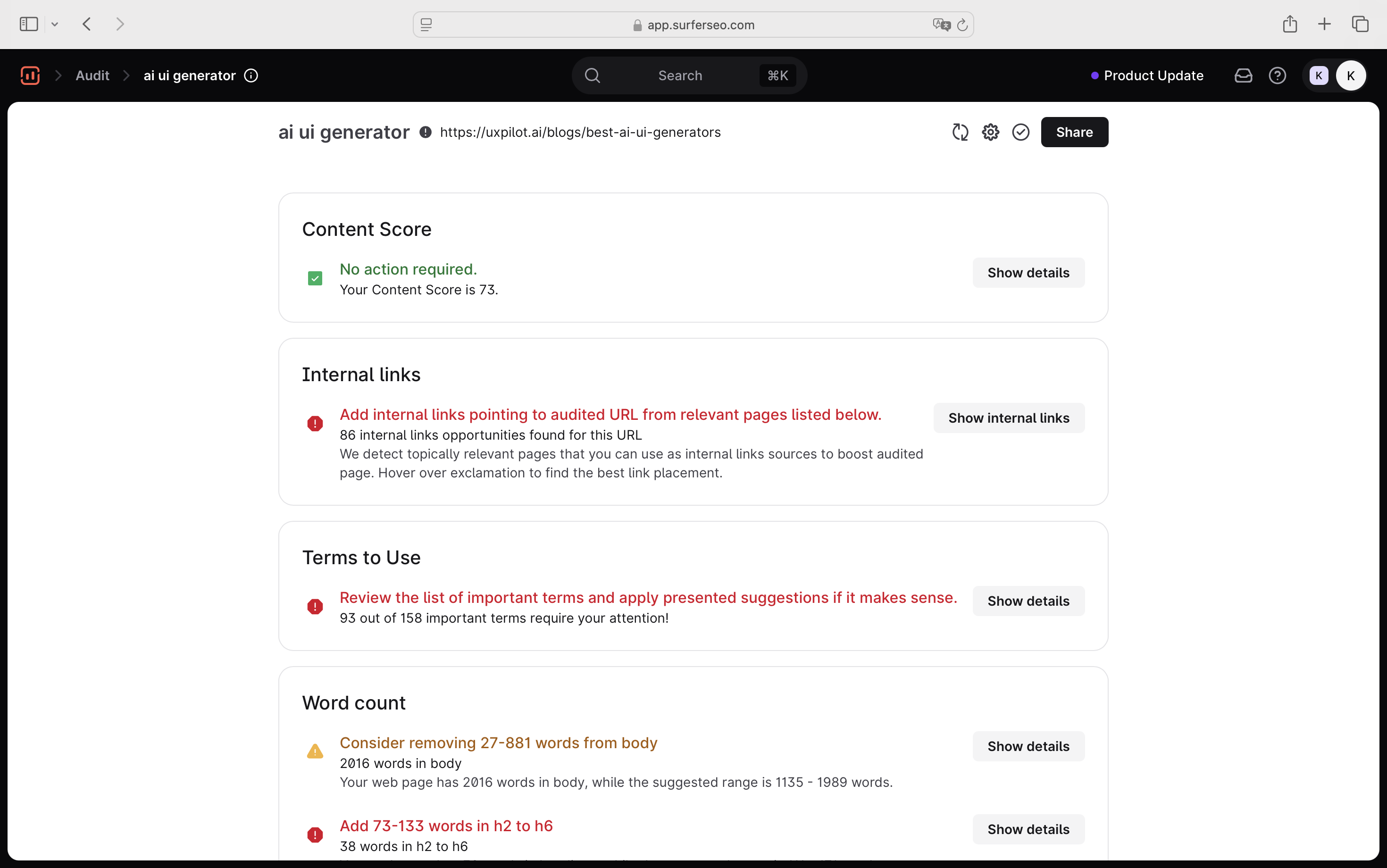
Then, on the content audit side, it goes further into how your content performs in both search and AI answers:
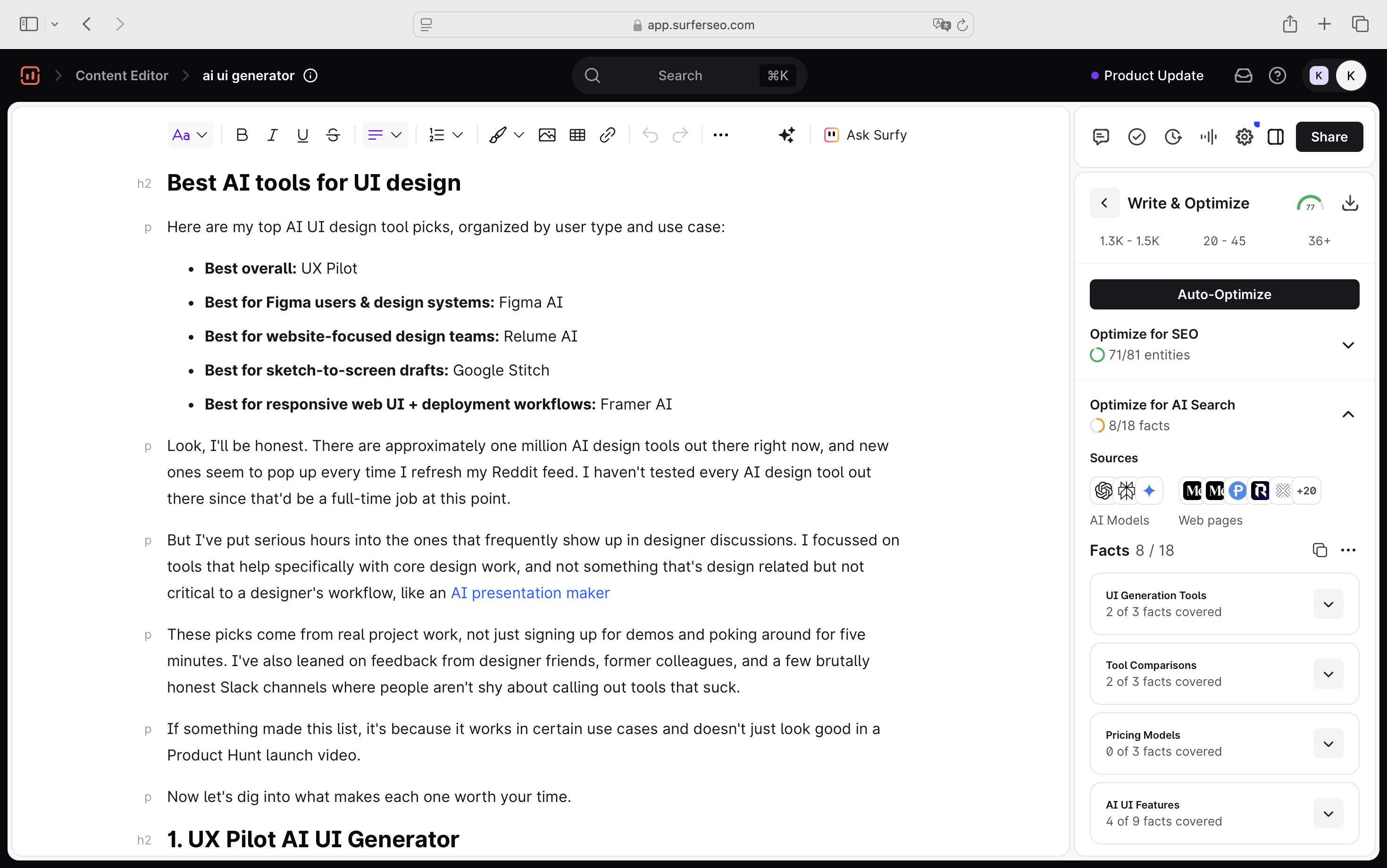
- NLP/semantic optimization (terms to include, coverage gaps)
- whether key topics and entities are fully addressed,
- “facts coverage” for AI search (i.e., are you actually answering what AI needs to cite you?)
This is the layer that answers: “Is my content actually competitive?”
Insights
The most obvious difference for me lies in how directly that data translates into action.
When I was using it, I got a lot of useful signals such as position, sentiment, and citation data, etc. There’s also a dedicated Insights view, which I actually found interesting at first.
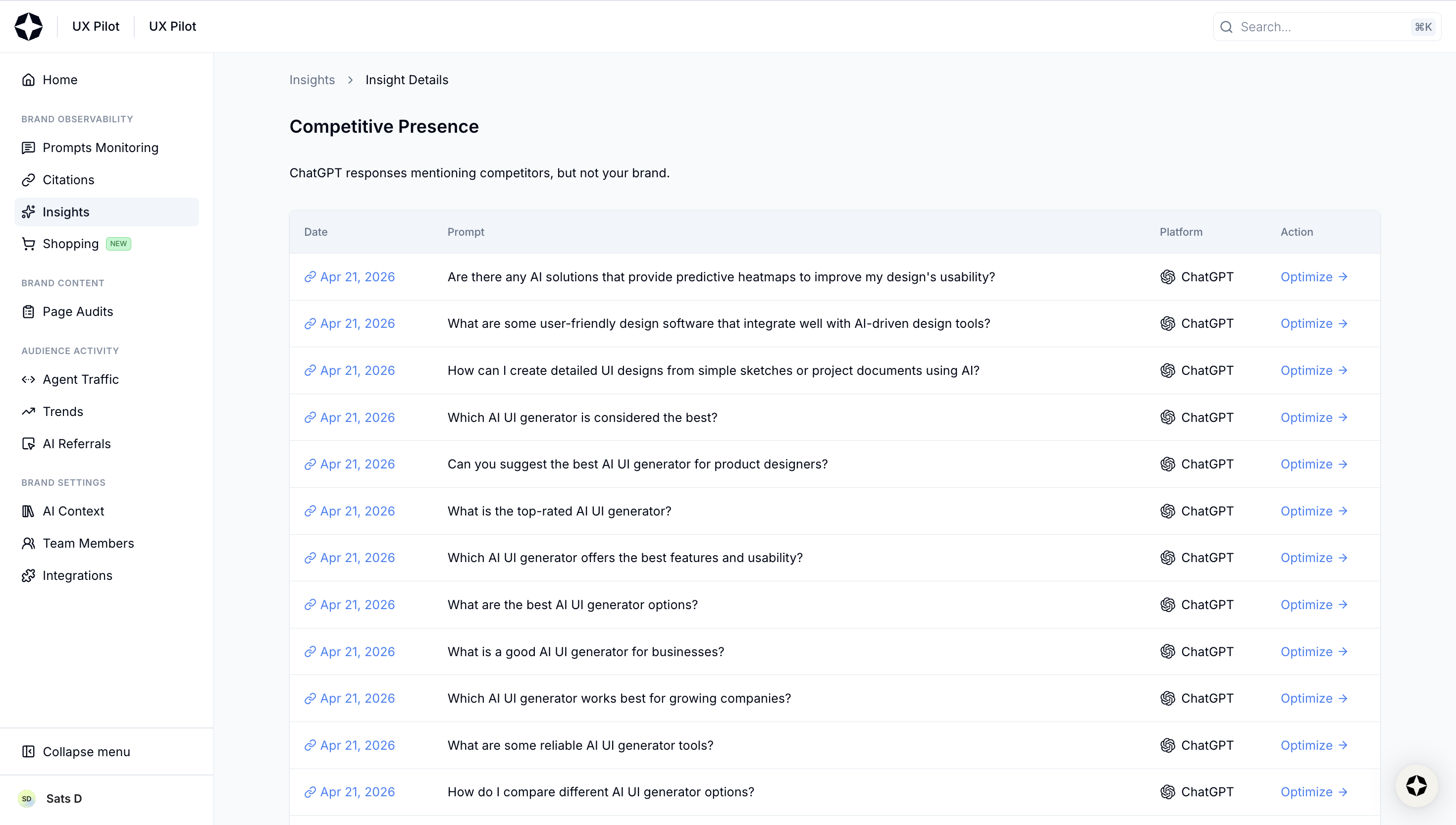
When I clicked into it, it surfaced prompts where competitors were showing up, but I wasn’t. Naturally, I thought, “Okay, this is where I can do something.” So I clicked Optimize.
That’s when I got the AI response, a list of “considered URLs”, and some basic search context.
From there, my takeaway was… a bit unclear.
The only real action I could infer was: “Maybe I should try to get featured in these URLs or create something similar?”
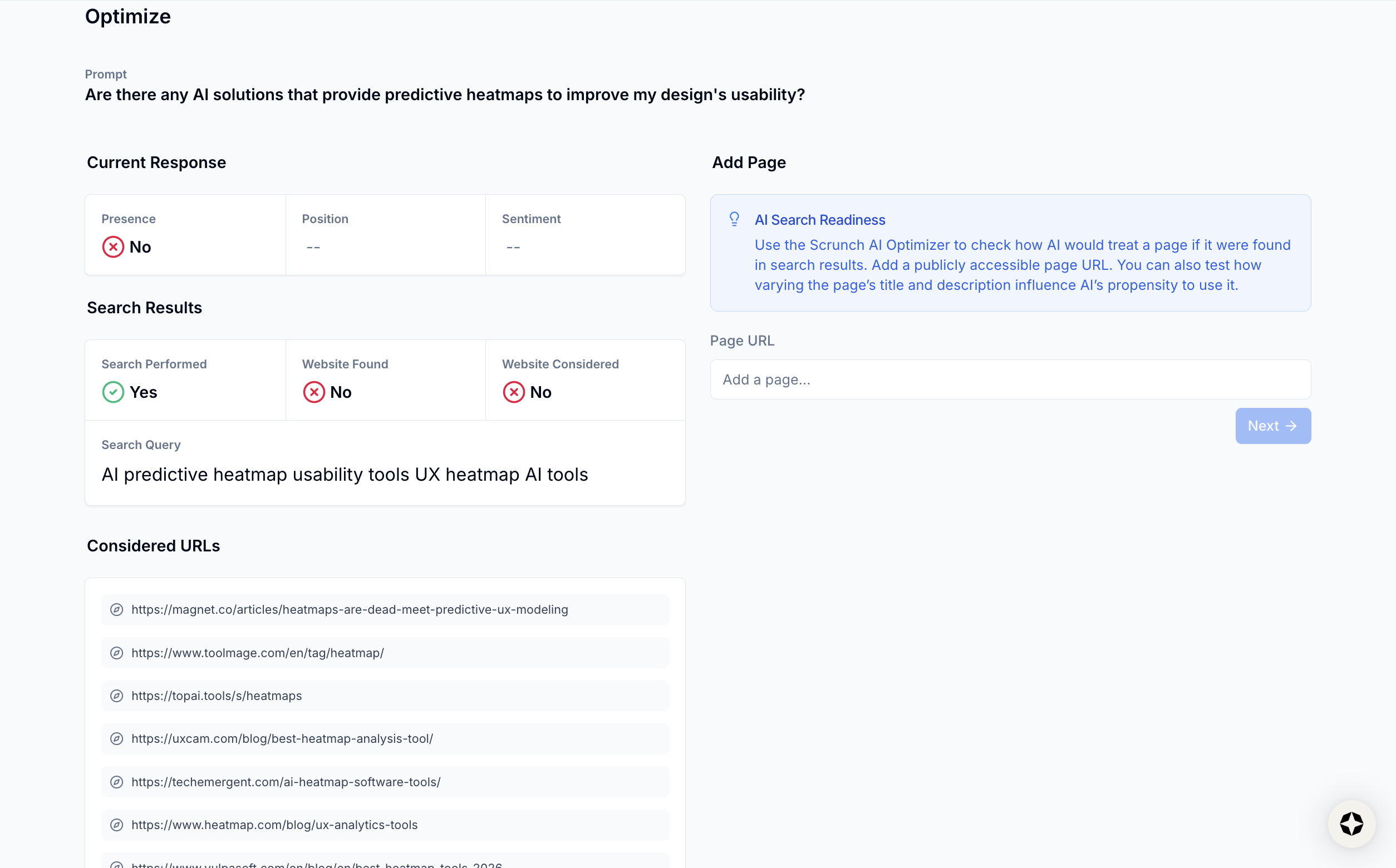
But that’s me interpreting the data, not the tool guiding me. It doesn’t explicitly tell you what to change, which gaps matter most, or how to prioritize.
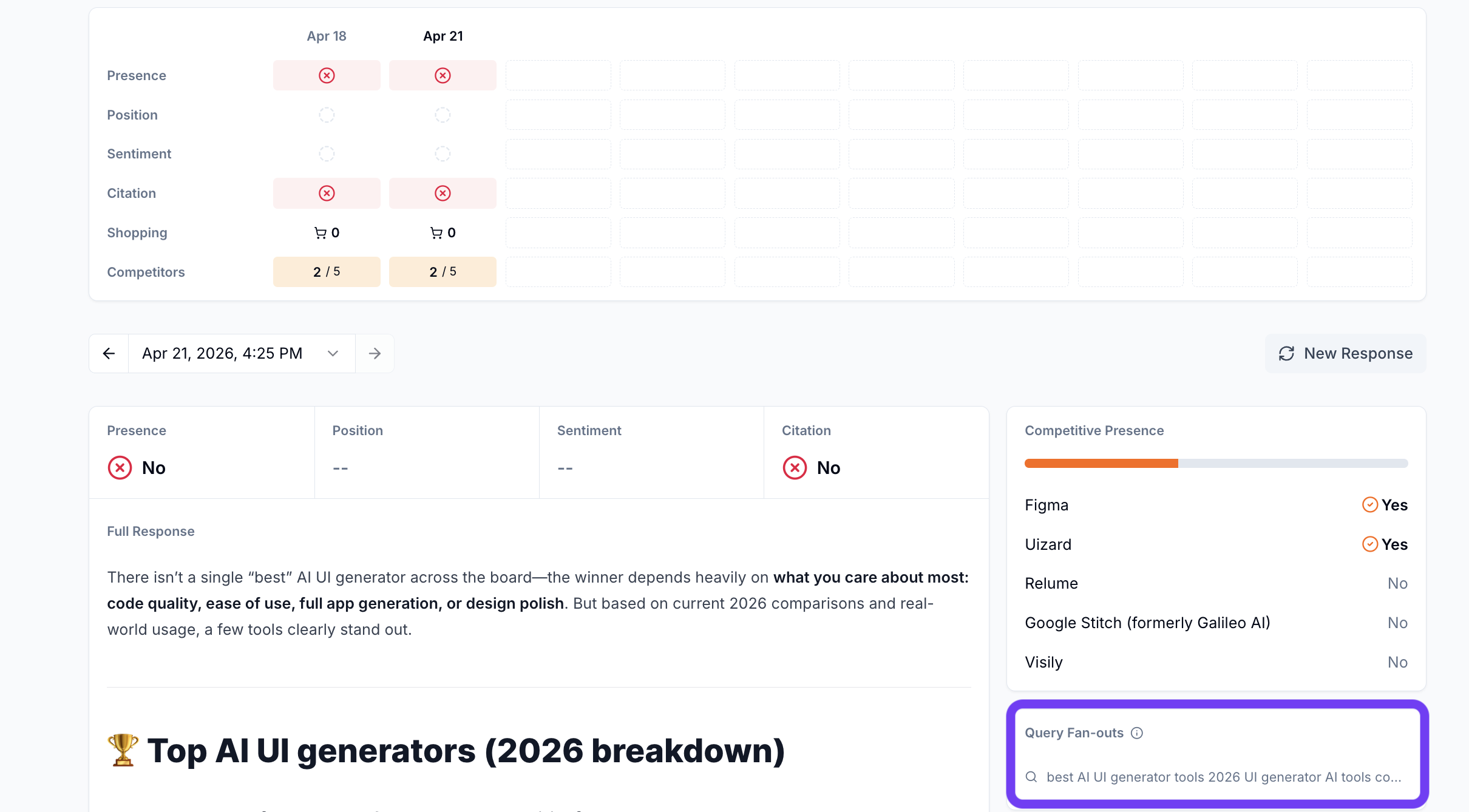
Even the fan-out queries (which do exist in Scrunch) are tucked inside individual prompt views. I only noticed them after digging, and even then, there’s no clear direction on whether I should target them or which ones matter.
On Surfer's side, it's a bit easier for me to figure out the next action. To be honest, it already has actionable layers across all of its features, like mention gaps, source-level insights, prompt-level insights, etc.
But the biggest differentiator for me was the Fan-out Queries feature. When I used it, I could see:
- the common follow-up queries AI models generate
- how often they appear (frequency)
- whether they’re trending up or down
- and group them by prompt or by fan-out
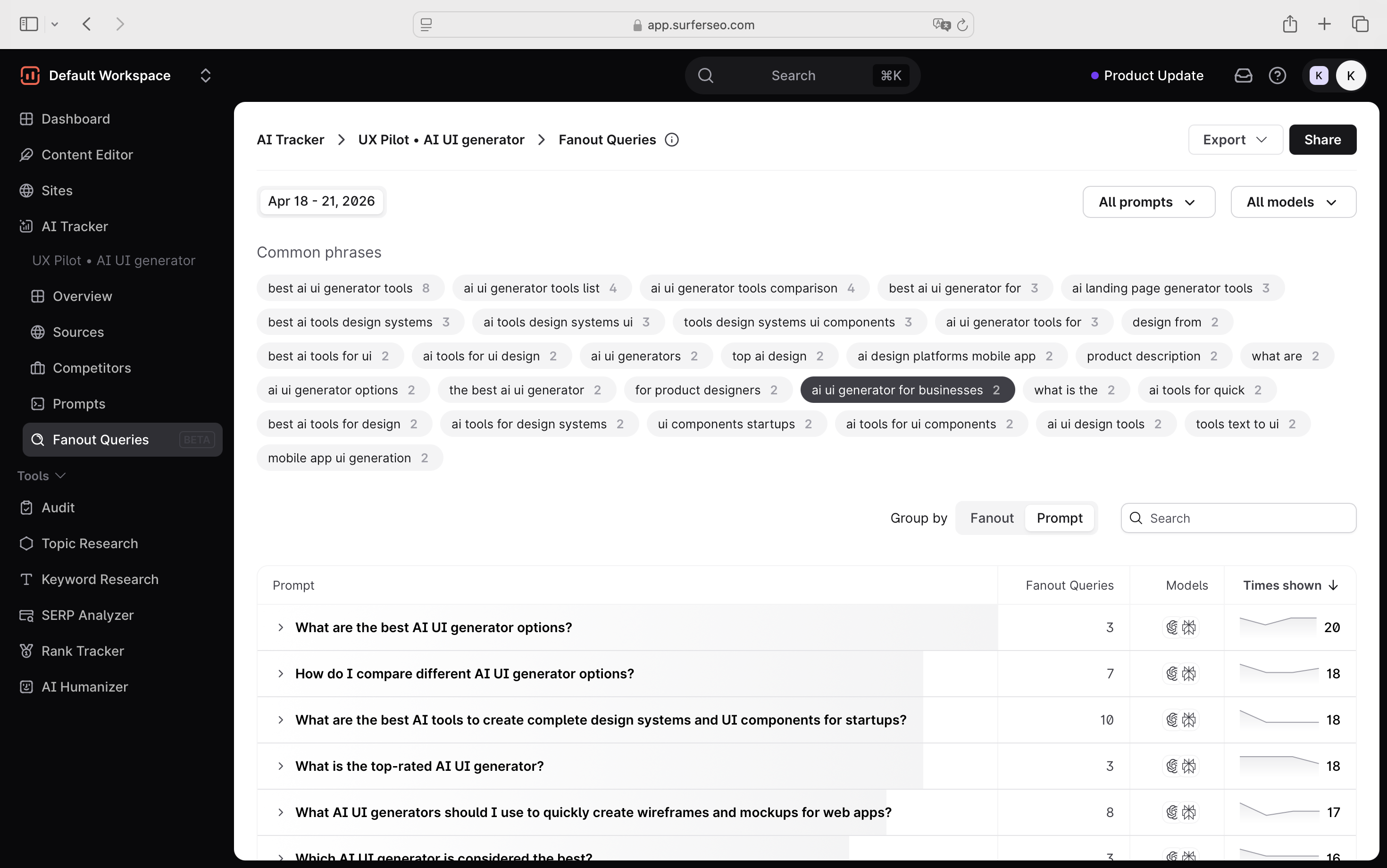
And ranking for fan-out queries is becoming equally important for AI visibility, apart from appearing in the citation sources. According to our research at Surfer on ~173,000 URLs, ranking for fan-out queries has a strong correlation (0.77) with getting cited in Google AI Overviews.
More importantly:
- pages ranking for both the main query and fan-outs are 161% more likely to get cited
- and even ranking for fan-outs alone can outperform ranking only for the main query
And this is exactly why this fan-out query capability feels more practical to me.
Scrunch AI's Site Maps report runs page-level audits to check AI crawlability and SEO quality across your pages. There wasn't much to see here except for some high level assessment.
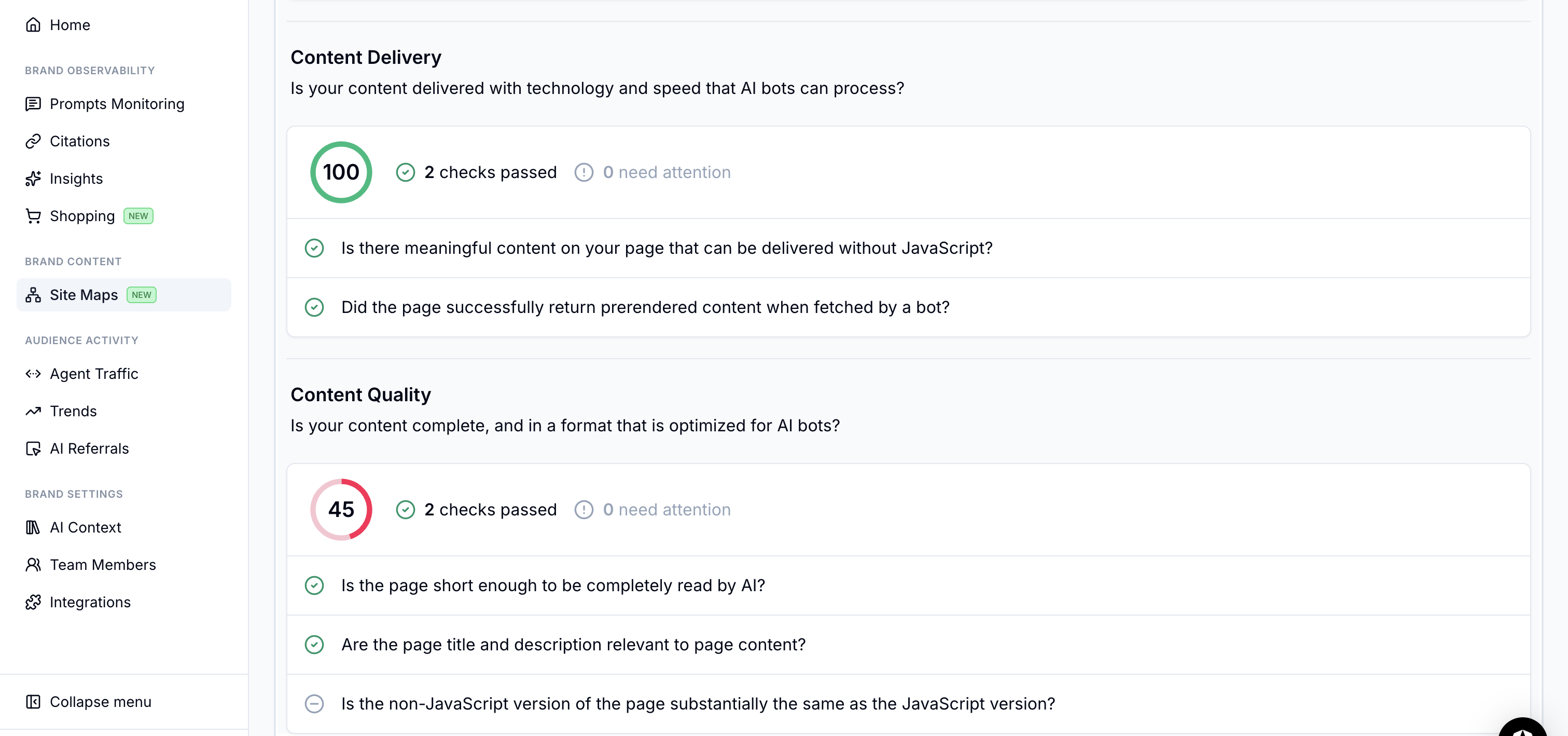
Scrunch doesn't explain or offer recommendations on this tab and the checks appear quite basic.
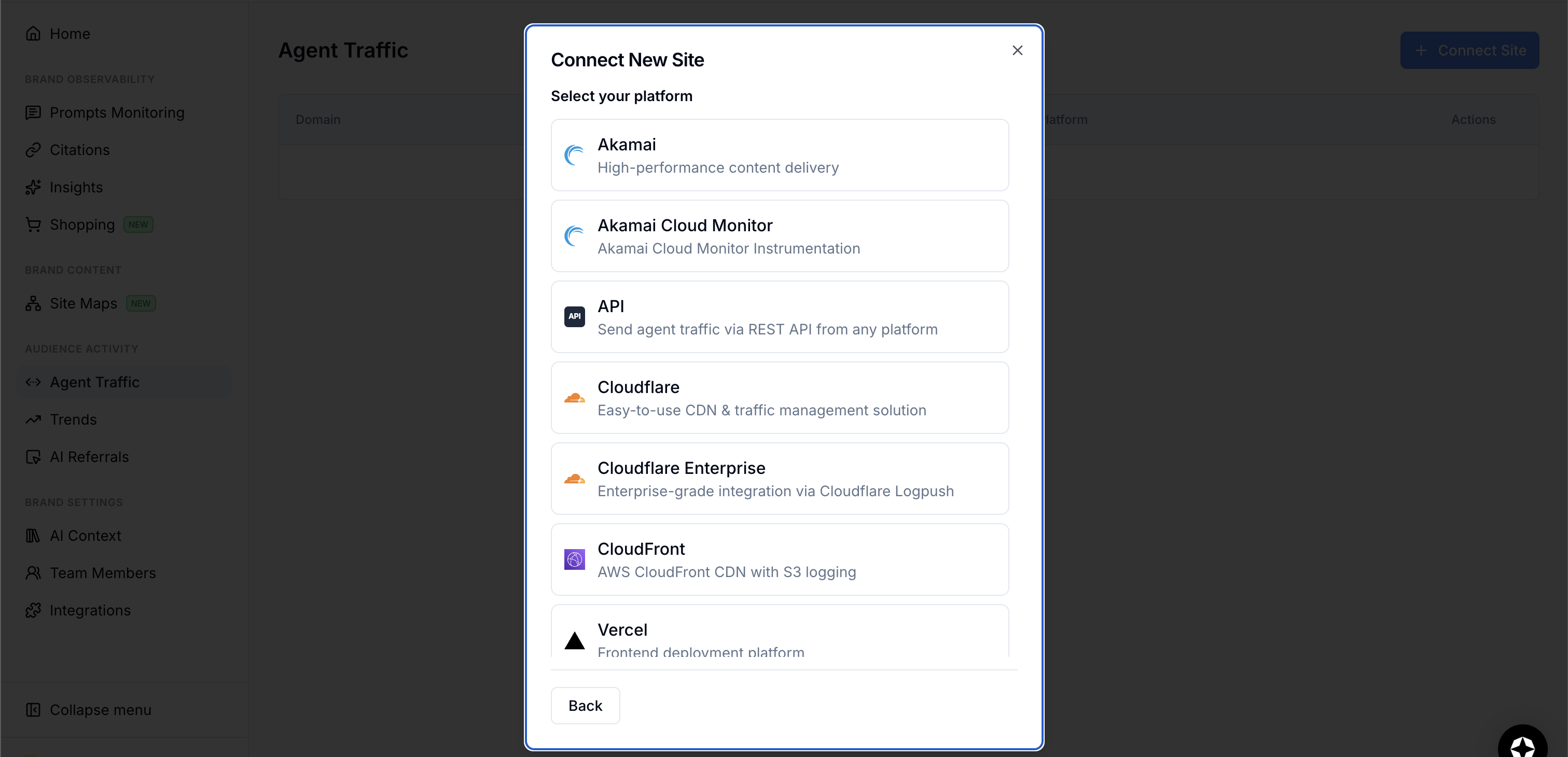
While Agent Traffic tracks AI bot traffic to your pages. I didn't end up connecting my CDN but you can see this traffic in your CDN's log files.
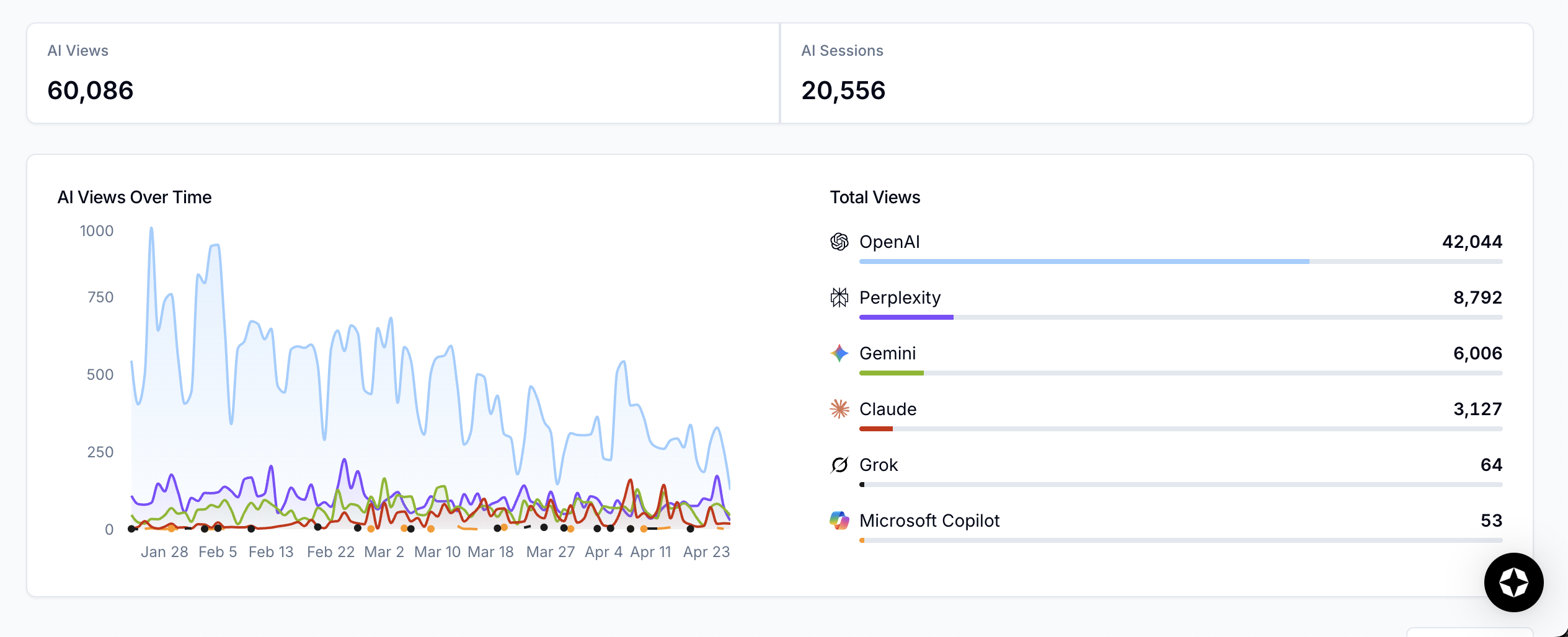
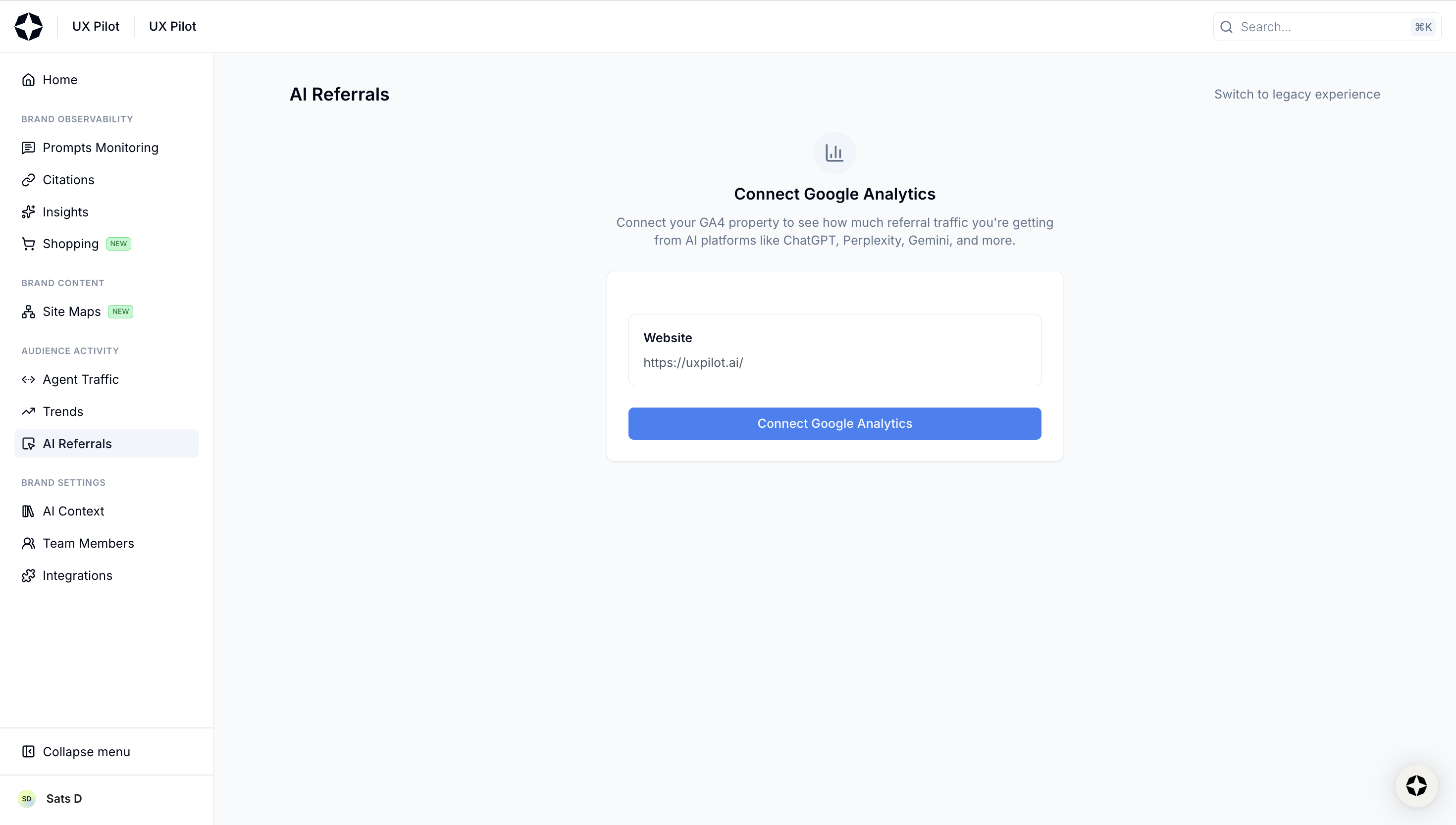
AI referrals recreates a session source report from your GA4 account to show you how much referral traffic you're actually getting from platforms like ChatGPT and Perplexity.
How each tool supports search optimization workflows
Fan-out queries, citations, page audits, etc., all of that still sits within the same job, which is improving your visibility. Now, where the two tools really split is in how much of that job they're built to handle.
Surfer is designed around a full search optimization workflow, where each feature feeds into the next:
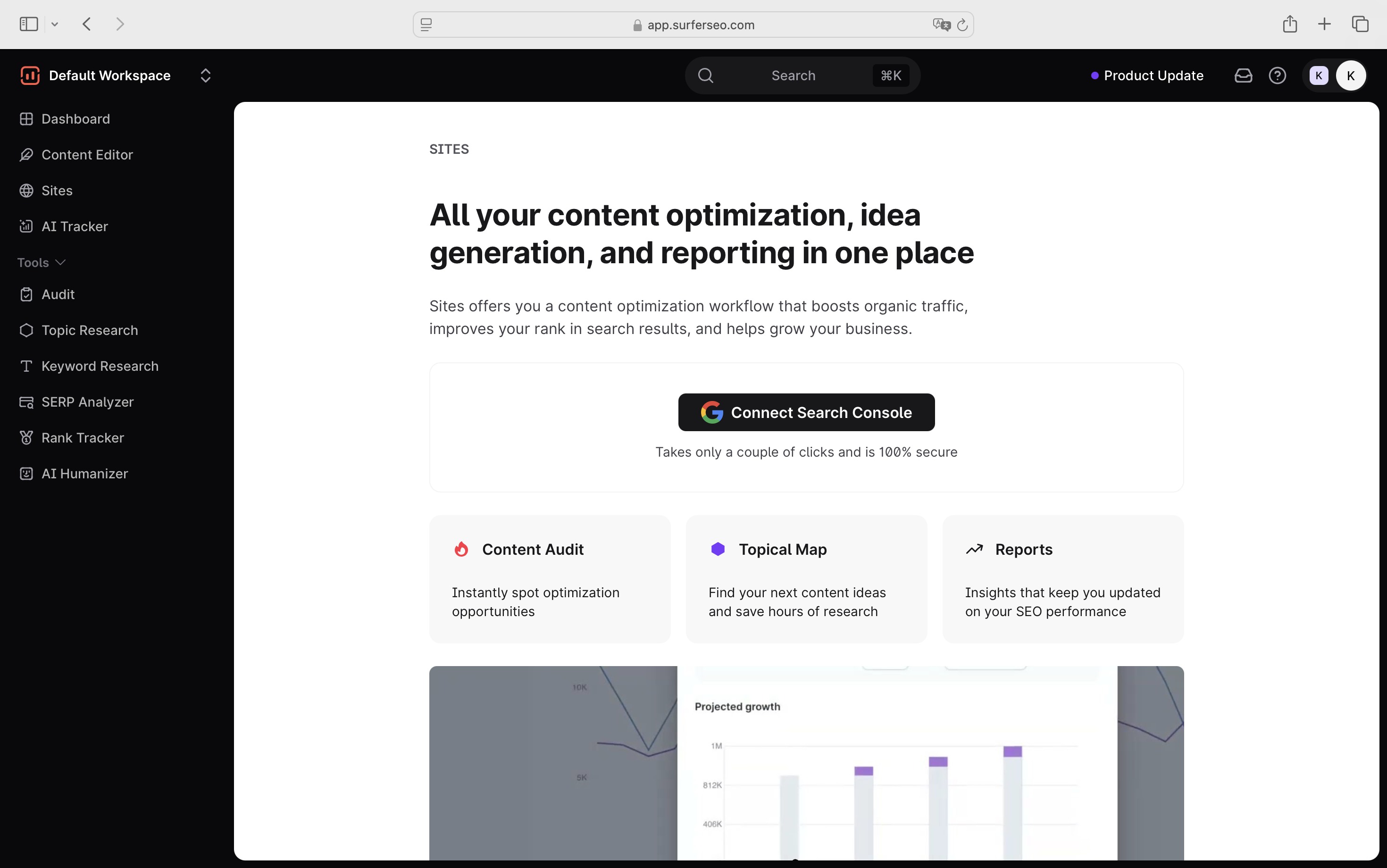
- You start by connecting your site via Google Search Console through Sites, which is the entry point that unlocks the topical map and SEO reporting.
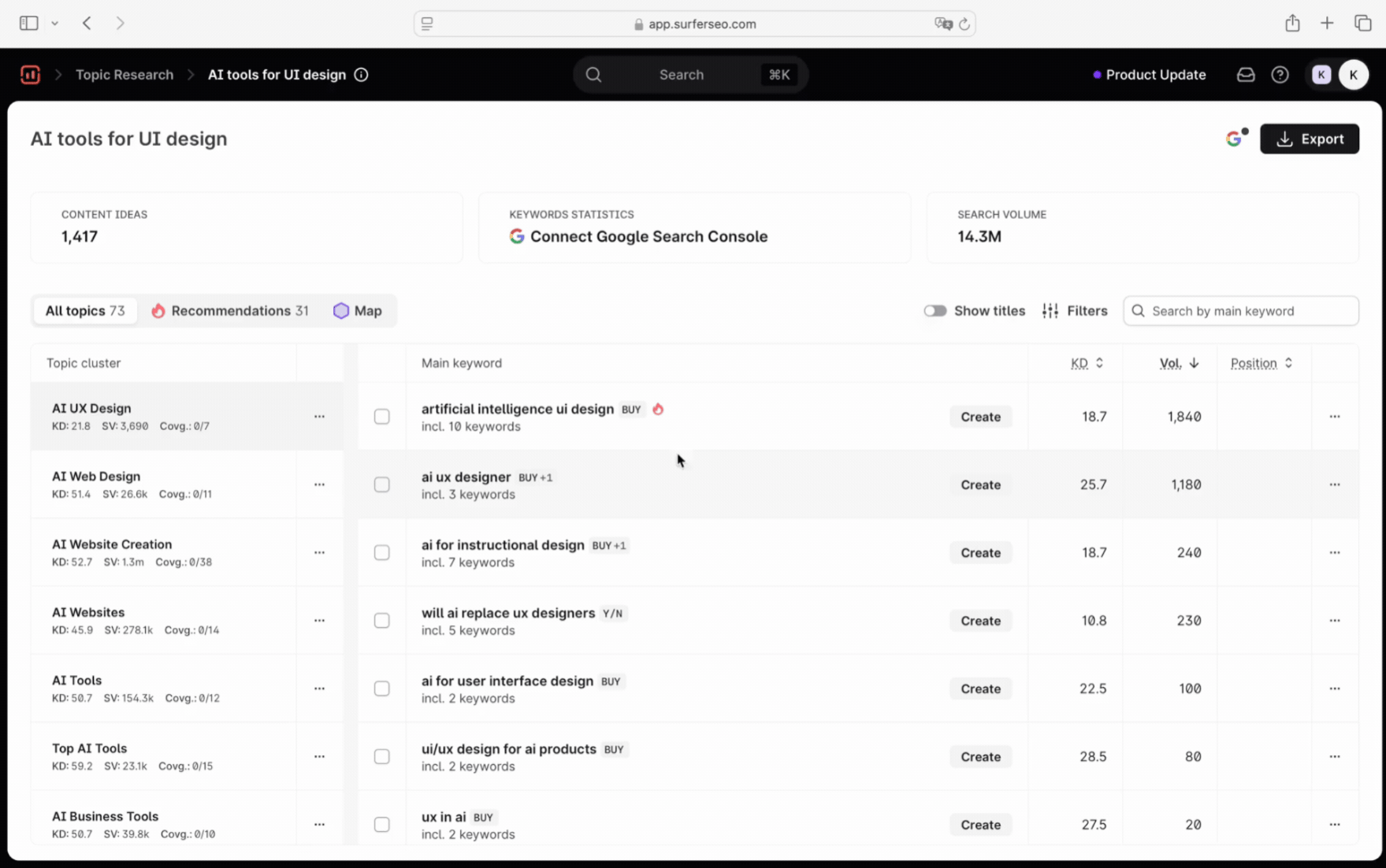
- From there, Topic Research helps you map out the full semantic landscape around a topic with keywords, search volumes, recommendations, and a visual map of how topics relate to your site. You can filter by volume, difficulty, coverage status, and more, so you can decide which one to prioritize
- You move into the Content Editor to write and optimize for both traditional search and AI answers, and publish directly to your CMS (WordPress, Google Docs, Webflow) when you're done.
- After articles have been live for a while, Content Audit flags decay and gaps.
- And sitting on top of all of this is the AI Tracker, closing the loop on how your content is performing across LLMs.
The whole idea is that you're optimizing for search visibility on all fronts, both traditional SEO and AI, without having to jump between tools.
Scrunch doesn't work this way. It's purely a monitoring tool, so I can't find any equivalent workflow, just a set of visibility reports you check in on.
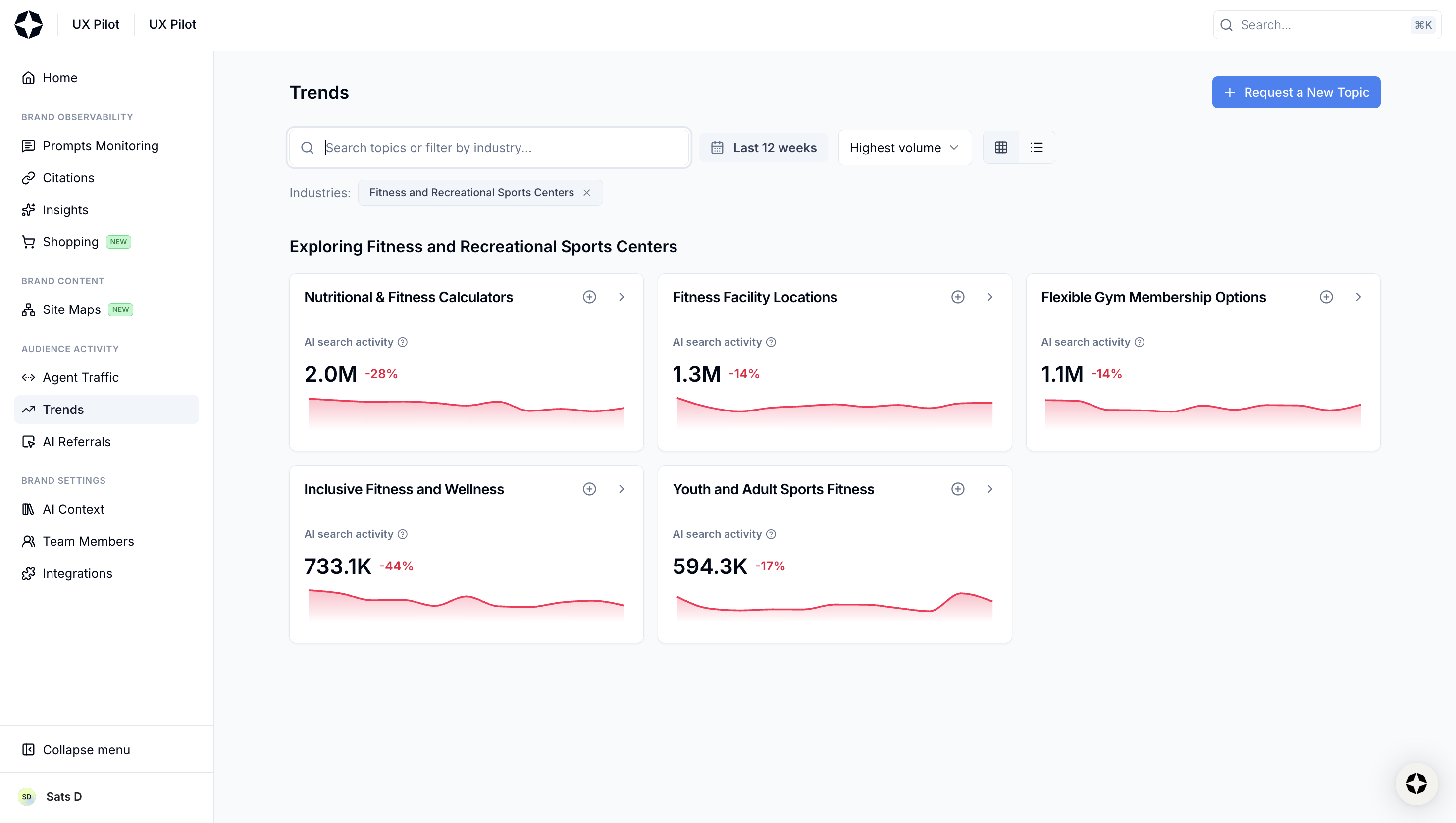
It does have a Trends feature that shows AI search activity by topic, competitive presence, and sample prompts, but you can't really act on it the way you would with Surfer's topic research.
Topics are pre-populated with AI search trend data, and if yours isn't available, you submit a request and wait. There's no keyword data, no difficulty scores, no content recommendations baked in.
The site and GA4 connections exist too, but again, they're scoped to AI monitoring, such as crawlability checks and referral AI traffic attribution from platforms like ChatGPT and Perplexity. Nothing that touches content or traditional SEO.
So if you're using Scrunch, you're also running Ahrefs or Semrush for keyword research and probably rank tracking, and a separate tool for content optimization. It's a workable stack, but it's not available by default.
Pricing comparison
Scrunch AI pricing starts at $250 per month, with two self-serve tiers for brands and agencies, plus a custom enterprise plan.
I think there's one thing worth flagging, though. That is, every AI engine you track counts toward your prompt limit, so if you're tracking 100 prompts across five models, you're using 500 credits. And since Scrunch covers only AI visibility, you'll still need to budget for a separate SEO tool on top of that.
Surfer's Pro plan is $182/month. It includes prompt tracking across 5 AI platforms, 360 pages of AI visibility optimization, keyword research, topical mapping, content auditing, CMS integrations, and 5 team seats, all in one. Enterprise plans start at $999/month.
Which tool is right for you?
At this point, I would say the final decision boils down to what you need around that data and how much of the work you want to do with a tool.
Since the core philosophy of all the LLM trackers is now pretty similar. The real differentiator isn't what they measure. It's what happens after you look at the data.
Choose Surfer if you are optimizing for visibility across traditional and AI search engines
If your team thinks about SEO and AI visibility as parts of the same job, which, for most growth teams right now, they are, Surfer is the more practical choice.
For me, there's also a practical reason not to separate the two disciplines just yet.
And that's just not me saying this, but the most recent research from Ahrefs says this too. According to Ahrefs research across one million keywords, when you rank in the top 10, there's a greater likelihood that you'll get cited in the top 3 of the AI Overview results.
This means if you're already optimizing for traditional search, you're not starting from scratch with AI visibility. And that's exactly where Surfer's workflow pays off, where you have all the tools to improve visibility.
From finding the right topics and keywords, to writing and optimizing the content, to tracking whether it's showing up in AI answers after it goes live, everything connects in one place.
The gap between "I see the problem" and "I know what to do about it" is a lot shorter.
Choose Scrunch AI if your only goal is AI search optimization
Srunch AI positions itself as an agent experience platform (AXP). Therefore, if your role is mainly to monitor and report on brand presence across LLMs and you already have an SEO stack you're happy with, Scrunch is a decent choice.
The prompt-level data, citation tracking, and competitive benchmarking are solid enough for weekly reporting.
But just be honest with yourself about what it is. That's not a dealbreaker if AI optimization is genuinely all you need.
Note: I tested Scrunch in April 2026, and this article reflects features at the time of writing.
What is the main difference between Scrunch AI and Surfer?
Scrunch AI is mainly built for monitoring brand visibility in AI-generated answers. Surfer combines AI visibility tracking with SEO workflows like keyword research, content editing, content audits, topical mapping, and page optimization.
Is Scrunch AI mainly an AI visibility monitoring tool?
Yes. Scrunch AI focuses on tracking how brands appear across AI platforms, including mentions, citations, sentiment, competitors, and AI referral traffic.
How does Surfer help improve AI visibility compared to Scrunch AI?
Surfer helps improve AI visibility by connecting AI tracking with SEO workflows including visibility audits, fan-out queries, and answer engine optimization. This makes it easier to act on visibility gaps, not just monitor them.
Does Scrunch AI include SEO tools like keyword research, content editing, and content audits?
No. Scrunch AI does not include full SEO tools like keyword research, content editing, topical mapping or content audits. It is focused primarily on AI visibility monitoring and reporting.
Which tool is better for teams that want SEO and AI visibility tracking in one platform?
Surfer is better for teams that want both SEO and AI visibility tracking in one platform. It combines AI visibility data with tools for keyword research, content creation, optimization, auditing, and publishing.