
We've never had a shortage of content creation and automation platforms, but we're now seeing a major differentiator between them—AI search capabilities. Like other popular tools, AirOps expanded its initial offering and focus, especially in terms of AI visibility insights.
I got a chance to spend some time with the platform and check out both its AI-focused and more traditional SEO workflows, so here I'll share my thoughts.
Besides covering the main features of AirOps, I'll compare them to Surfer so you can see where each platform excels and potentially falls short. I'll also go over the pricing and explain who can benefit the most from each option.
AirOps vs. Surfer: features and workflows
Surfer and AirOps have a similar overarching goal—helping teams create search optimized content faster and more effortlessly. And while they share some similarities, there are major differences in their general approach.
I'm saying this because you'll notice that this comparison isn't about what each tool can and can't do because there are notable feature overlaps between them—it's the how that sets them apart.
AI Visibility
With Surfer's AI Tracker, you get complete visibility into your site's performance across the major AI search engines:
- Google's AI Overviews (AIOs) and AI Mode
- ChatGPT
- Perplexity
- Gemini
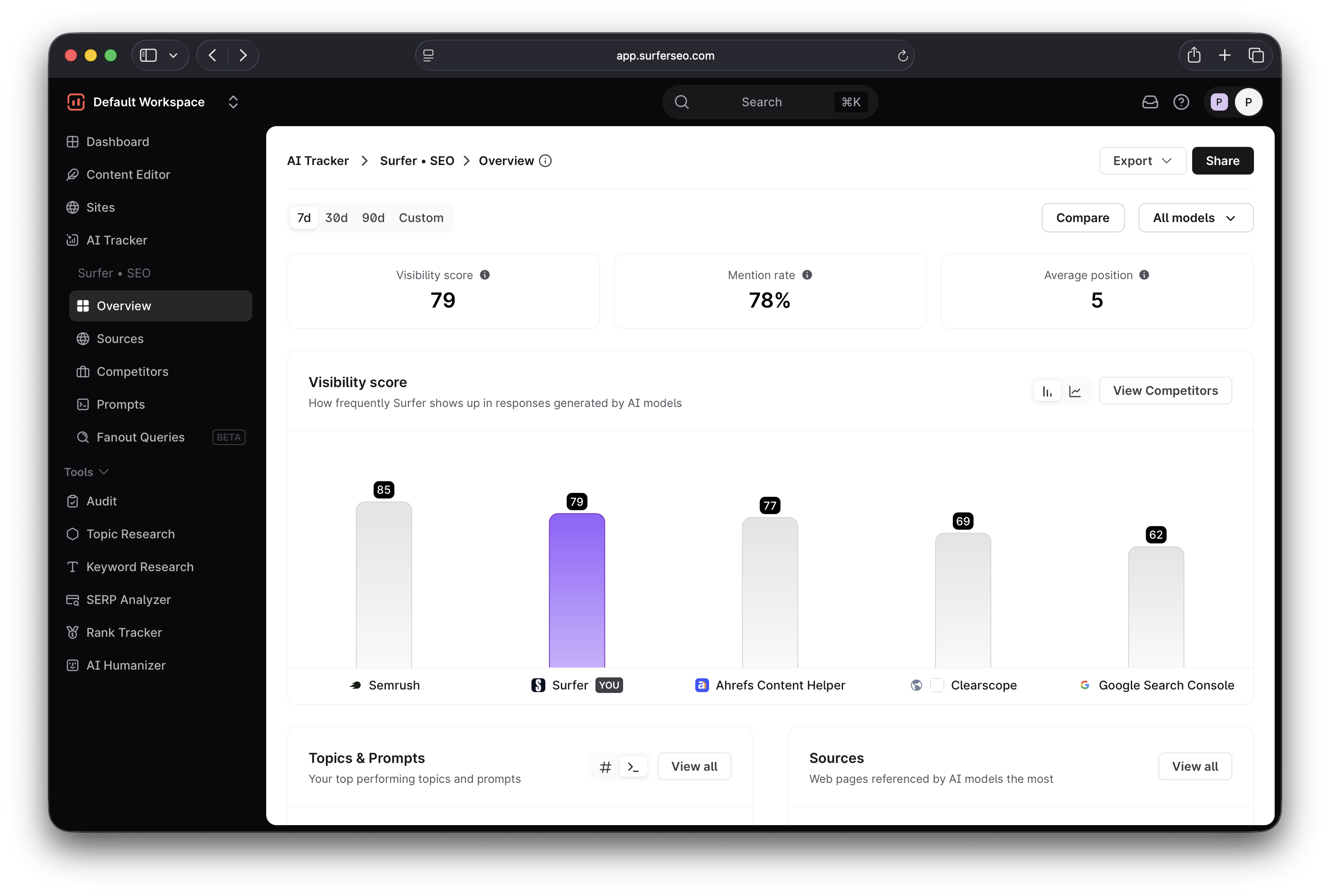
You get insights into all the data that matters, including:
- Mention rate (which shows how often AI models mention your brand)
- Average position in AI responses
- Topics and prompts for which you show up
- Sources used by AI models that mention your brand
All this data is aggregated into your Visibility score, which showcases your overall AI search performance and makes it easier to track your progress.
AirOps doesn't have an equivalent metric, though it also has a solid dashboard with useful data like:
- Mention and citation rates
- Average position
- Share of voice
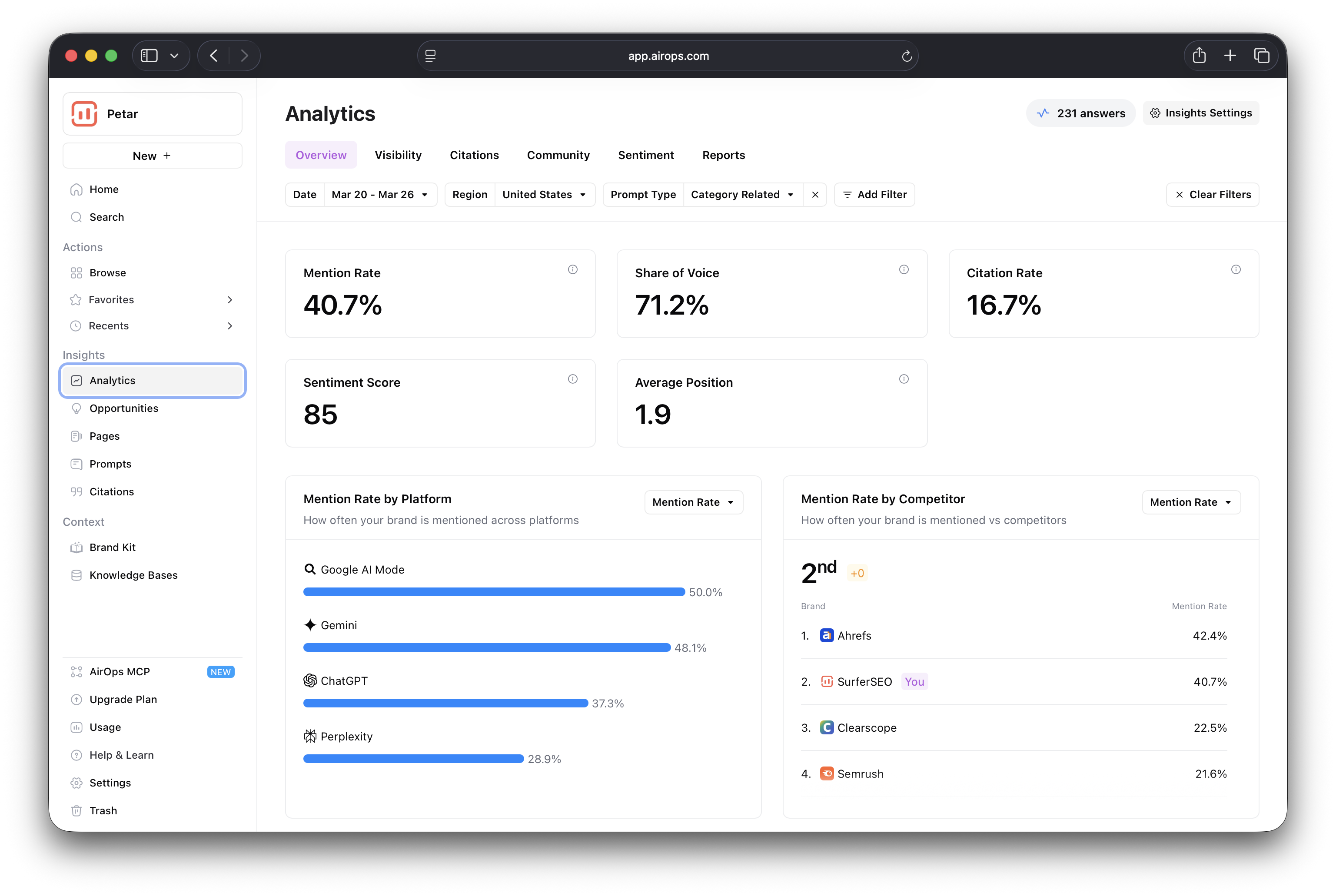
A neat feature is the sentiment score, which measures how your brand is perceived by different AI engines.
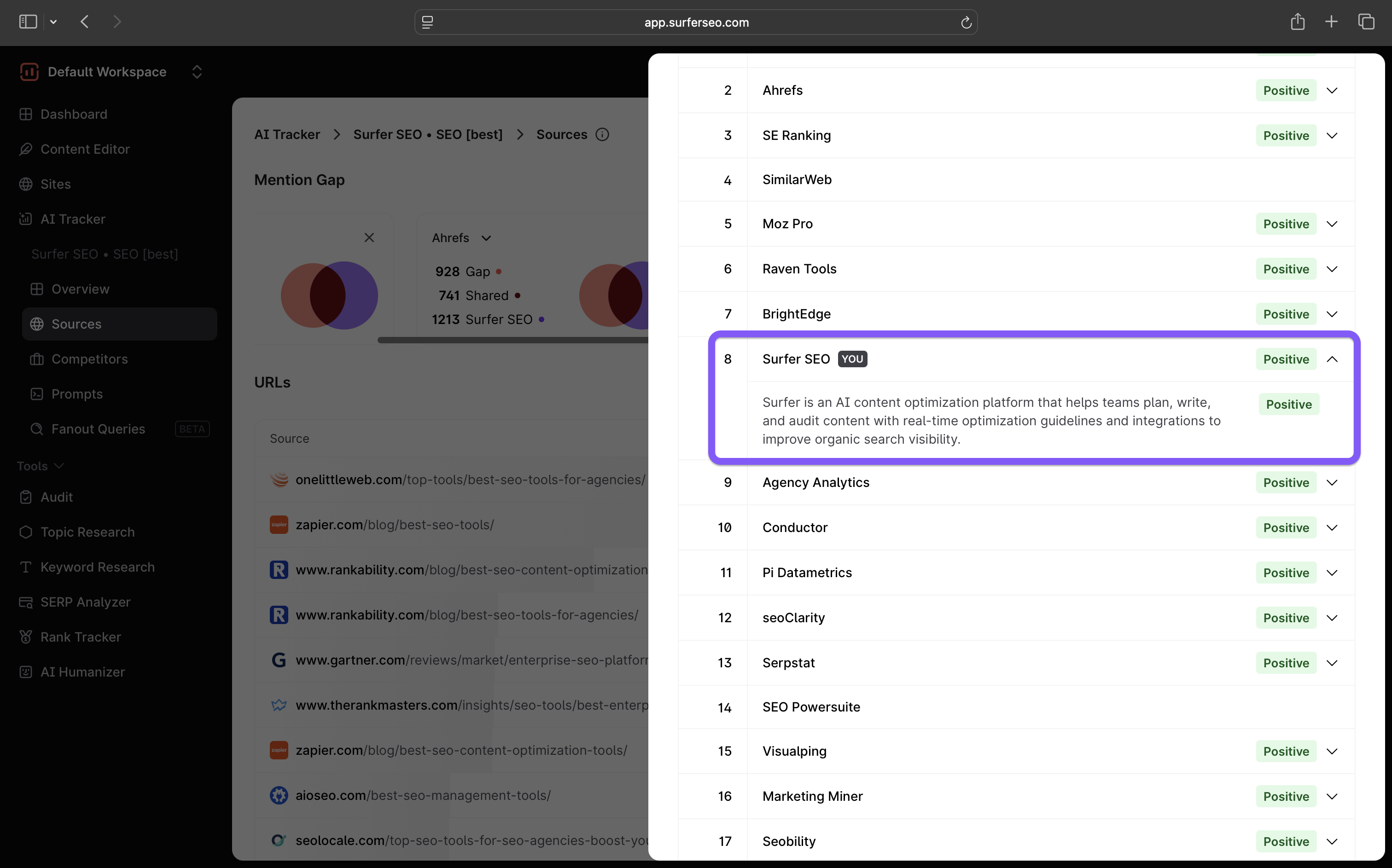
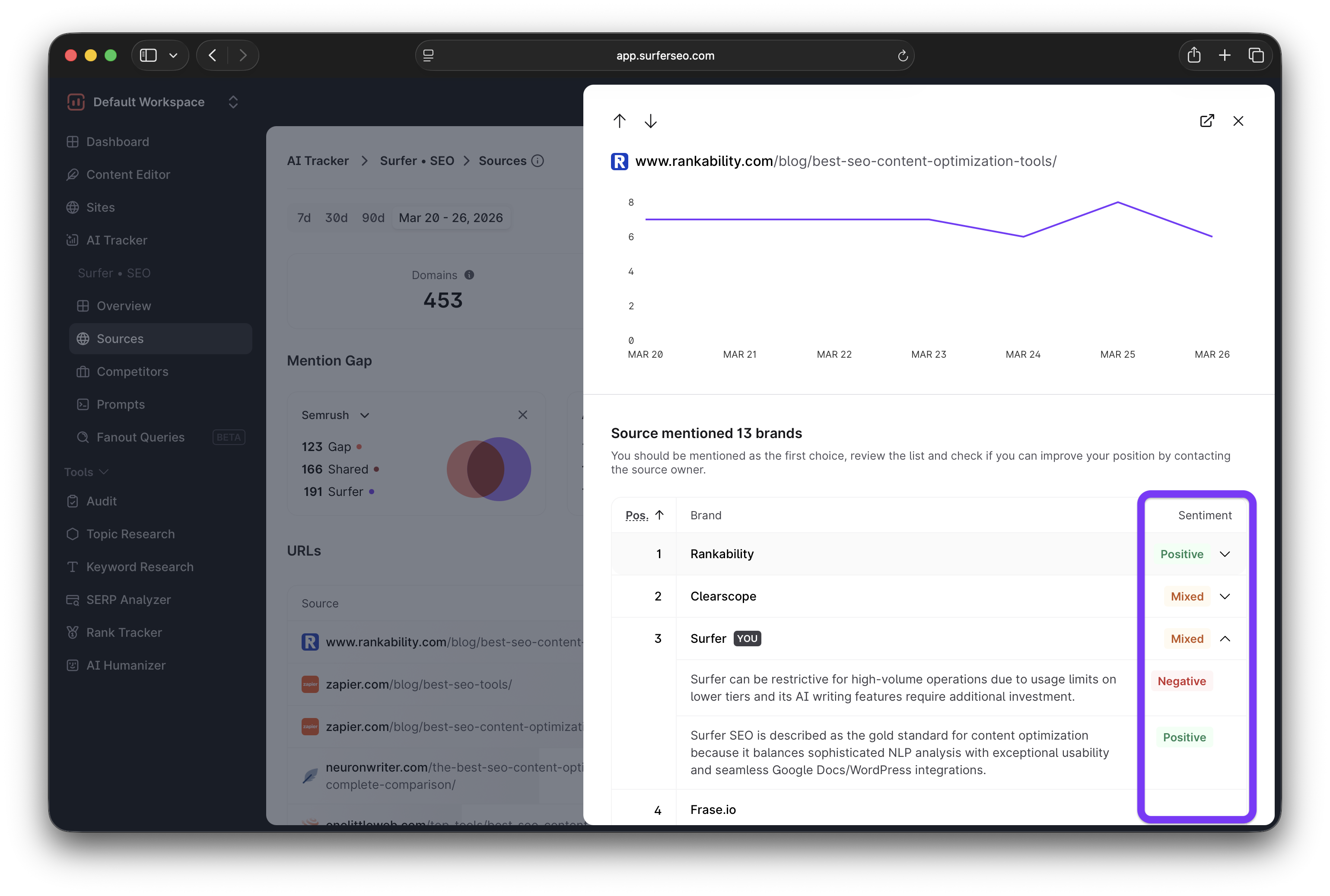
In Surfer, sentiment analysis is available in the Sources report, where you can see how specific sources see your brand.
I pulled Surfer's AI performance from the past week, and both platforms positioned Surfer #2 among competitors, though AirOps had a more conservative mention rate across brands.
Prompt, competitor, and citation tracking
Surfer's AI Trackers runs prompt checks daily to show:
- Your overall visibility in the prompt
- Brands mentioned in the responses
- Your brand's mention rate and average position
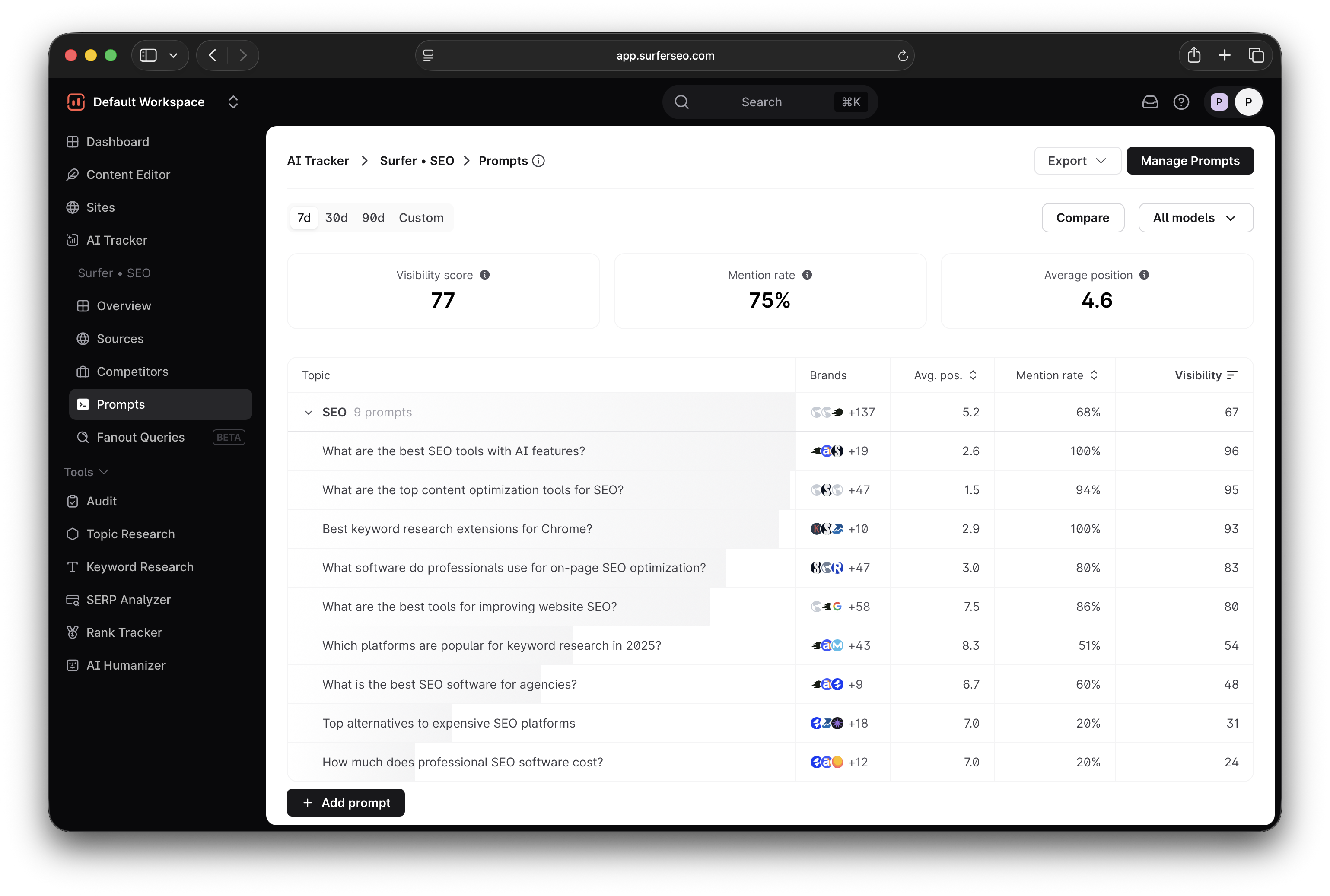
AirOps shows similar data, with the addition of query fanouts for each prompt.
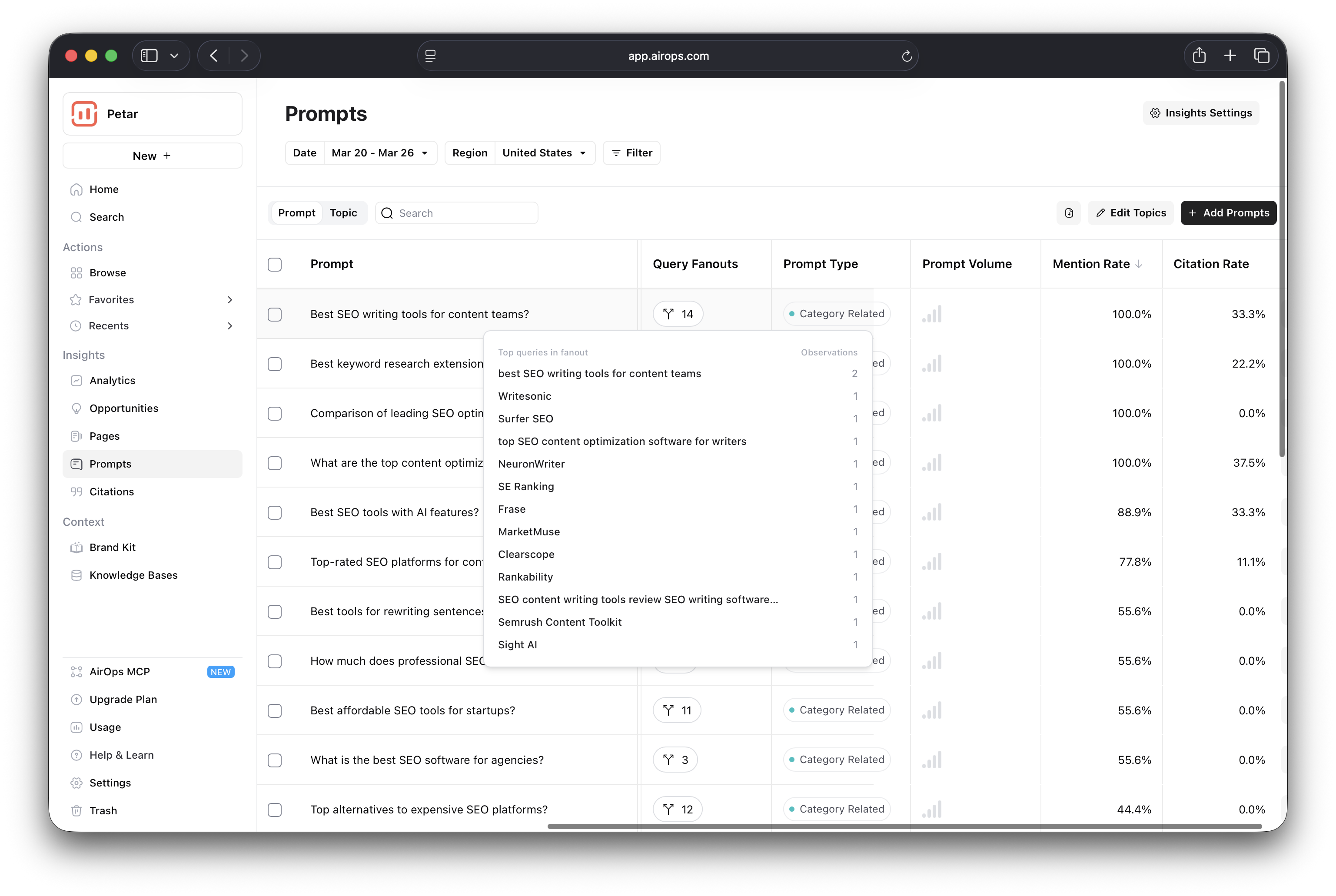
Meanwhile, Surfer has a dedicated Fanout Queries tab that lets you see both general phrases and prompt-specific fanouts, which include data on the models that fanned out the query and the number of times the fanout appeared.
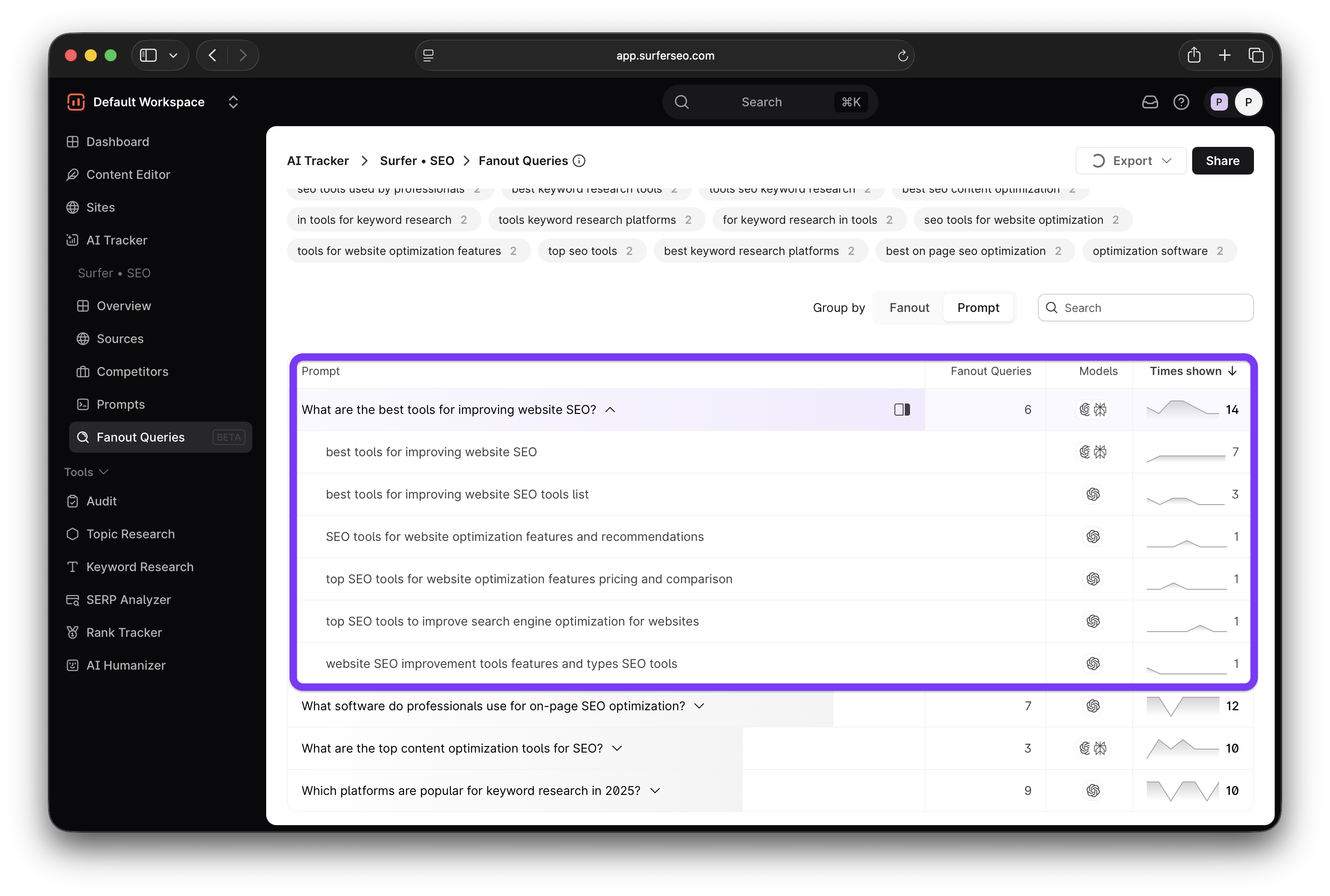
Competitor analysis is where you'll notice a bit more difference between Surfer and AirOps. Both platforms offer the data you need, but it's organized differently.
For instance, Surfer's Sources report gives you a bird's-eye overview of the sources citing you through the number of domains, URLs, and references that show up in LLMs.
More importantly, it immediately highlights the mention gaps between you and your main competitors.
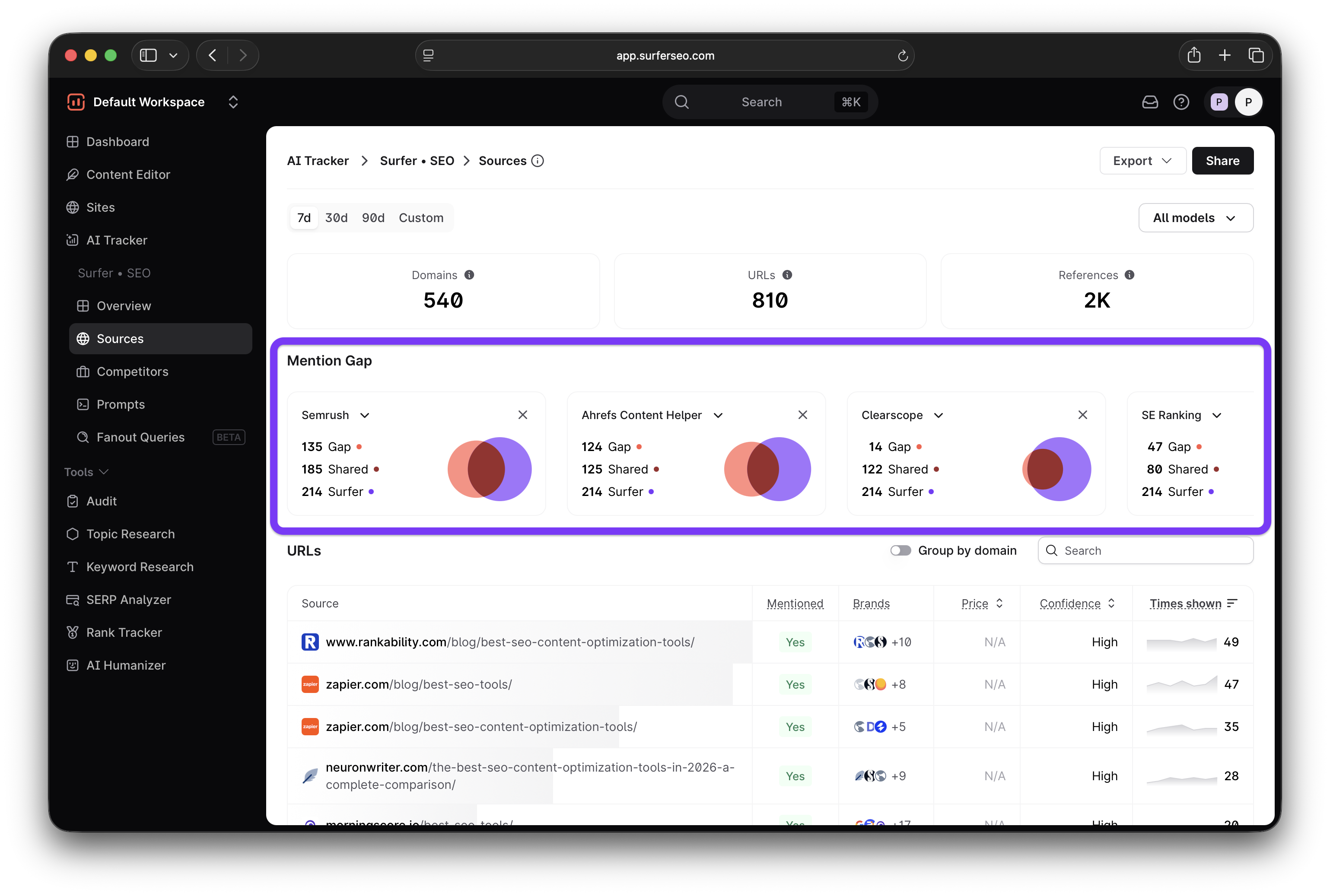
You then get a detailed breakdown of the sources with data like:
- Whether your brand is mentioned
- What other brands are included in the response
- Number of times the source has shown up in the responses
An especially valuable metric is the Confidence Score, which measures how consistently a URL appears in LLMs when asked the same prompt multiple times.
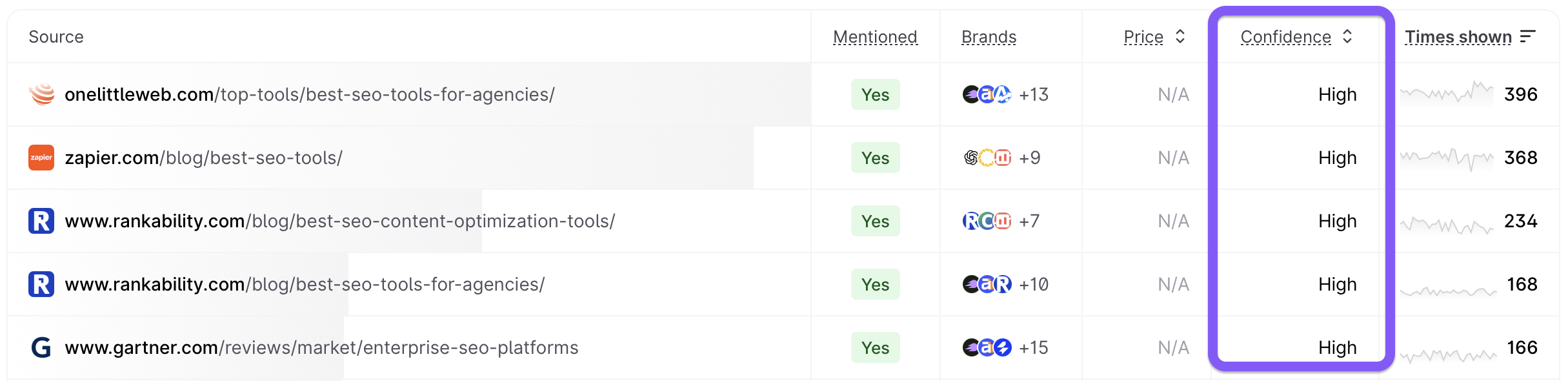
This is important because the number of times a source is referenced by a model directly determines how many times your brand might be mentioned if included in the source.
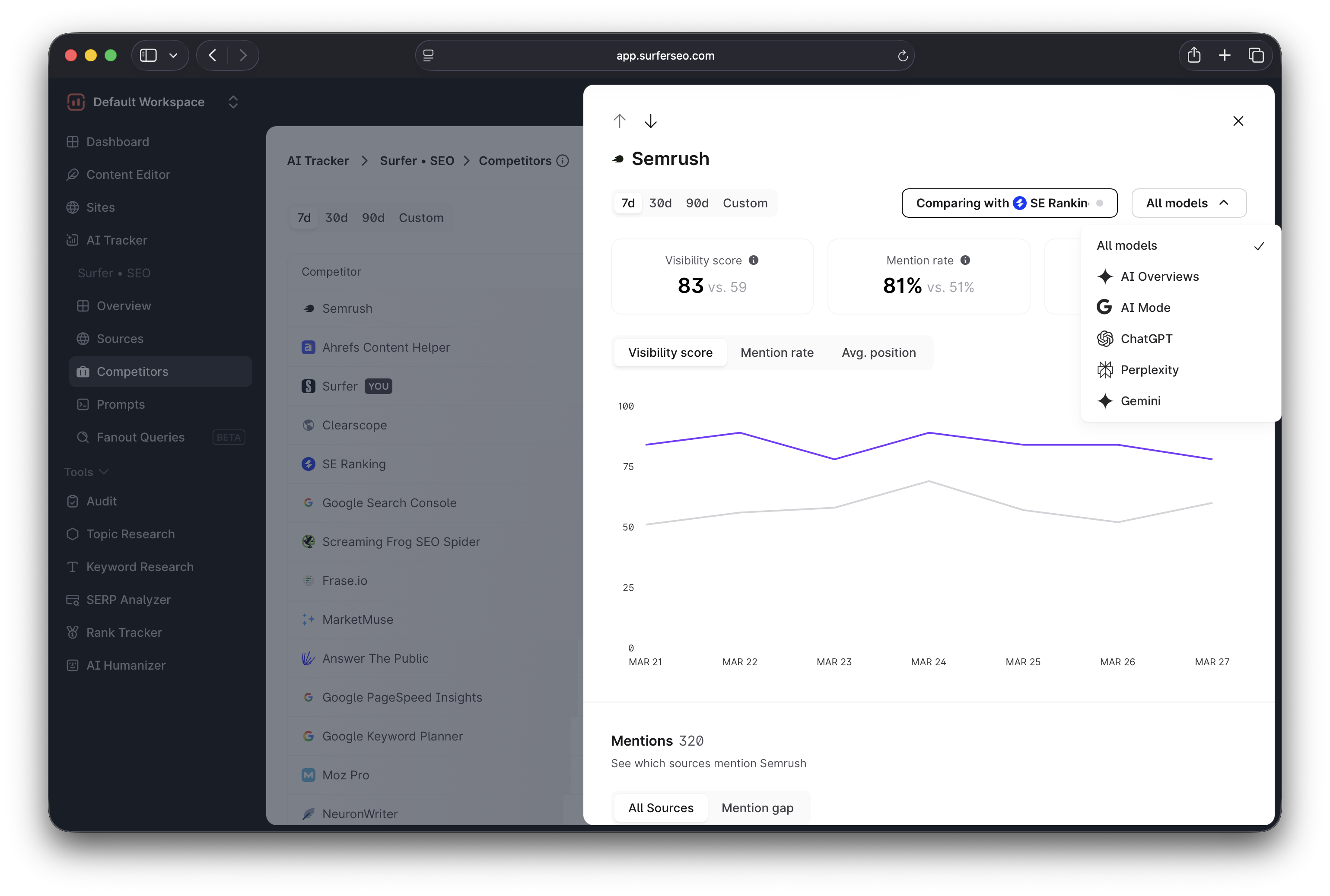
Surfer's Competitors tab allows you to compare your performance directly against a specific competitor, view their results side by side, and analyze their performance across different LLMs for detailed insights.
The Citations report in AirOps takes a different approach, listing all the URLs with much of the same data that Surfer shows.
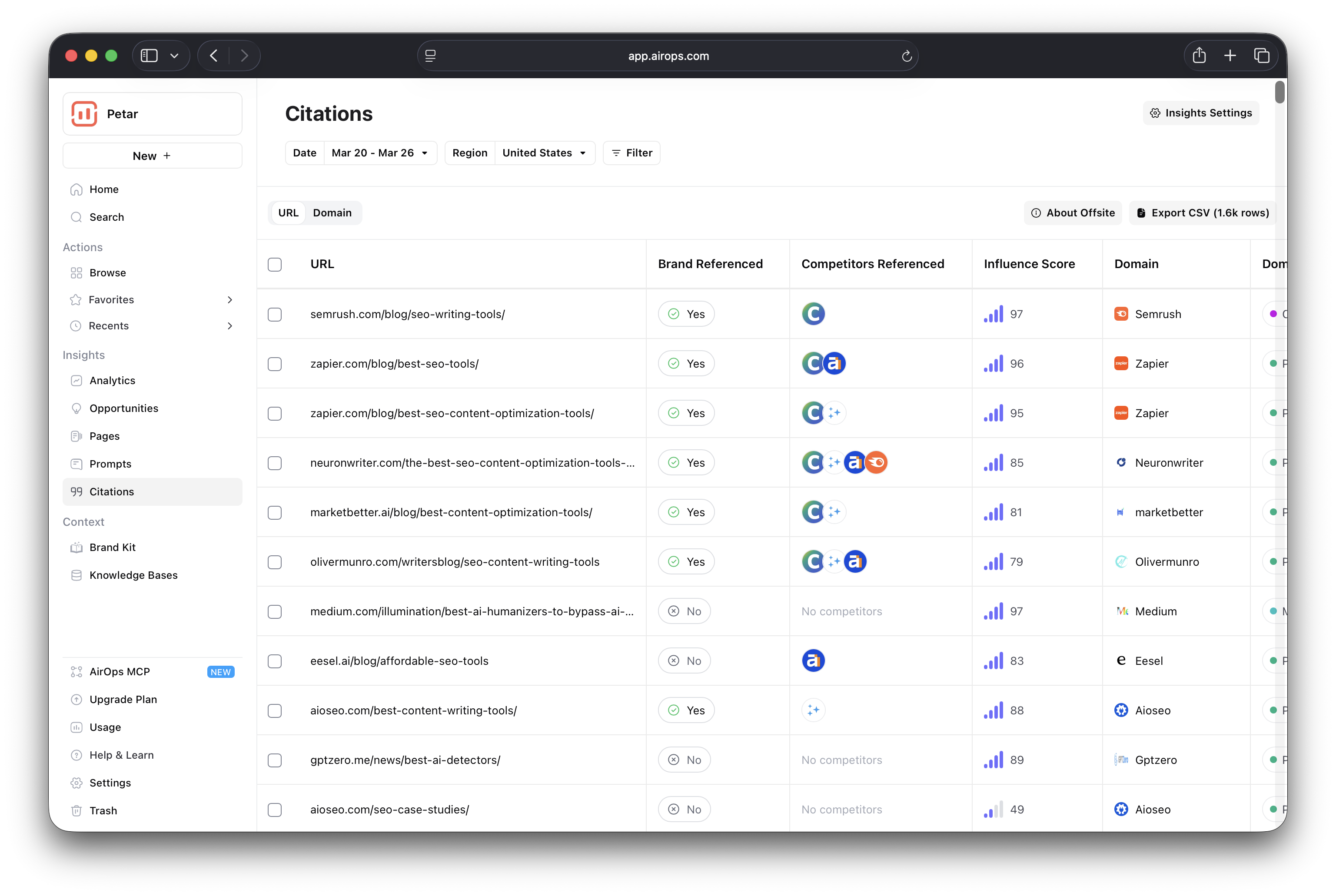
A nice addition is the Influence Score, which measures a source's impact on LLMs to help you prioritize those that you should try to get cited by.
This is likely an internal metric calculated from citation frequency and confidence scores.
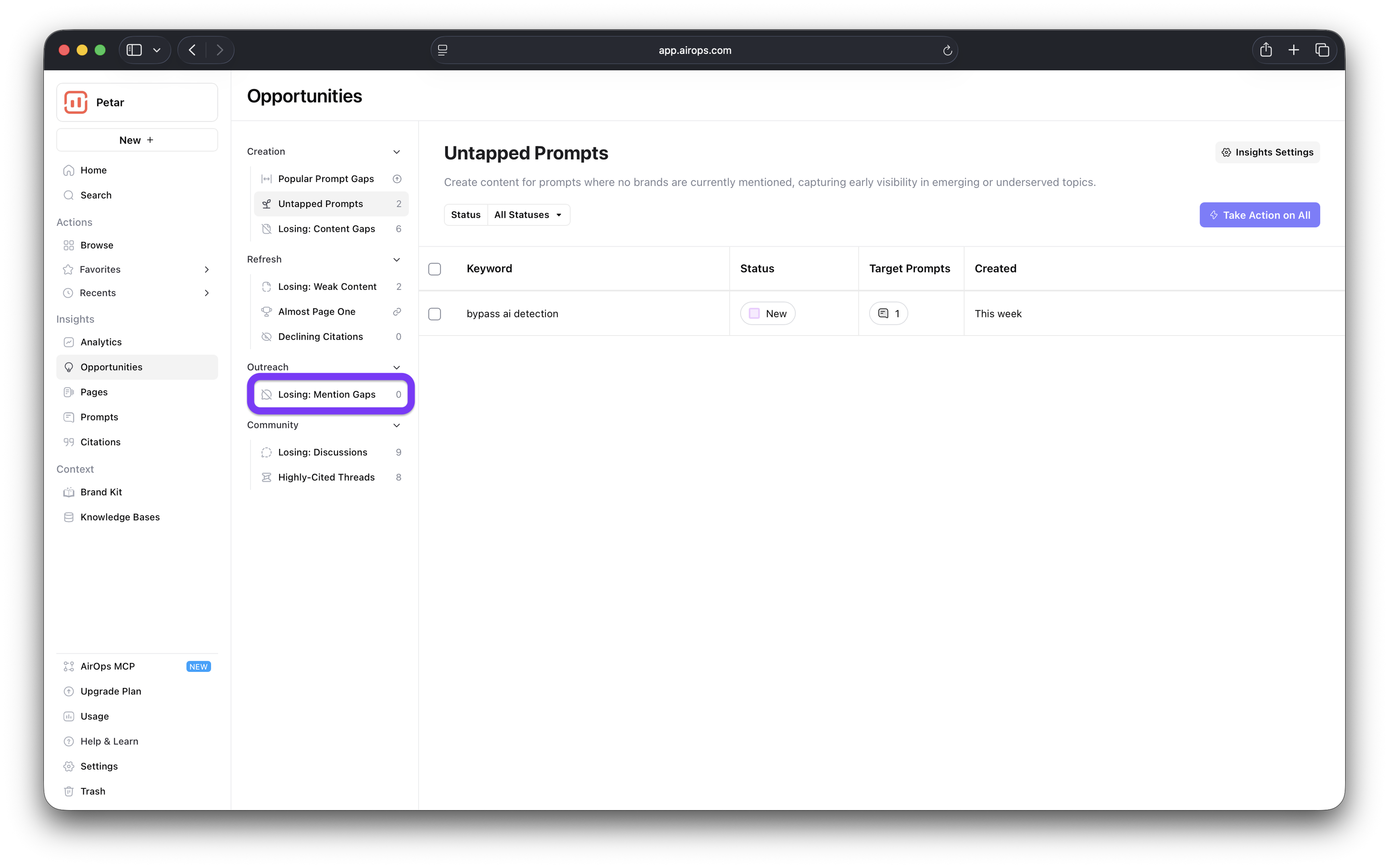
For deeper insights in AirOps, you have to go to the Opportunities tab where you'll find the mention gaps you should address (there weren't any at the time of writing, but that may be due to the delay I'll discuss in a bit).
Onboarding
Surfer offers a straightforward one-page onboarding flow. Provide your brand name and some basic data (industry, language and region, etc.), and it will automatically suggest the prompts you should track.
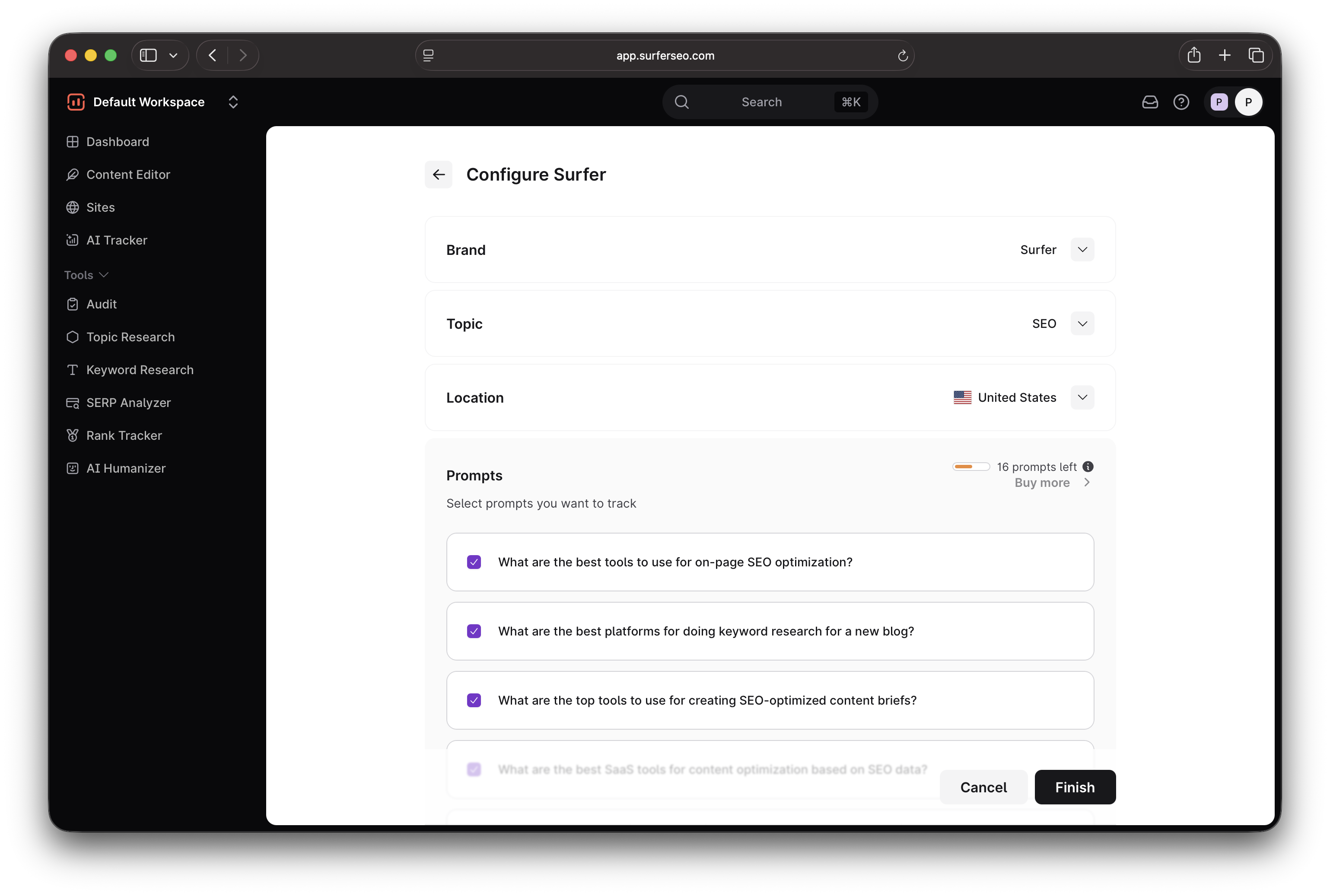
The main dashboard opens immediately, and the data will be available after a few minutes (for me, it takes around 5–7).
AirOps, on the other hand, might keep you waiting longer. After you complete the onboarding wizard by entering your basic data, you'll notice the dashboard is empty.
When I signed up for AirOps, it took around two days for the dashboard to populate. It's now been around five days, and the Opportunities tab has only started showing a few insights.
I'm mentioning this so you know that if you run AirOps, and it doesn't show any data right away, you shouldn't assume your brand has no AI presence at all.
Give it a few days, and you should start seeing some numbers.
Content creation
Before I get into the specifics, I should mention that this is where you'll start noticing some major differences between Surfer and AirOps.
AirOps focuses on helping you push out as much content as possible more quickly and effortlessly. Meanwhile, Surfer's focus is on ensuring each article is ready for both traditional and AI search before publication.
I'll walk you through the content creation process with both platforms so you can see what I mean.
AirOps is all about creating and automating workflows at scale. So if you wanted to write an article, you'd do it in the workflow builder.
What I like about the builder is that it's no-code, and everything is done by adding and configuring steps. So here's what a simplified article writing workflow would look like:
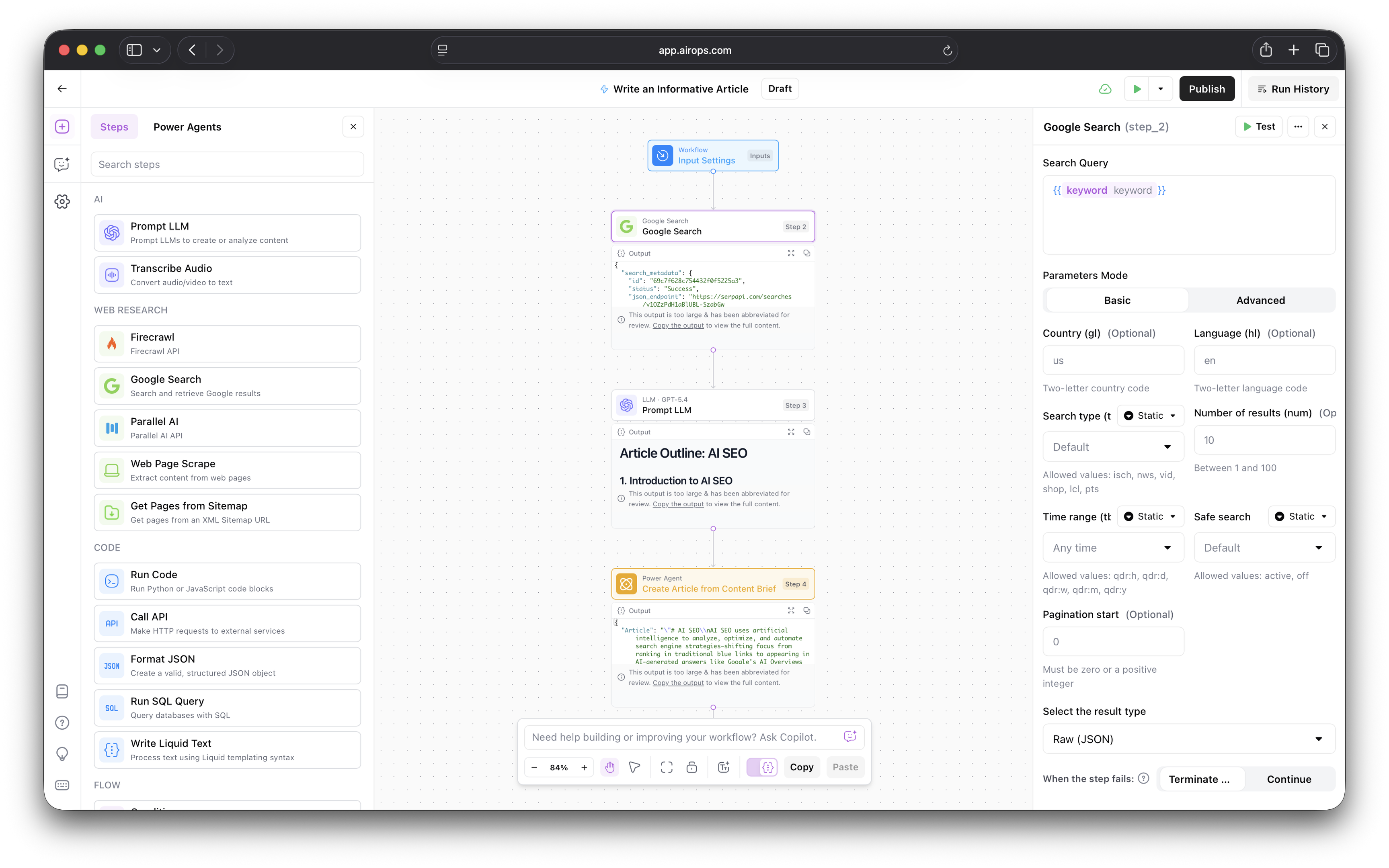
On the left side, you can see steps and so-called Power Agents, which are prebuilt, reusable workflows that can perform content-creation tasks (keyword research, article writing, content refreshing, etc.).
Click a step, and the right-side panel lets you define the necessary values.
In my example, the workflow inside AirOps looks like this
- I set the input value to be a keyword (so that when I need the workflow to run, I only need to enter my search term)
- Google Search performs SERP analysis for the keyword to outline the competitors
- ChatGPT writes the article outline based on the analysis
- AirOps Power Agent writes the article based on the outline and Google SERPs.
You can test the workflow when you're done to make sure it works. In my example, I just added the keyword and ran the test.
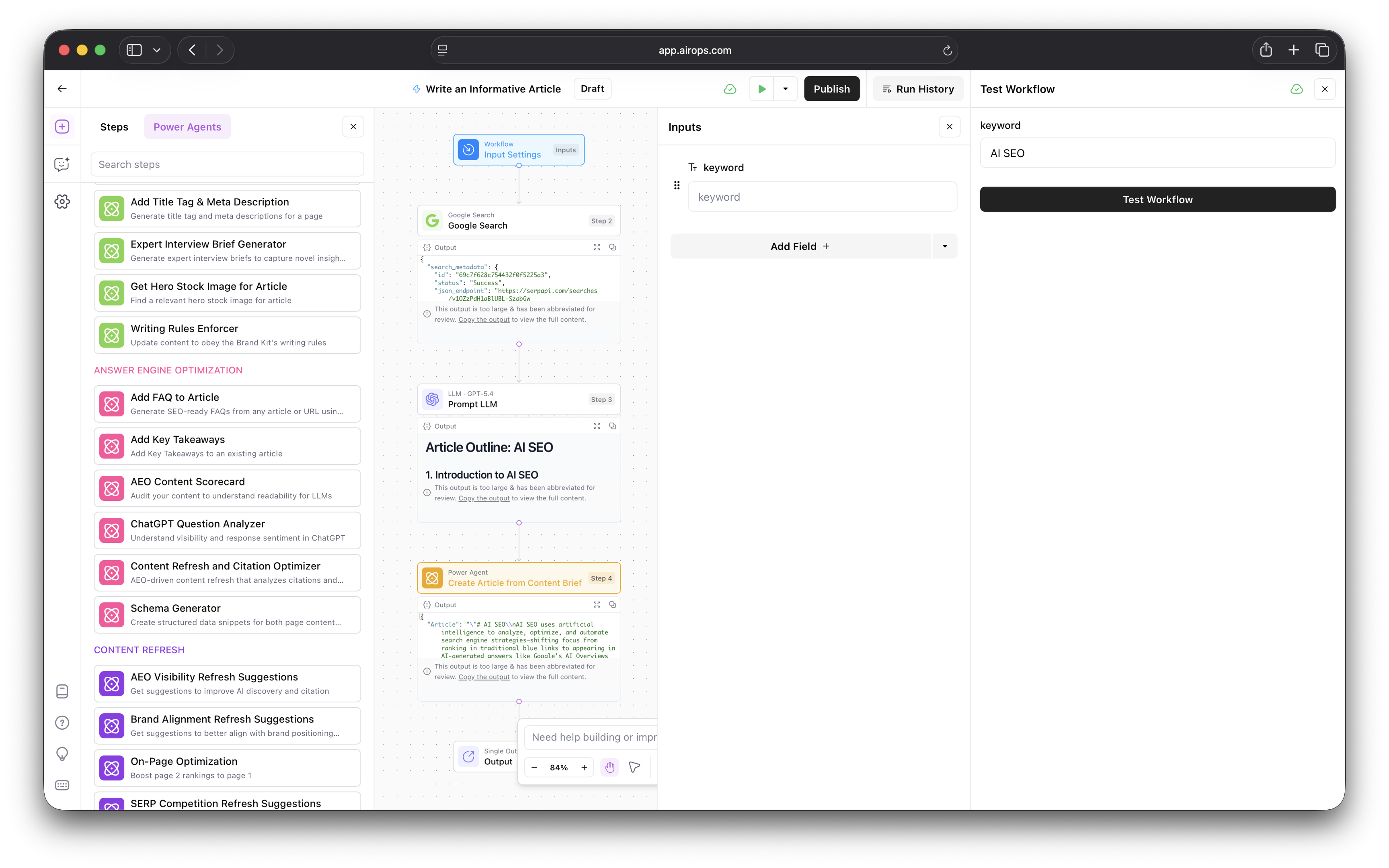
The article was ready in around two minutes, which is pretty impressive and even faster than some dedicated AI writing tools.
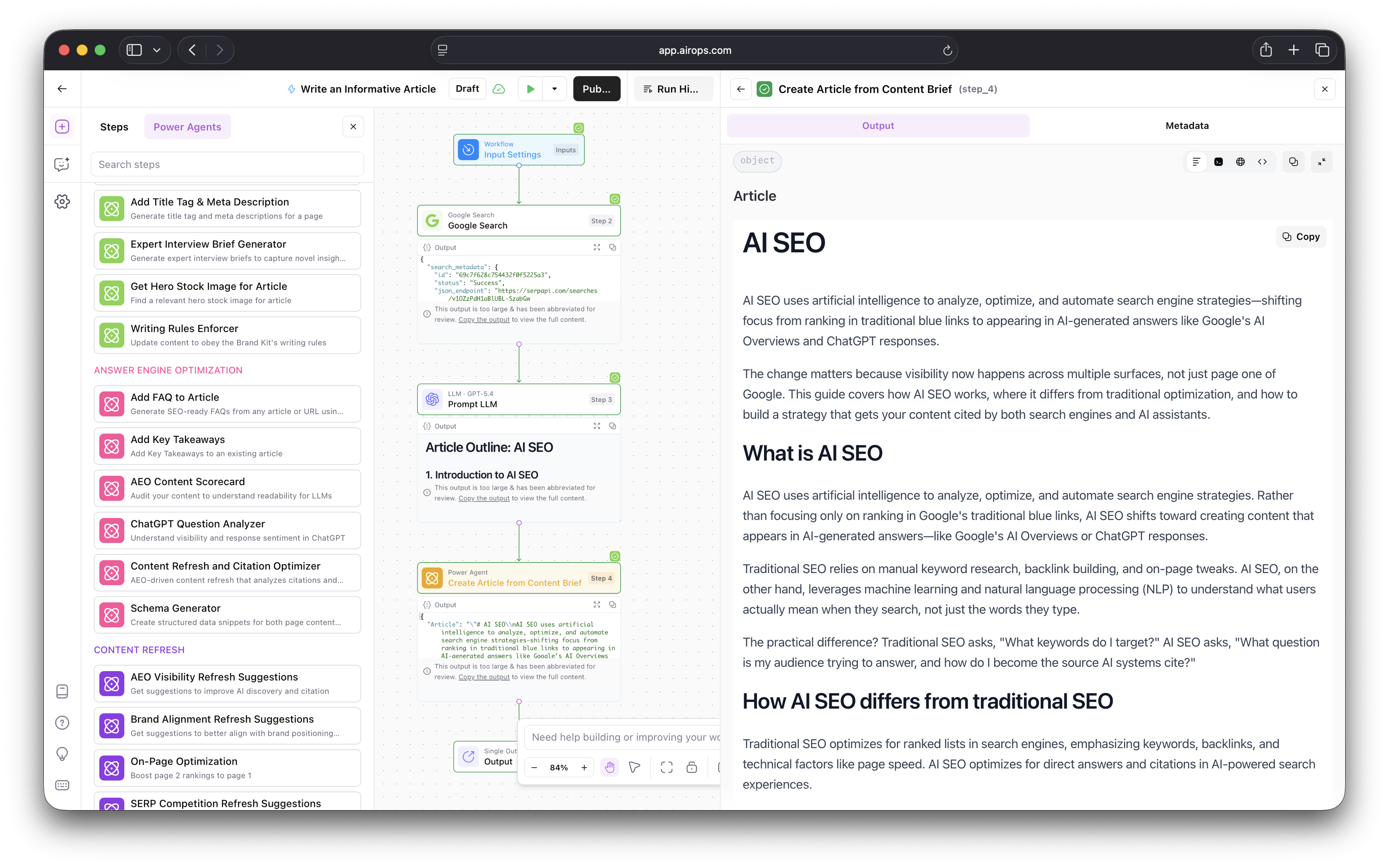
What bothers me about AirOps is that it has quite a learning curve. I know my way around content creation and automation tools, and it still took me a while to get the hang of it.
But if you're willing to invest the time and effort, you can create highly customizable workflows. What I showed you here is just the tip of the iceberg, and AirOps can do more once you get how it works.
Obviously, going through all this work for a single article isn't worth it—but that's exactly the point. AirOps isn't meant for those who need an occasional article or two, but teams who need 15 or 50 at once.
Once you set up a workflow, you can add it to a Grid, a spreadsheet-like interface for managing AI workflows and processing data in bulk.
Here's what it looks like:
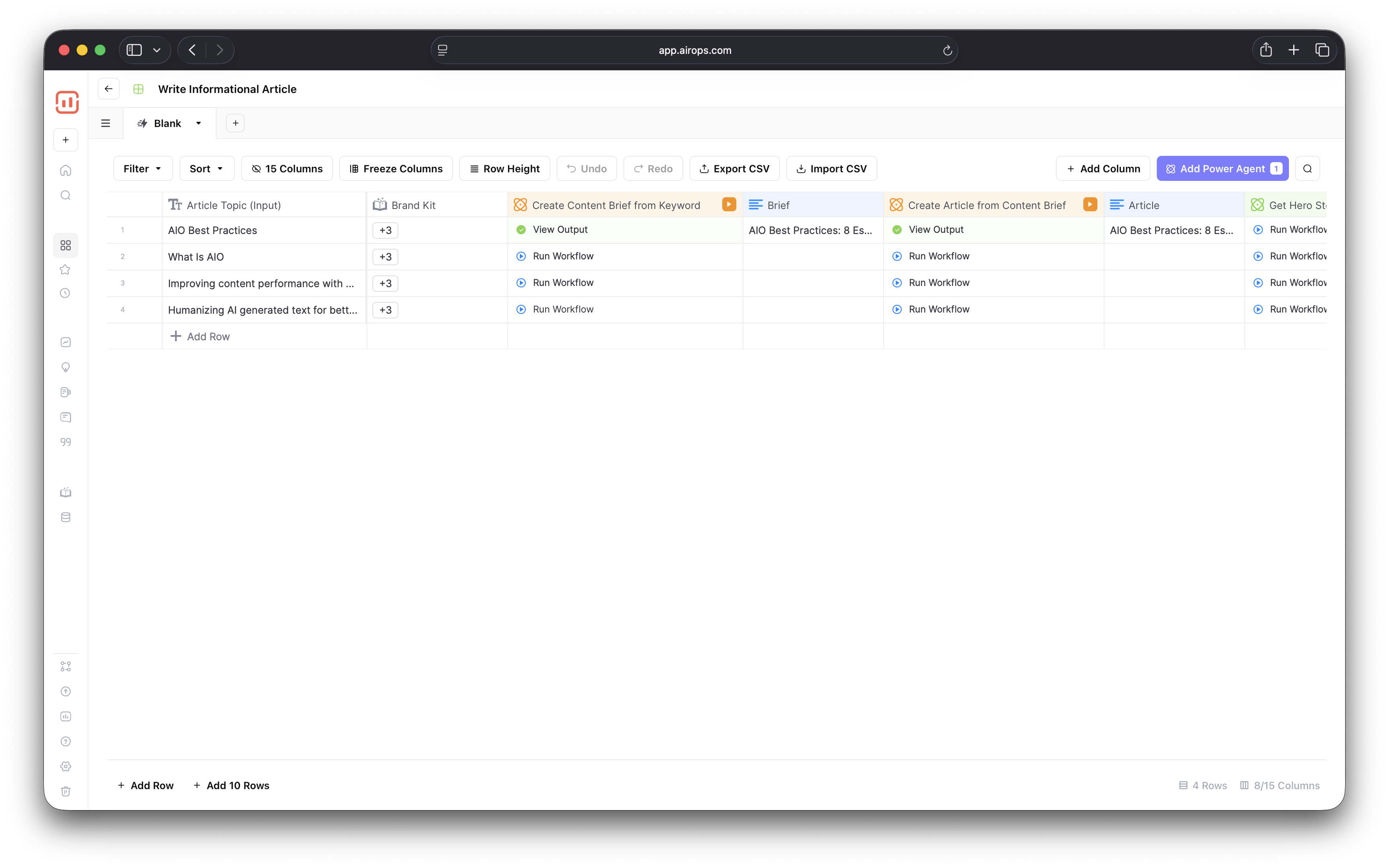
You can either create your own Grid or use a template with pre-built workflows. Either way, you can run several workflows at once to scale content production.
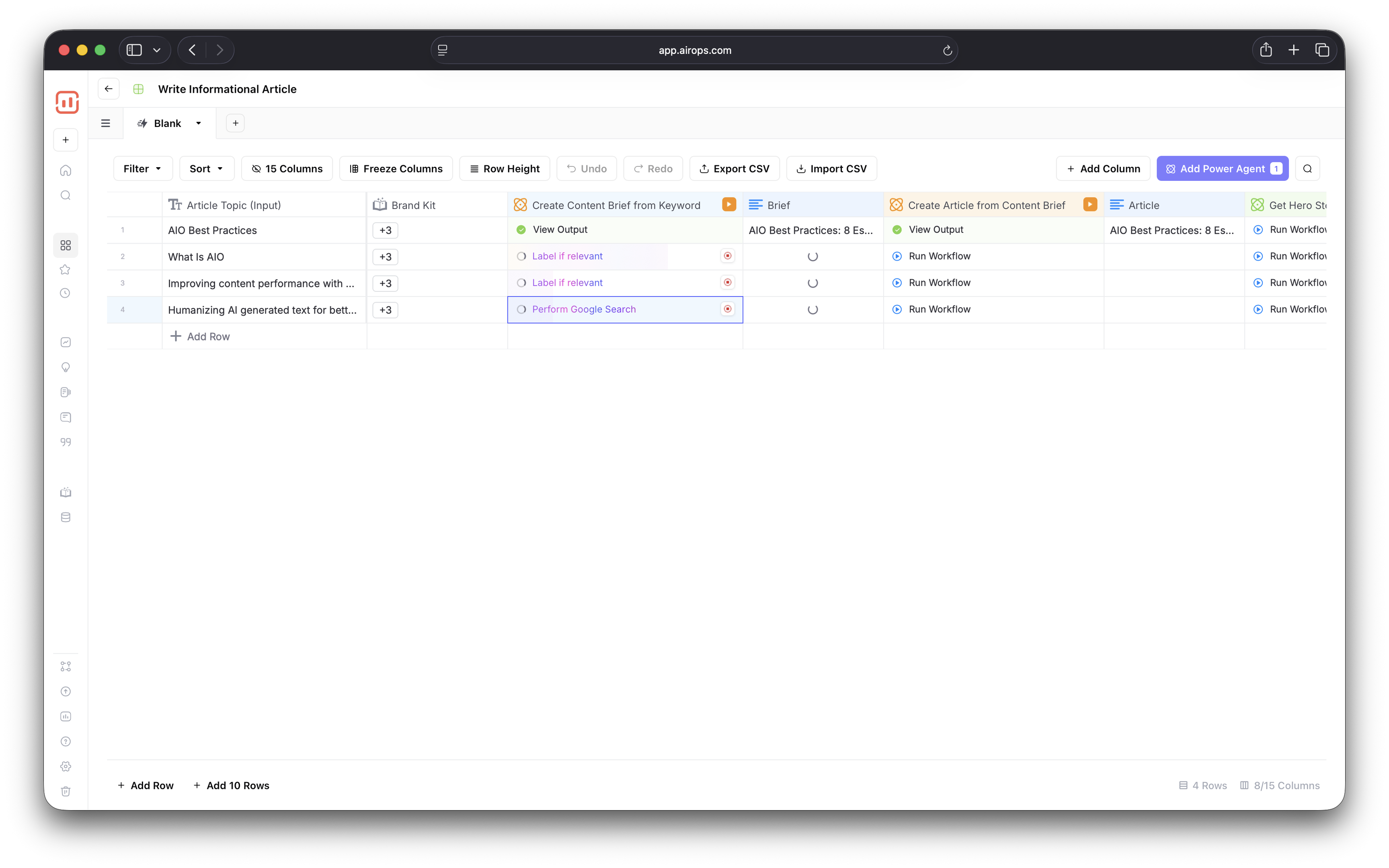
AirOps uses a human-in-the-loop philosophy, which helps make sure that automation doesn't get out of hand.
Human oversight can be added at each decision-making point (e.g., outline review) to reduce the need for extensive rework of the final result. Combined with the brand kits you can create, this can help avoid generic content and ensure brand consistency.
Surfer also offers bulk content production features but fundamentally differs in their approach to content generation.
The main difference between AirOps and Surfer is that Surfer automates your content creation workflow while AirOps requires you to build a content workflow. With Surfer, you can enter your target keyword and select Write with AI to get started.
The rest of your workflow is automated, but can be customized.
Here's what Surfer's workflow looks like.
- Enter your target topic and select your audience's location
- Choose a template for your content. It could be a product page, blog post, how-to guide and so on
- Surfer scrapes and analyzes organic competitors for your target topic.
- Generate the article with internal links
- Review, edit and publish.
I'll go into depth below.
As you enter the search term, you'll see its volume and ranking difficulty right away, helping you work out its search interest.
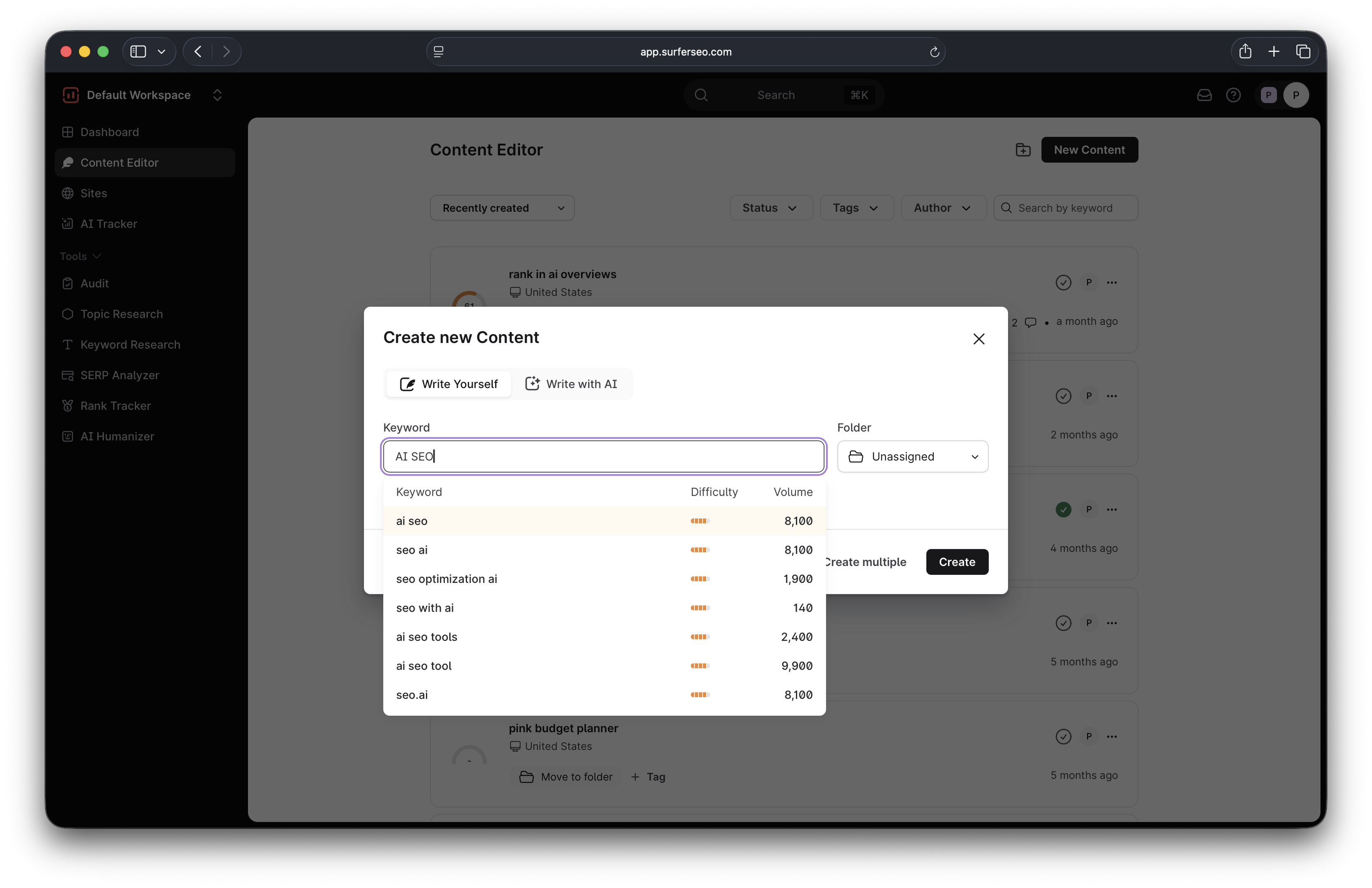
When the keyword is analyzed, you can customize the article by choosing the template, custom voice, and additional instructions you want to give Surfer's AI writer.
You can also select your competitors to ensure Surfer's generated content is consistent with what is already performing well.
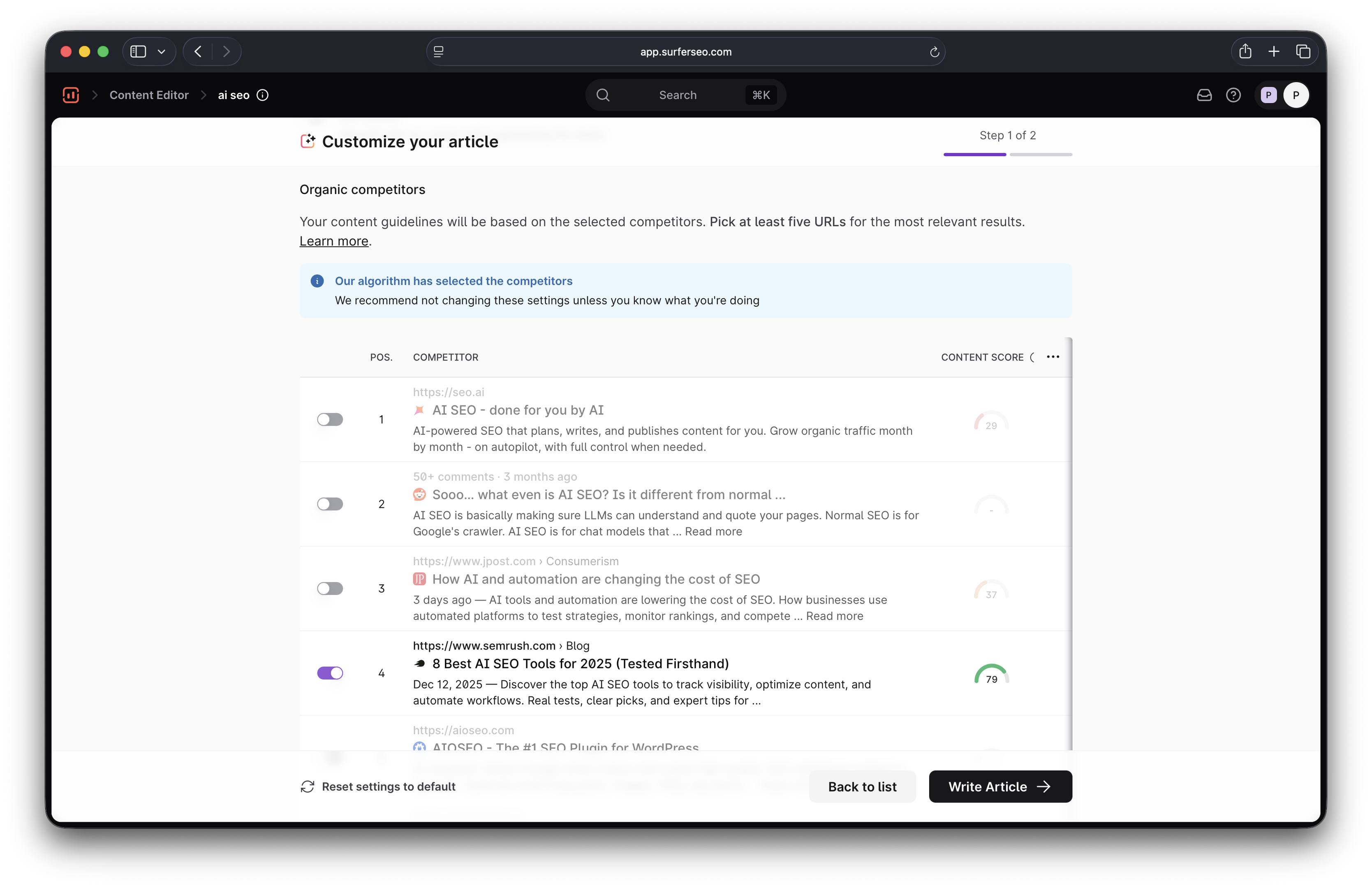
Once you've added your preferences, Surfer will generate an outline that you can review and edit manually, or jump straight to writing.
Either way, you'll get the draft in a few minutes.
When it's done, you'll see the article in the Content Editor alongside:
- The overall Content Score (which reflects how well the article is optimized for AI and traditional search results)
- Suggested entities for SEO
- Suggested facts for AI optimization
- Details like the number of words, paragraphs, and headings
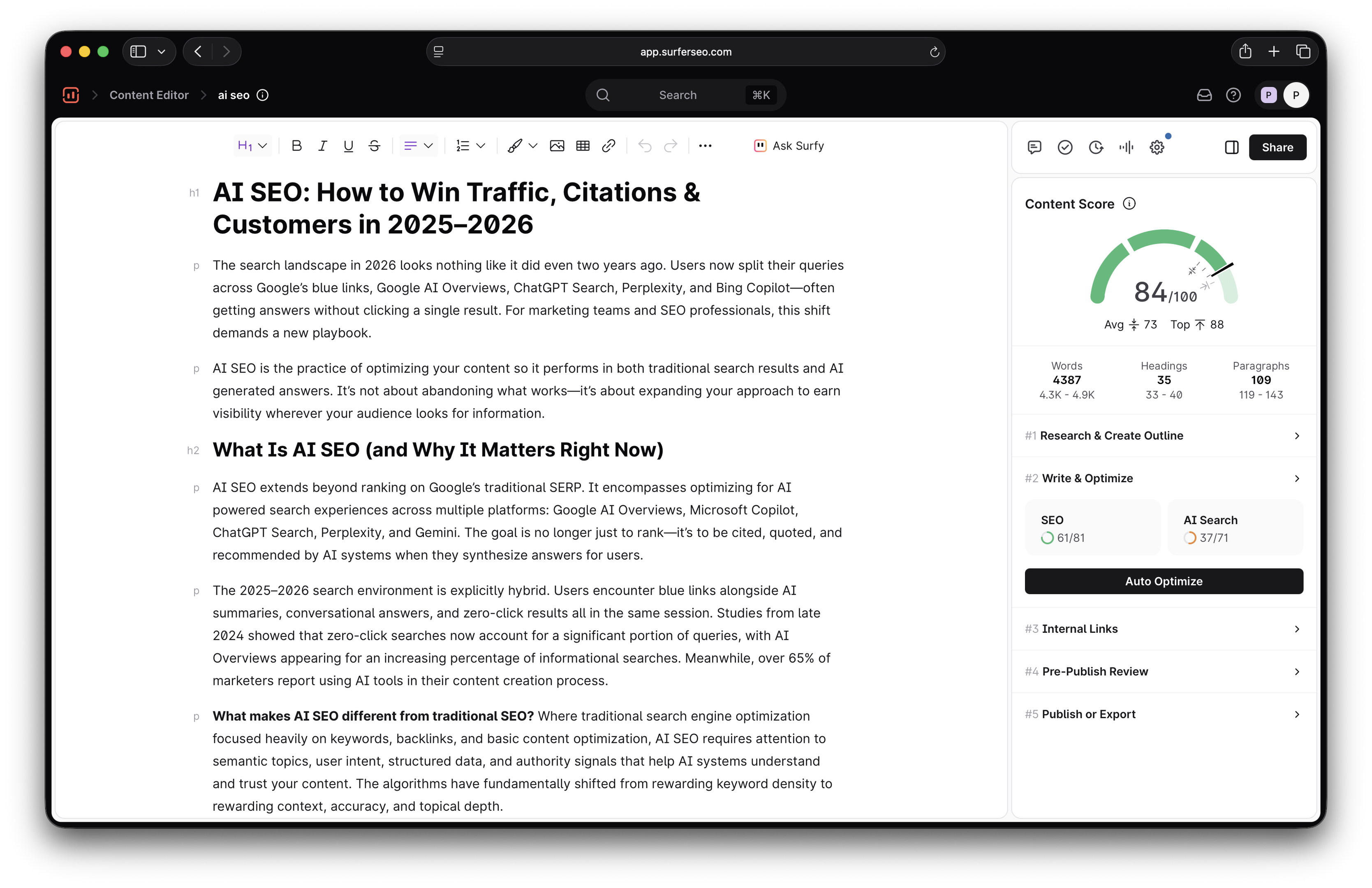
In my opinion, the experience is more intuitive than with AirOps. Give it the data, and you're done—no manual work or setup.
By contrast, AirOps requires more configuration and tweaking, but things go smoothly from there because of Grids and reusable bulk automations.
Content optimization
I've been using Surfer's Content Editor for over five years now, so it was interesting to see how AirOps would compare to it. My conclusion was pretty similar to what I thought about the differences in content creation—Surfer focuses on depth, while AirOps zeroes in on quantity.
Let me explain...
When you create a piece of content in Surfer (whether on your own or with Surfer AI), you can optimize it for SEO and AEO in one place. Surfer crunches SERPs to suggest all the entities you should include to boost your content's ranking potential, which you'll see in the right panel.
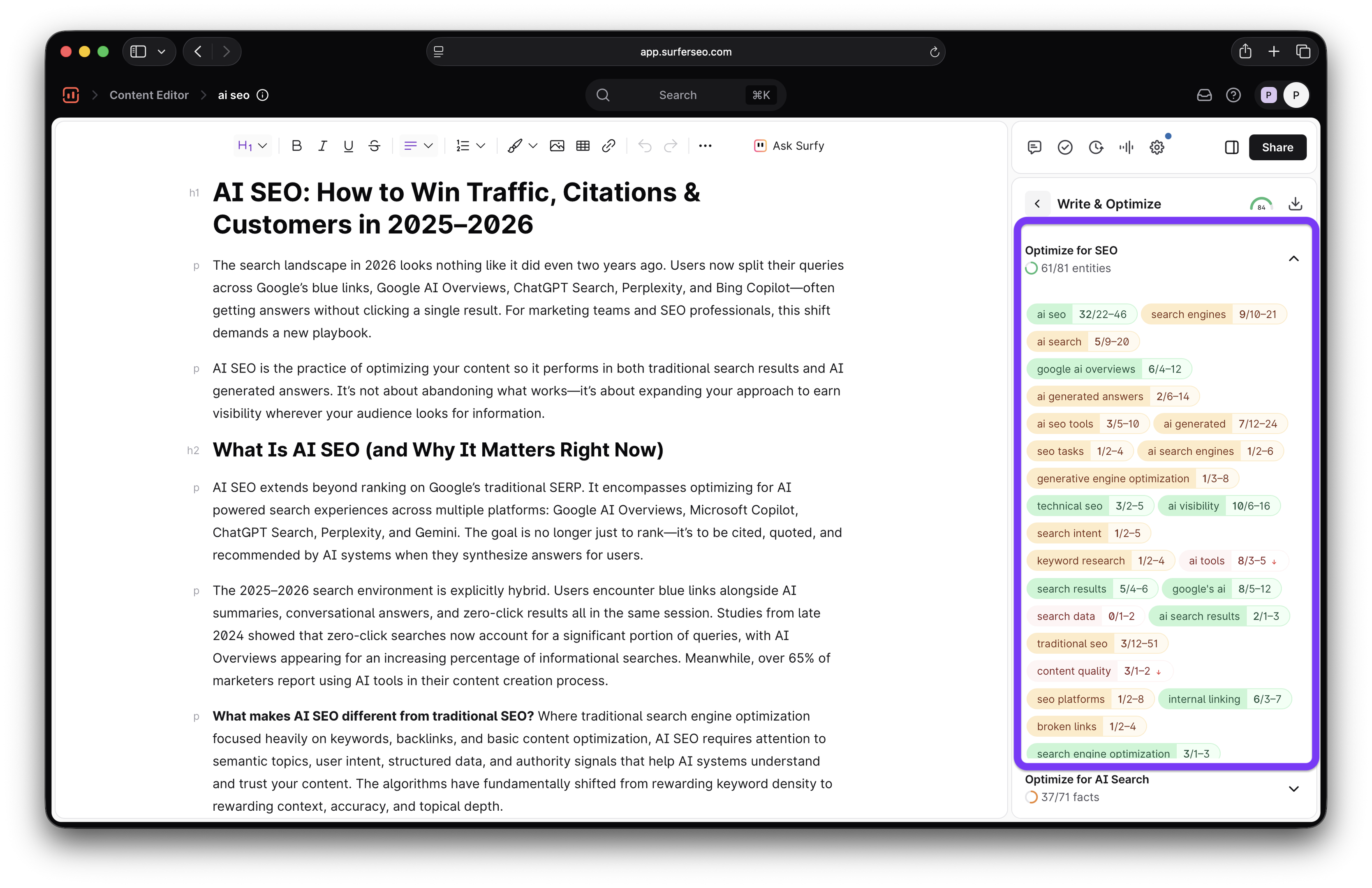
You'll also see the facts that you should add for AI visibility, alongside the sources and groups they belong to.
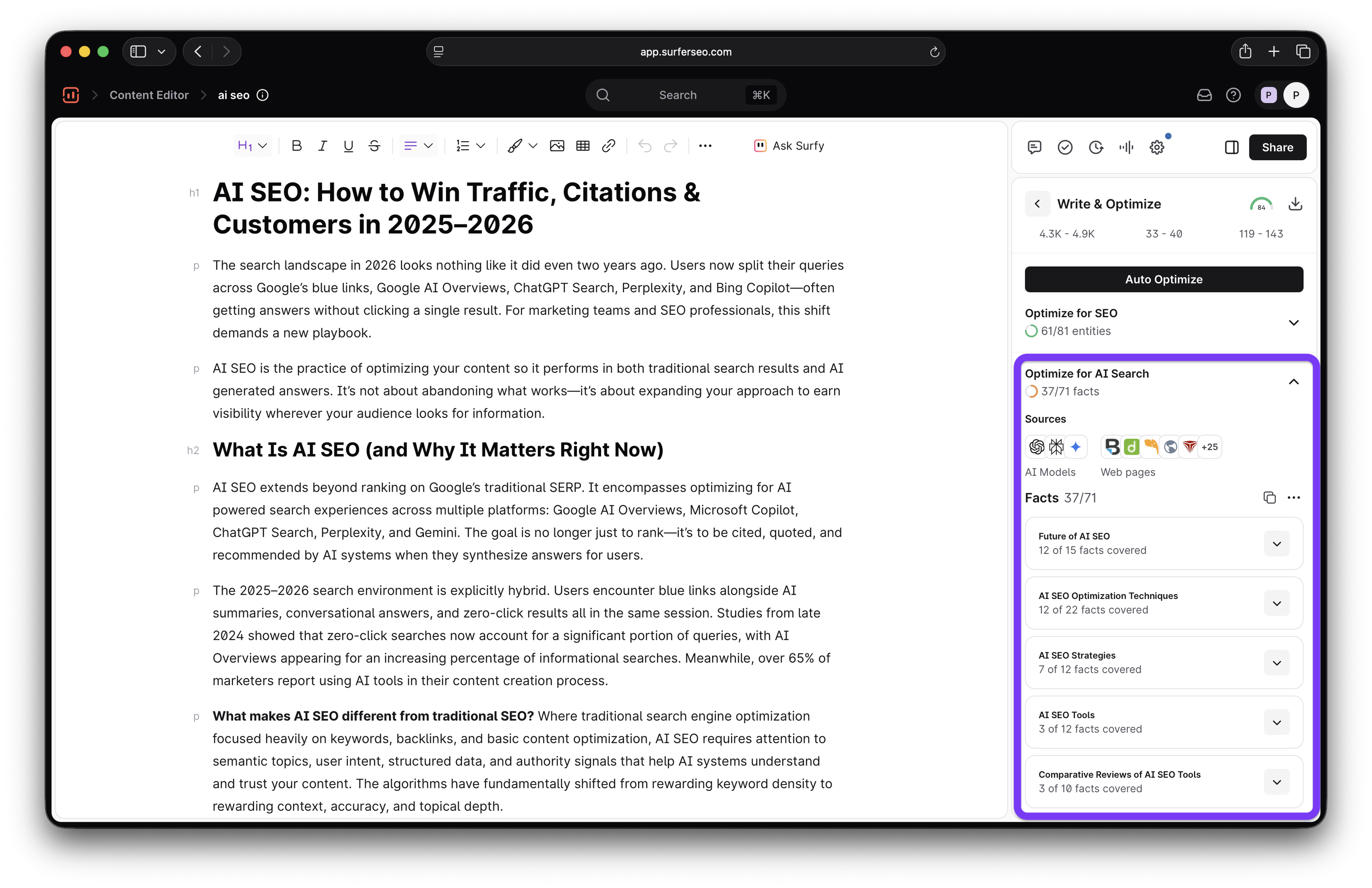
If you don't want to manually add facts and entities, you can do it in one click through Auto Optimize. Surfer will analyze the article and include them naturally, so all you have to do is review the changes.
You can then give the content a few tweaks for a personal touch and the right brand voice, and you're good to go writing-wise.
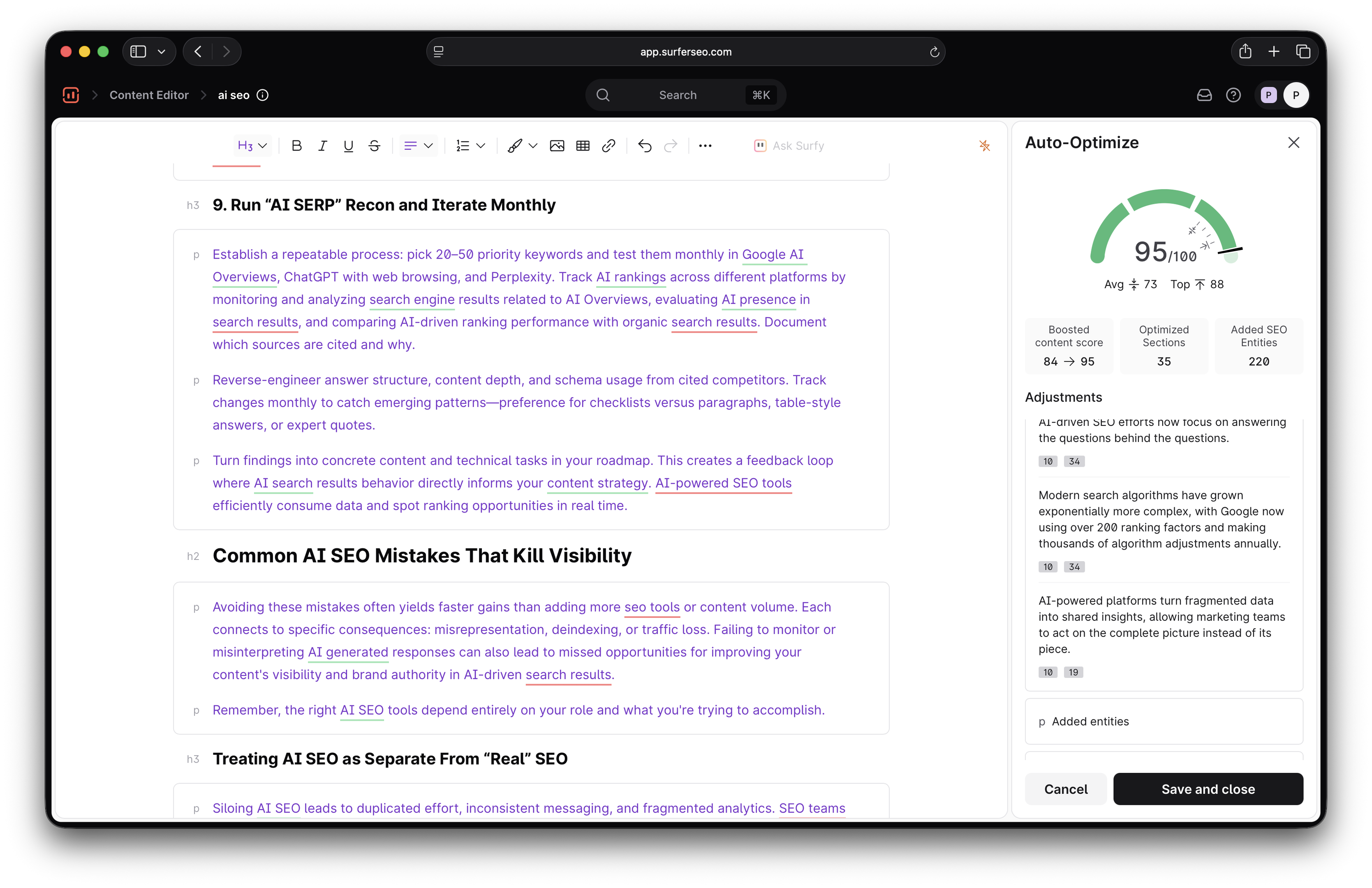
You can also do internal linking on the fly by connecting your Google Search Console account. Just go to Internal Linking, select your site, and Surfer will automatically identify internal linking opportunities and add the links.
AirOps doesn't have an equivalent feature that offers an all-in-one editing and optimization interface. Instead, it lets you build workflows that can optimize content pretty much autonomously.
If you have the bandwidth, you can create a custom workflow from scratch through steps and power agents that handle processes like:
- Extracting the article's main keyword and providing suggestions
- Adding internal and external links
- Analyzing the article and optimizing on-page signals
Building such a workflow would take a bit of time and experimenting, but AirOps makes it easier through templates. For example, the Refresh Existing Content template gives you an elaborate grid with the entire refresh workflow.
After you provide the URL, AirOps can automatically:
- Extract keywords
- Analyze top-ranking pages and AI responses for suggestions
- Provide a list of suggested changes
- Implement the changes
- Show you a side-by-side comparison between the old article and the new version
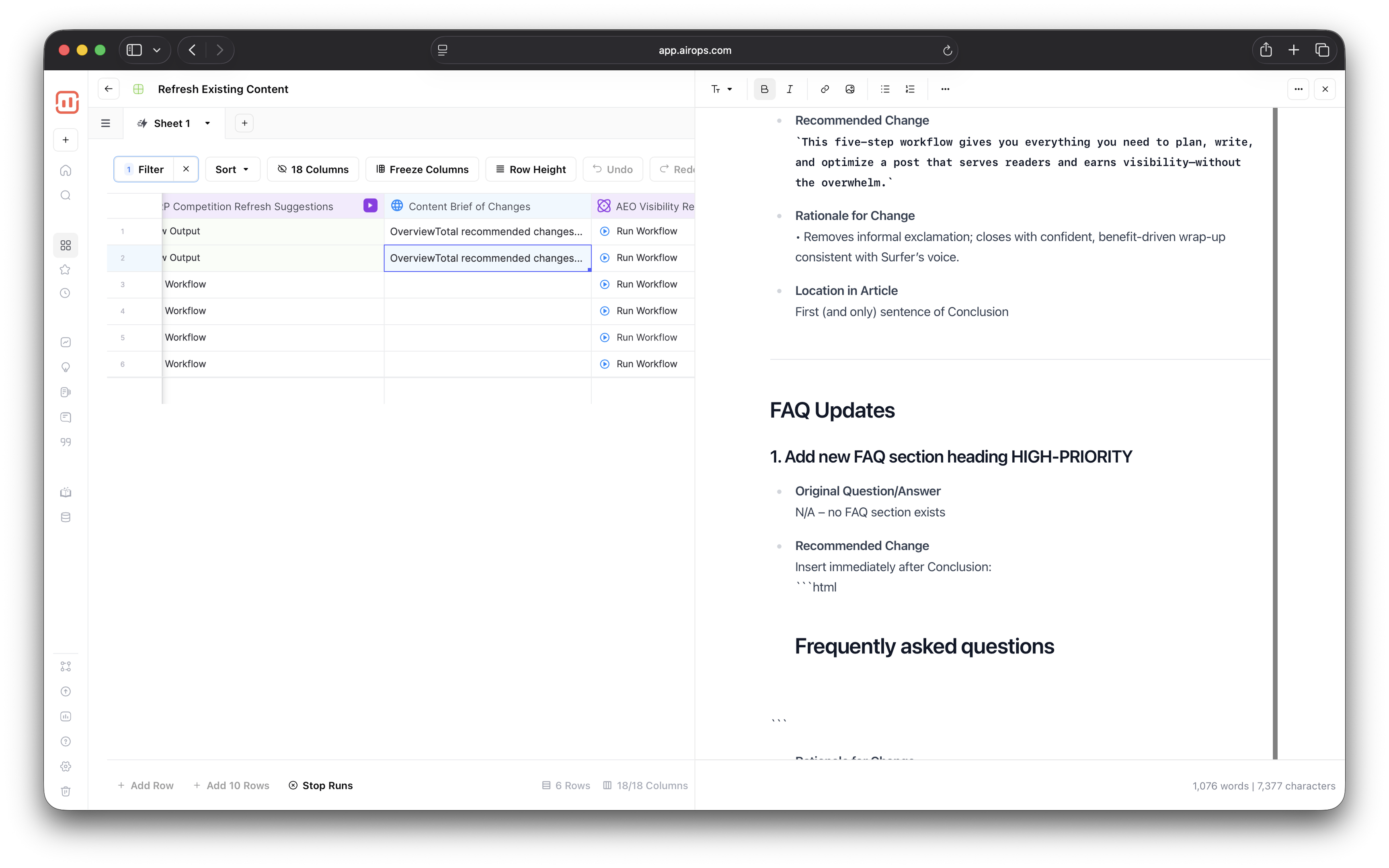
The entire workflow takes a few minutes, and you can run multiple rows at once to optimize and refresh content in bulk.
So, if you ask me, the choice between Surfer and AirOps here mainly comes down to whether you prioritize intuitiveness or bulk automation.
I think Surfer is a more user-friendly option for getting the most out of each article, while AirOps is better suited for broad workflow streamlining without much direct attention on individual pieces.
Workflow automation
AirOps was made specifically to automate content workflows, so I wasn't surprised to find plenty of features that speed up different processes.
But here's the thing: when I check out a new content platform, I don't really care about every single thing it does. Instead, I ask myself one question that matters to most of us when we see content insights:
"How do I act on this data?"
In other words, I wanted to see if AirOps would let me fix the issues and content shortcomings it identified without friction.
And for the most part, I was happy with what I saw.
For example, when you go to Opportunities, you can immediately plug any gaps you see. I went to the Weak Content section, and it gave me a suggestion on a page that needed a refresh.
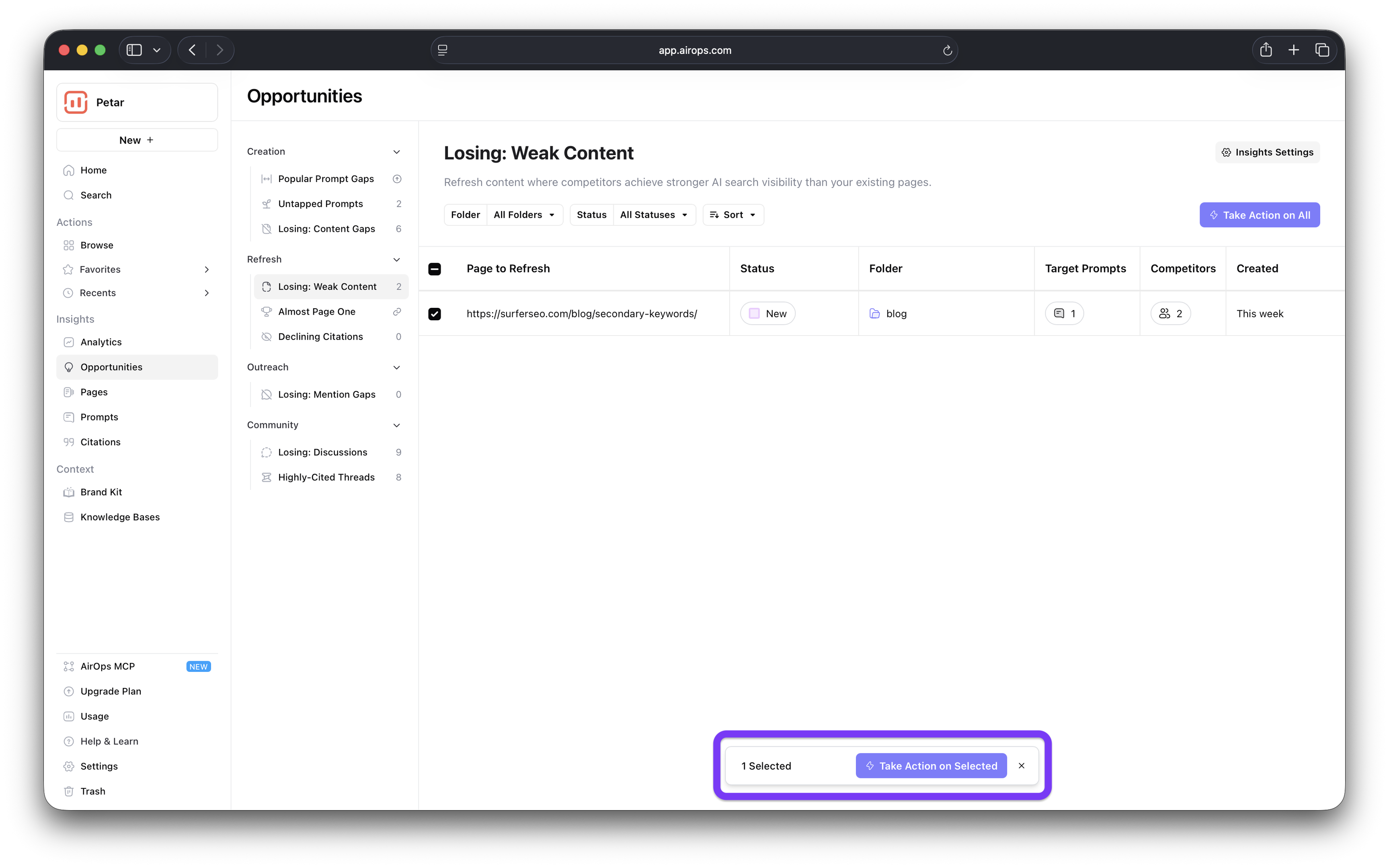
I selected it, clicked on Take Action, and it automatically created a new Grid complete with the AEO refresh workflow.
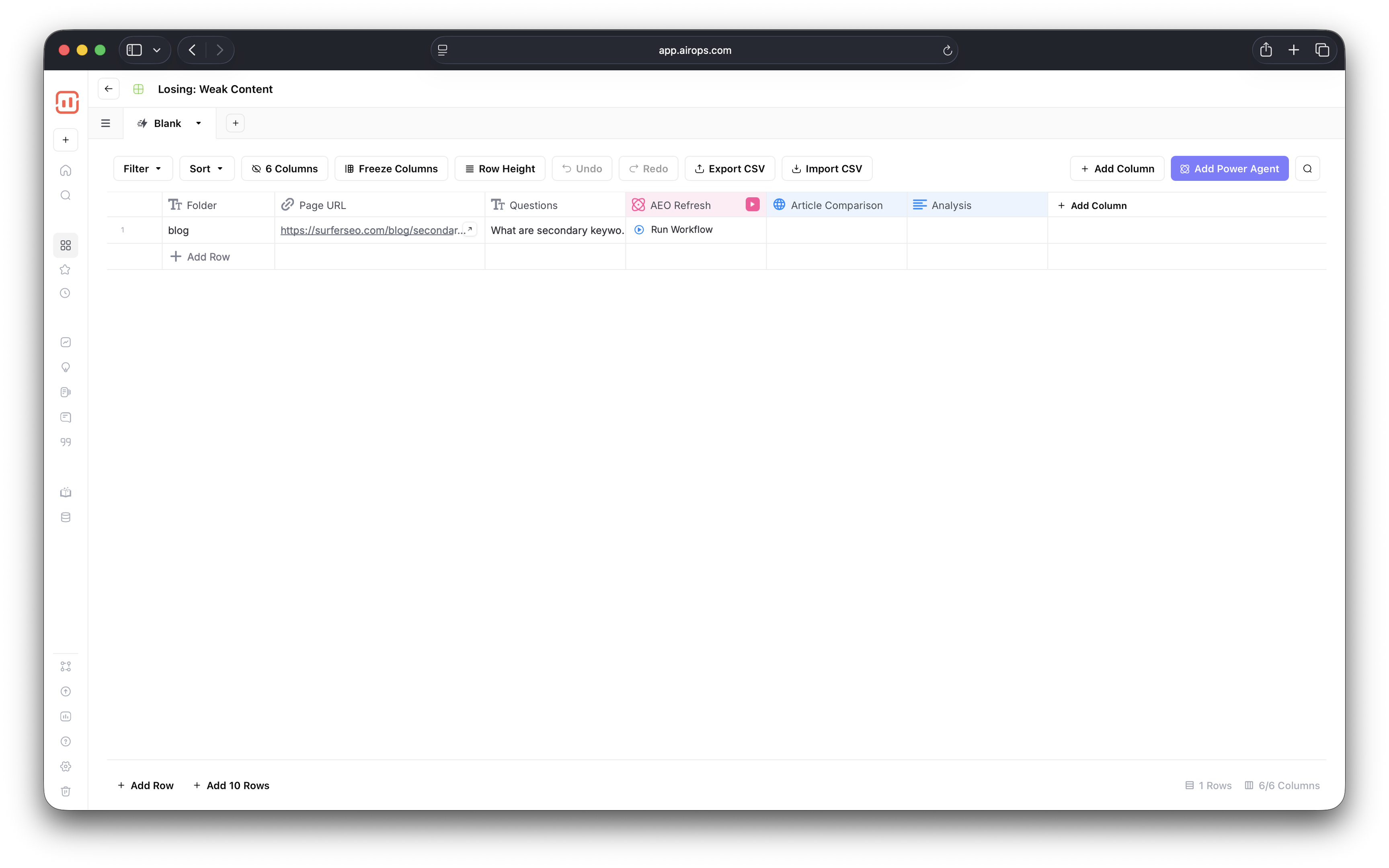
It was also a nice surprise to see that the action you can take is automatically aligned with the problem. For example, when you go to content gaps, you'll get a content creation Grid with the corresponding workflow.
Now, my main problem here is that the Opportunities tab mainly revolves around AI search results. There's just one SEO segment covering content that's almost on page #1 of Google, and it lets you optimize further to climb SERPs. The rest of the Opportunities section is largely based on AI performance.
I think this is a missed opportunity (pun intended) because despite what you may have heard, AI isn't replacing SEO but just building on it.
Research has shown that among the top 3 citations in Google's AIOs, 54.14% rank in the top 10 in SERPs, so we shouldn't forget about SEO just yet.
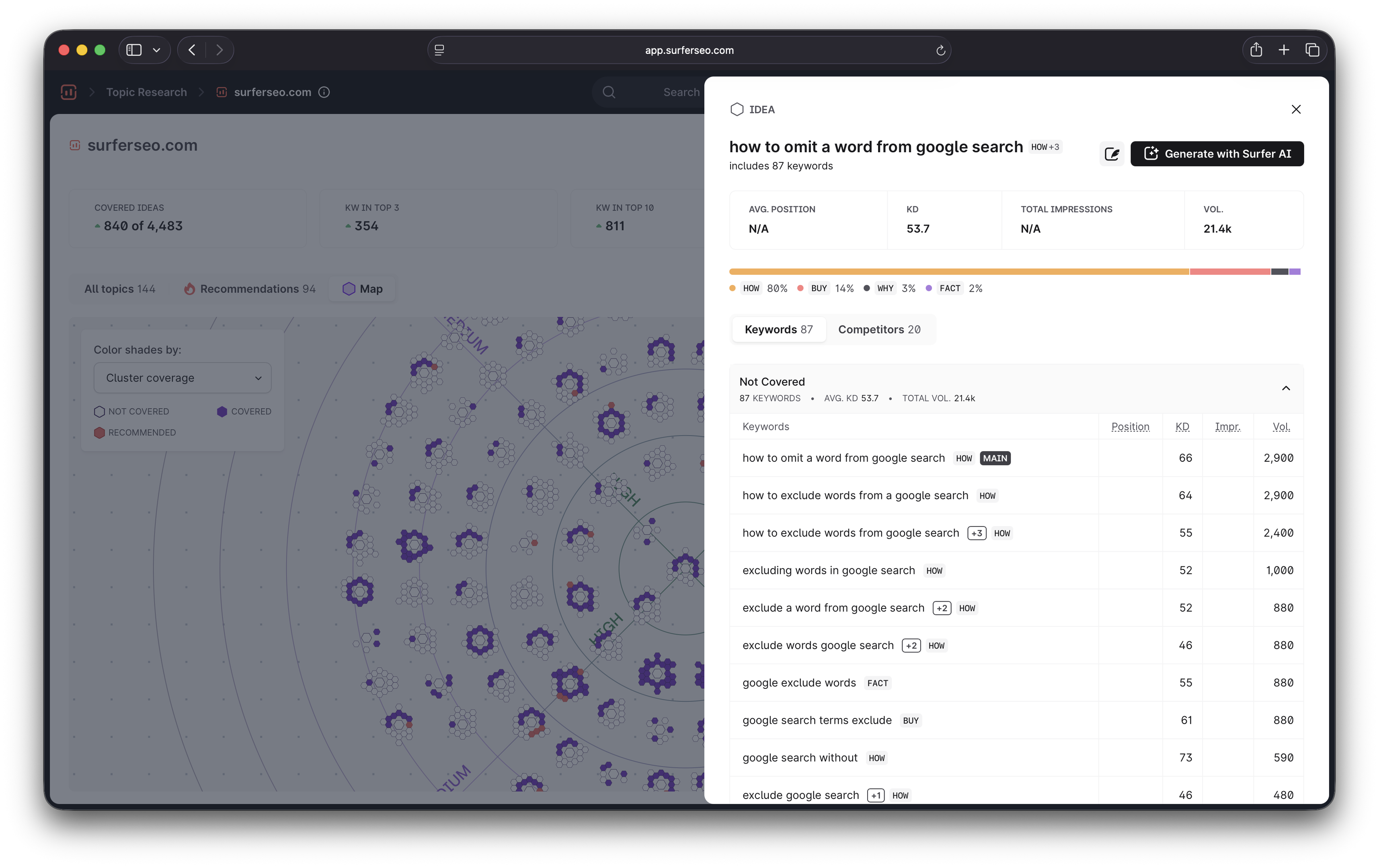
This is the first reason why I find Surfer more actionable. If I want to fill content gaps, I just need to go to the Topical Map. It gives me a visual map of content clusters I should cover to achieve topical authority and recommendations on what to write next.
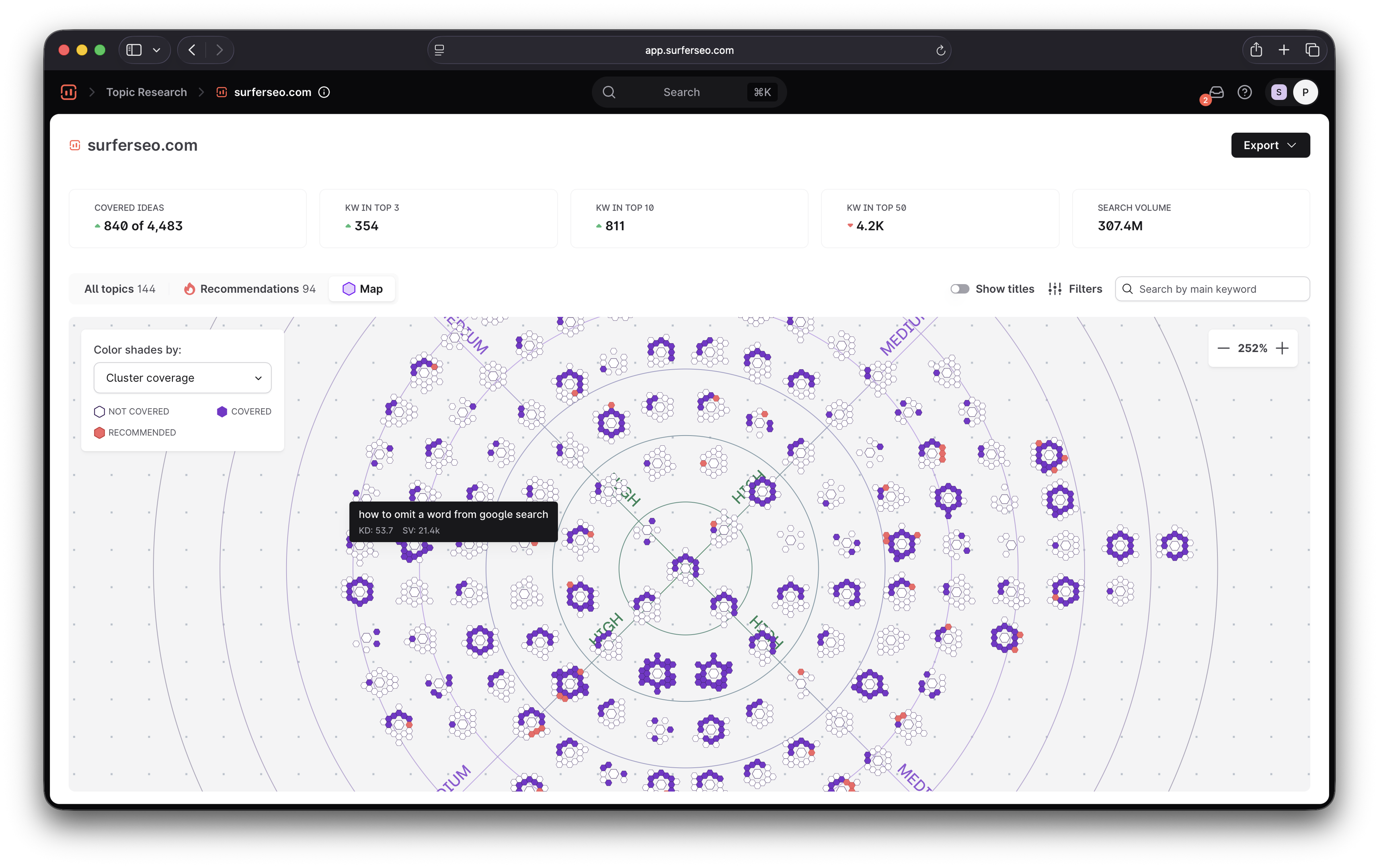
When I click on a topic, it gives me plenty of information about it, from search intent to keywords and competitors. All I need to do is click Generate with Surfer AI, and I'll get the article in a few minutes like I showed you before.
The article will automatically be optimized for both SEO and AEO, and I can use Content Editor to make any other changes I want.
That's the second reason why Surfer is my preferred choice—I like to have an actual interface where I can edit content and see the improvements in real-time. And while AirOps does have a human-in-the-loop element, it's more of a content creation engine you oversee than a platform where you create and optimize content.
Of course, this is just a personal preference, which is driven mainly by the fact that I don't need to produce a bunch of content in bulk and can let my inner control freak fine-tune every piece. If you prefer getting lots of AI-generated content at once and then running additional workflows to optimize it, AirOps is up to the task.
Pricing comparison
The target audience difference between Surfer and AirOps is clear as day when you compare their costs. With annual billing, you can get Surfer's plans at:
- Discovery: $49/month
- Standard: $99/month
- Pro: $182/month
- Peace of mind: $299/month
- Enterprise: $999/month
Meanwhile, AirOps seems to only offer monthly billing and three plans:
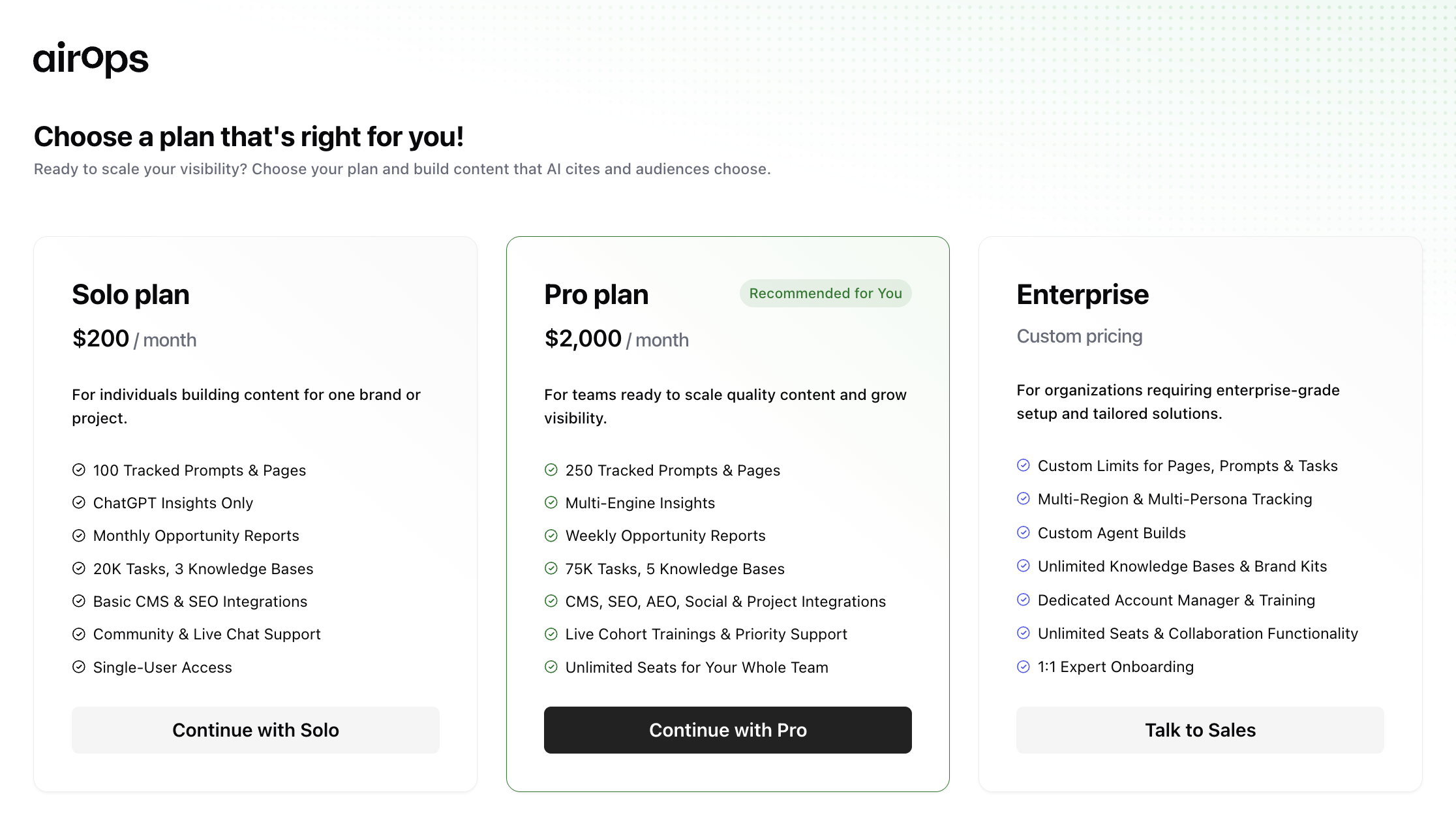
- Solo: $200/month
- Pro: $2,000/month
- Enterprise: Custom pricing
For a comparable plan (Surfer Pro vs. AirOps Solo), AirOps lets you create one brand workspace with single-user access, while Surfer lets you create five and bring up to five team members on board.
AirOps Solo also only offers ChatGPT insights for AI visibility, while Surfer includes all the other AI engines I mentioned earlier.
To be fair, we can't really make an apples-to-apples comparison here because AirOps Solo also offers platform-specific features, most importantly, the ability to run 20k automation tasks. For someone who specifically needs a platform that scales content production, AirOps may be a good buy. I'd compare the pricing against Surfer's scaled workflow and see what makes sense for you.
This brings me to the key question:
Which platform is better for you?
While Surfer and AirOps do many of the same things, they're not necessarily direct competitors because they serve different audiences. That's why the right option for you will depend on:
- The scale at which you publish content
- How much you're willing to spend
- Your current level of content automation
Choose Surfer if:
- You need an all-in-one SEO and AEO for the whole team without high costs
- You want to skip extensive onboarding of AEO and SEO teams without a lot of technical knowledge
- You want to monitor SERP and AI search performance with plenty of data that you can act on instantly
- You need to scale your content strategy, whether you manage a small internal team or an agency
Choose AirOps if:
- You want to publish large amounts of content in bulk
- You need granular workflow optimization
- You prioritize AI-powered search over traditional SEO
- You can invest the time to master the platform so you can get the most out of it
FAQs
Is Surfer a good AirOps alternative?
Surfer is a good AirOps alternative if you need a more cost-effective option that automates all aspects of SEO and AEO without the need to configure everything on your own.
What’s the difference between Surfer and AirOps?
Surfer lets you create content and improve its visibility in SERPs and AI search results. AirOps prioritizes workflow automation and AI visibility insights.
Which tool supports CMS integrations?
Both Surfer and AirOps integrate with many CMS platforms, including Webflow, WordPress and Contentful.
When should I choose AirOps over Surfer?
You may choose AirOps over Surfer if your priority is AI workflow customization instead of pre-built content creation and optimization workflows.
How does AirOps pricing compare to Surfer?
AirOps is more expensive than Surfer. As of this writing, the Pro plan costs $2,000/month, while Surfer's enterprise plan costs $999/month.




.avif)