Everyone wants better visibility in search results and AI answers in 2026. But what's the most effective way to get there?
To find out, we asked Surfer's top performers (the users who grew their clicks, impressions, and AI visibility the most in 2025) to walk us through their workflows. From their common patterns, we distilled a three-step workflow that anyone can follow:
- Monitor your AI visibility to uncover growth opportunities with AI Tracker →
- Find quick wins and new topic ideas with Content Audit and Topical Map →
- Create and optimize content to rank in search and AI answers with Content Editor →
Let's break down each step.
1. Monitor your AI visibility to uncover more growth opportunities
Boosting AI visibility is a top focus area in 2026 for Surfer’s top performers:
In 2026, I’m watching AI visibility like a hawk. I want to know how often our pages get cited in AI search, and what changes move the needle — especially for AI Overviews.
— Arta Cheung, SEO consultant @ Groovy Digital
Arta is spot-on; tracking AI performance will be crucial in 2026. Understanding whether your optimizations are working and uncovering other things you can do to boost your AI visibility are non-negotiable in the multi-channel discovery world.
For example, AI Tracker tells us that one of the most commonly referenced sources in AI answers for the prompts we’re tracking is our list of rank tracking tools:
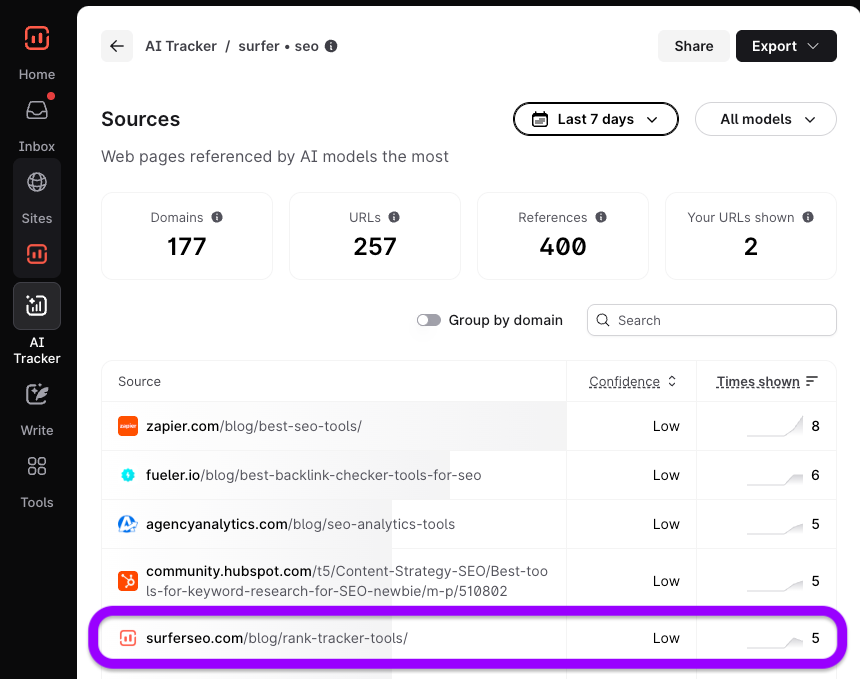
This shows that we’re doing something right and that our efforts to optimize that page are leading to increased visibility for important prompts in AI search.
That’s good, but we can also see that AI is citing many other pages for our prompts—such as this list of the best SEO analytics tools.

Unfortunately, it doesn’t mention us at all.
Getting mentioned on this page (or other pages AI already cites) is one of the fastest ways to lift AI visibility. So it’s worth reaching out to these sites and pitching a mention (sometimes that means a partnership or paid placement).
To make that easier, we’re now integrating trusted link providers directly into AI Tracker. The goal: you’ll be able to find placement options in one place, with high coverage and the best available prices, without opening endless tabs.
Also, if we group by domain here, it reveals that Reddit is one of the most cited domains:
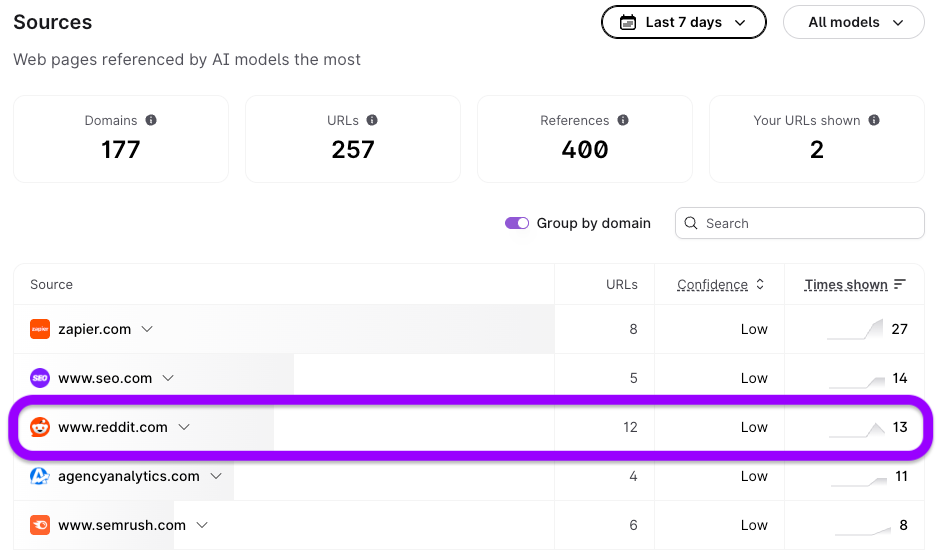
Plus, it tells us exactly which Reddit threads are getting cited the most:
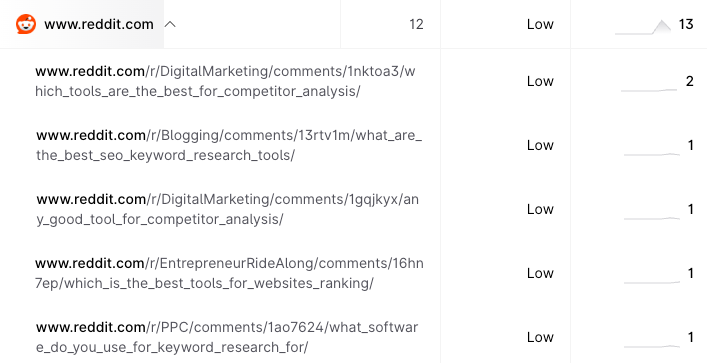
If you see something similar for your tracked prompts, it’s definitely worth checking out the threads and seeing if you can contribute to the conversion.
Just remember to keep it valuable and honest; Reddit community is very good at detecting salesy content!
Beyond that, if you want to focus on boosting visibility for specific prompts you’re tracking, take a look at the Prompts report…
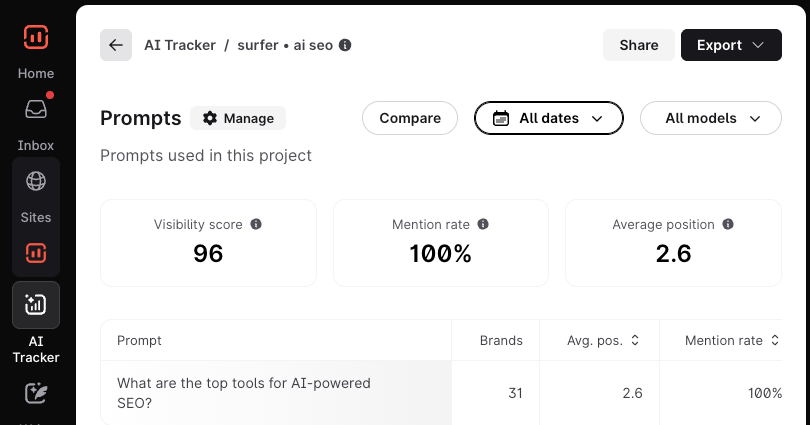
For example, it shows us that although we have great AI visibility for the prompt “What are the top tools for AI-powered SEO?”, Semrush still beats us:

Below this, it shows us the top-referenced sources by AI models for the prompt:
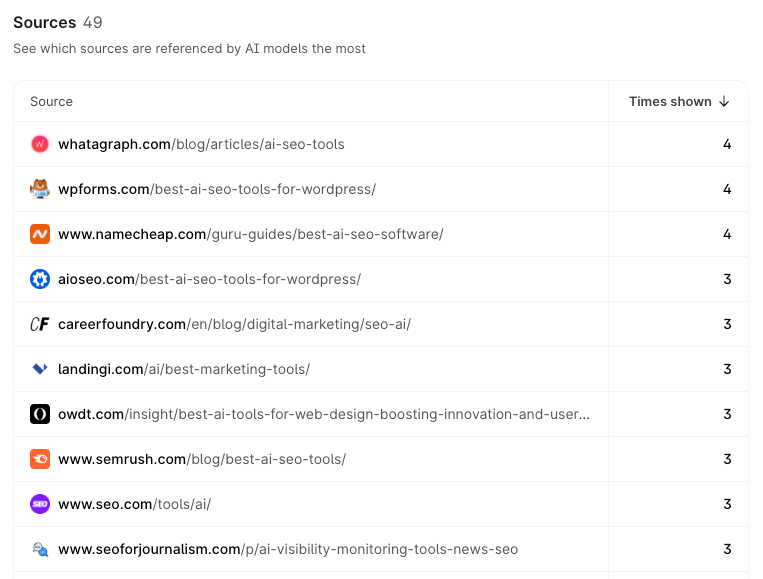
If we can get mentioned in more of those, chances are we could win more AI visibility and beat Semrush for this particular prompt.
Also, if we check the Competitors report, we can see that Semrush is the winner in terms of AI visibility across all our tracked prompts—so they’re clearly doing something right:
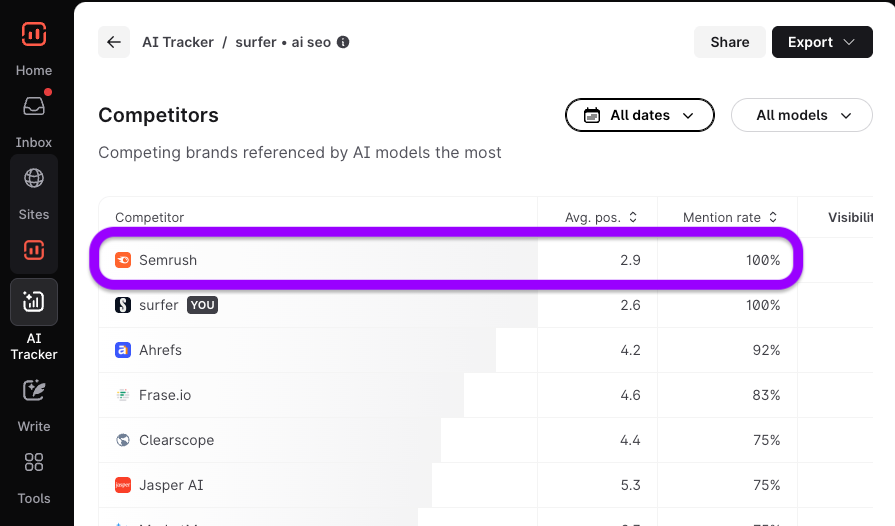
Digging deeper into their content and marketing strategy might reveal insights we can incorporate into our strategy to boost our AI visibility. This is obviously a bigger, broader task, but it’s definitely worth investigating if you see a competitor really thriving in AI search.
2. Find new topic ideas and optimization opportunities
Many of Surfer’s top performers start this process in Content Audit as it’s the best place to find quick wins.
Content Audit is my starting point. It shows me exactly which pages have the most potential for improvement and helps me prioritize the quick wins that'll boost rankings and AI visibility.
— Derek Coleman, Senior Growth Marketer, SEO & AEO Lead @ OpusClip
If you’re not familiar with how this tool works, it pulls your top-performing pages from Google Search Console and checks how well-optimized they are. You can then find low-hanging fruit opportunities by looking for pages with low Content Scores:

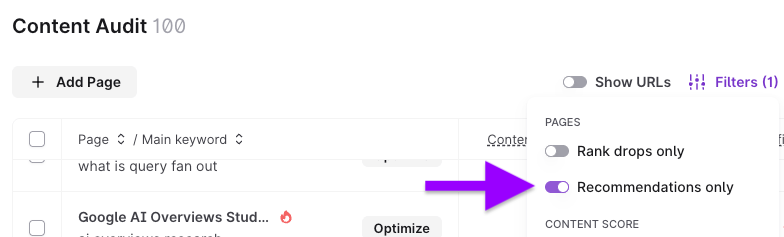
If you’re seeing a lot of pages here and don’t know where to start, try filtering for “Recommendations only”. This narrows the list down to pages that have low Content Scores and high ranking potential.
For example, this page ranks in position 8.2 and has a Content Score of 65:
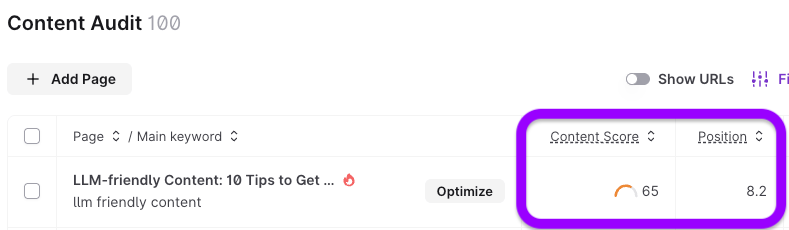
It probably wouldn’t take a lot of optimization to push it into the top 3. It just needs a small boost and can be refreshed in 4 clicks.
Here's an easy 4-step workflow to refresh and optimize any article with Surfer:
Step 1: In Content Audit, click Optimize to open your article in Content Editor.
Step 2: In Content Editor (under SEO Entities), click Auto-Optimize to automatically insert missing entities.
Step 3: Then (under AI Search Facts), click Insert Facts to automatically enrich your content with missing insights.
Step 4: And finally, click Insert internal links.
It's that easy!
You can also filter for “Rank drops only” to find pages that have suffered rank drops recently. These are a quick win because they’re often quite easy to recover.
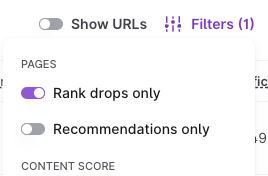
For example, I can see that our guide to meta keywords started losing traffic recently:

Given that this page has a Content Score of just 66, it would probably only take a bit of optimization (aka 3 clicks in Content Editor) to get it back to its former glory.
But what about when it comes to finding new content ideas?
This is where Topical Map comes in...
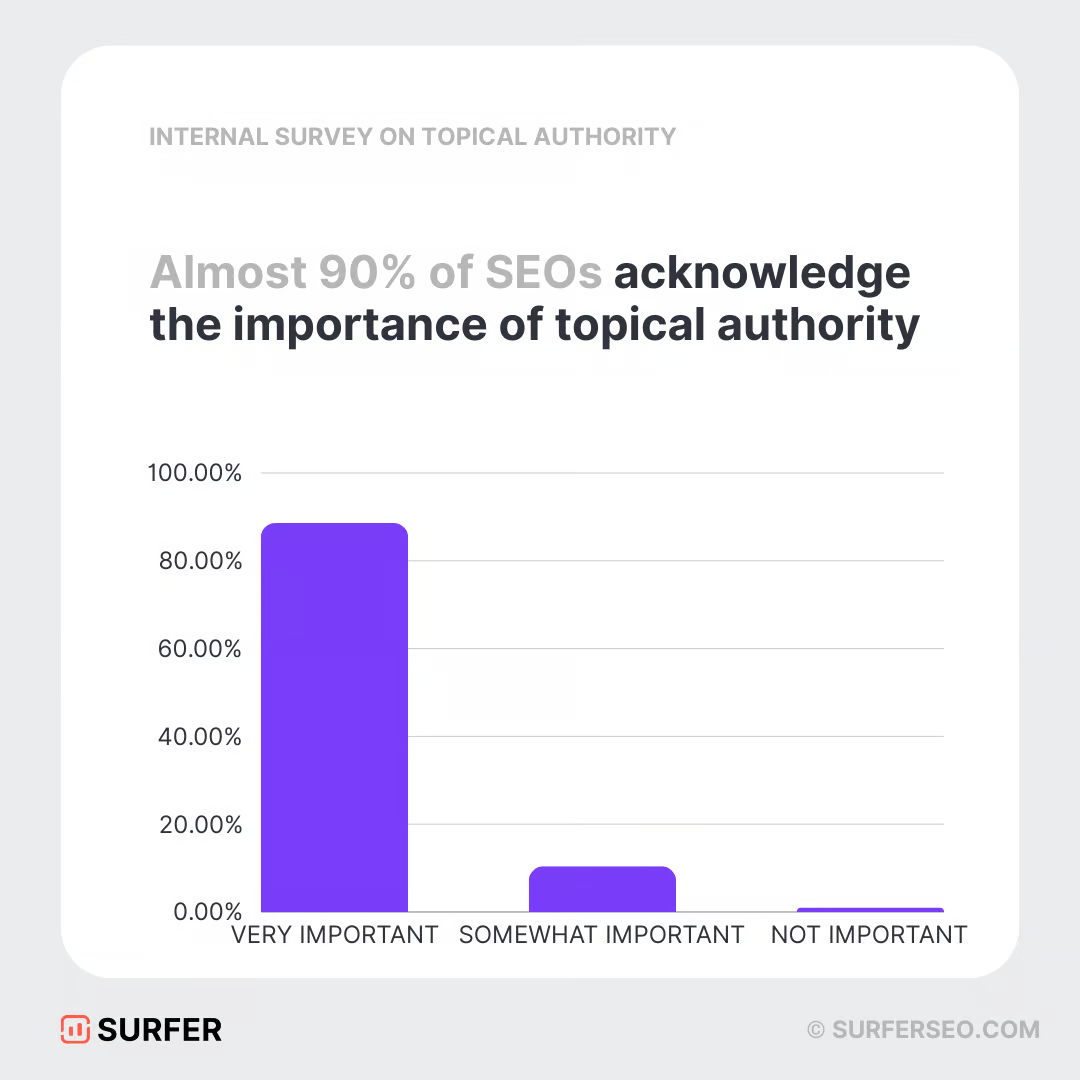
If you’re not familiar with this tool, it finds semantically-related topics based on the keywords you already rank for. These are likely the easiest topics to rank for, and writing about them also boosts your “topical authority”—which almost 90% of SEOs agree is important for SEO:
It’s also important for AI SEO because ranking for more fanout queries dramatically increases your chances of getting cited…
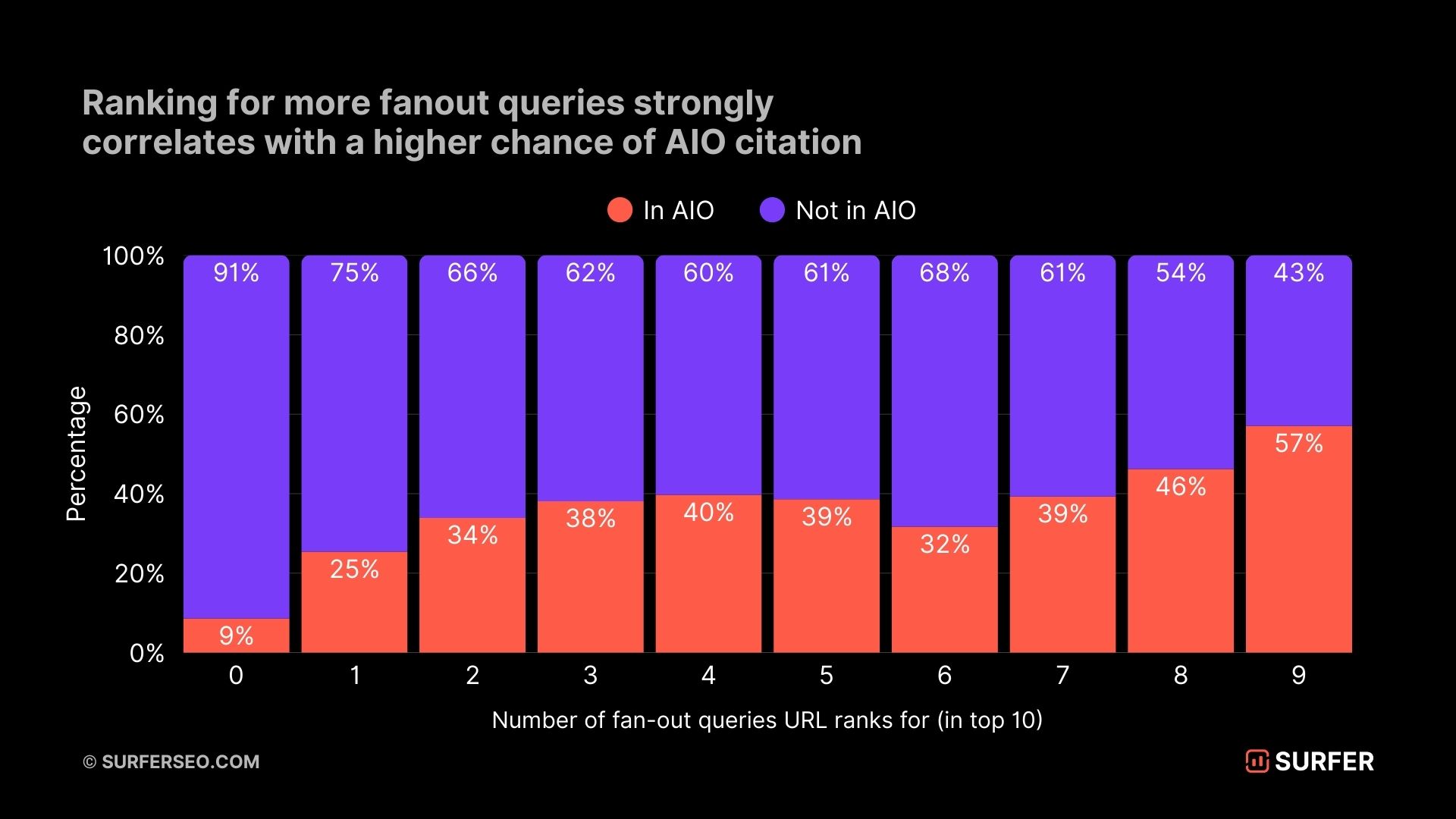
…and the way to do this is to cover more ground around your topic. In other words, build out your topic clusters to boost topical authority.
For example, we have a strong cluster of content about SEO for bloggers. But I can see in the Topical Map that we missed the topic of how to increase blog traffic:
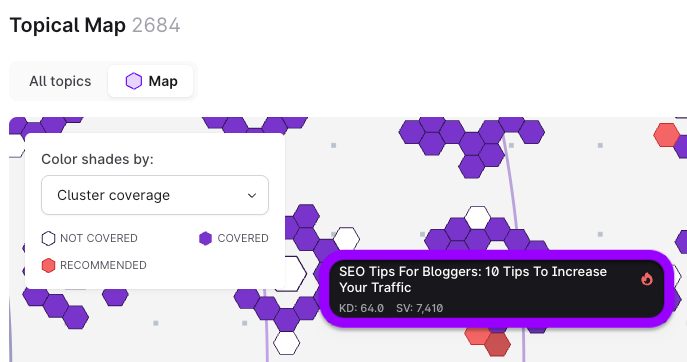
If we were to create content about this, we’d probably rank for it quite easily—especially with strong internal linking (more on that later!). Plus, we’d give ourselves a better chance of getting recommended in AI answers when users ask about improving their blog traffic.
Did you know?
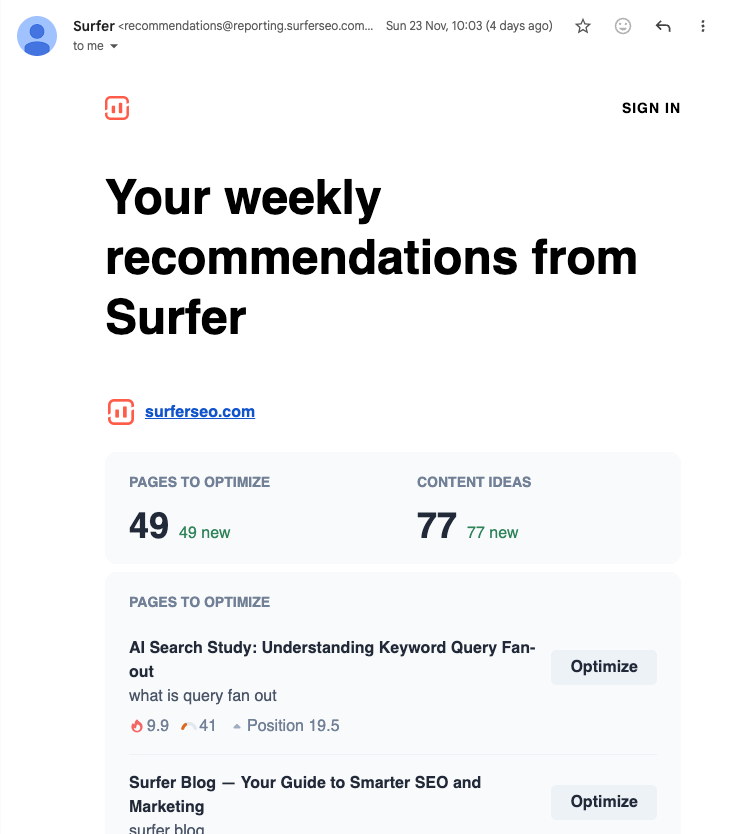
Surfer sends a weekly recommendations email for each site in your account. This includes two types of opportunities: quick optimization wins for existing pages and the best new content ideas.
3. Create and optimize content to rank in search and AI answers
Content Editor is where top performers head next because it’s where they turn insights into action.
The mix of Content Audit and the Content Editor helps me validate my keyword selection, check topical completeness, and make sure each article is aligned with what’s actually ranking. Using Content Editor as a final optimization layer gives me confidence that each page is structurally sound and competitive.
— Arta Cheung, SEO consultant @ Groovy Digital
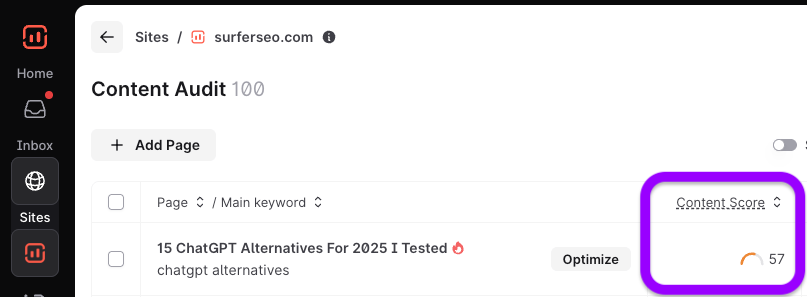
For example, a quick win for Surfer that I found in Content Audit is our post about ChatGPT alternatives. Traffic to the page is dropping and it only has a Content Score of 57:
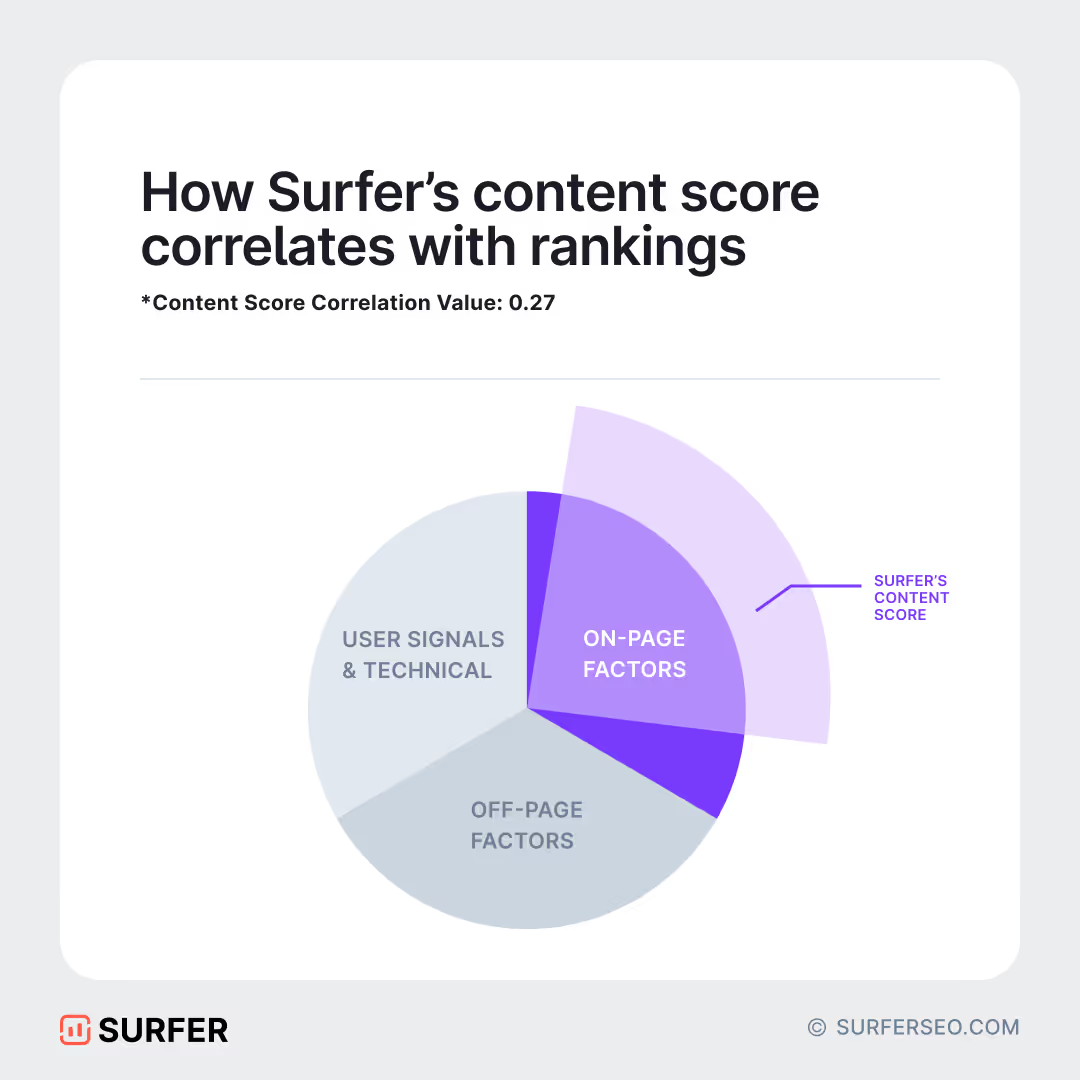
That’s not ideal because a higher Content Score correlates with higher rankings:
(Again, this is important for AI SEO because many citations and brand mentions are effectively pulled from top-ranking pages.)
If I click “Optimize,” the page opens in the Content Editor, where I have all the insights I need to help it rank higher in traditional search and AI answers.
For starters, I can see important terms I neglected to include:
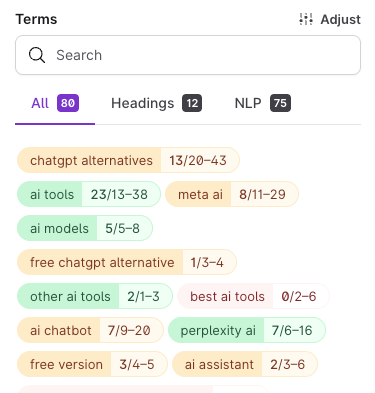
Just by scanning these for a few seconds, it’s pretty obvious that I should include AI tools like Notion and Llama (Meta’s AI model) in my list of ChatGPT alternatives:
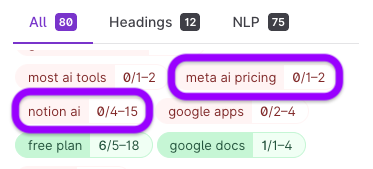
Surfy, our AI assistant, makes that super easy because I can literally just ask it to “add Notion as a tool in the same style as the others on the list”:

Seconds later, Surfy has added Notion to the post, and its Content Score has jumped from 63 to 71:
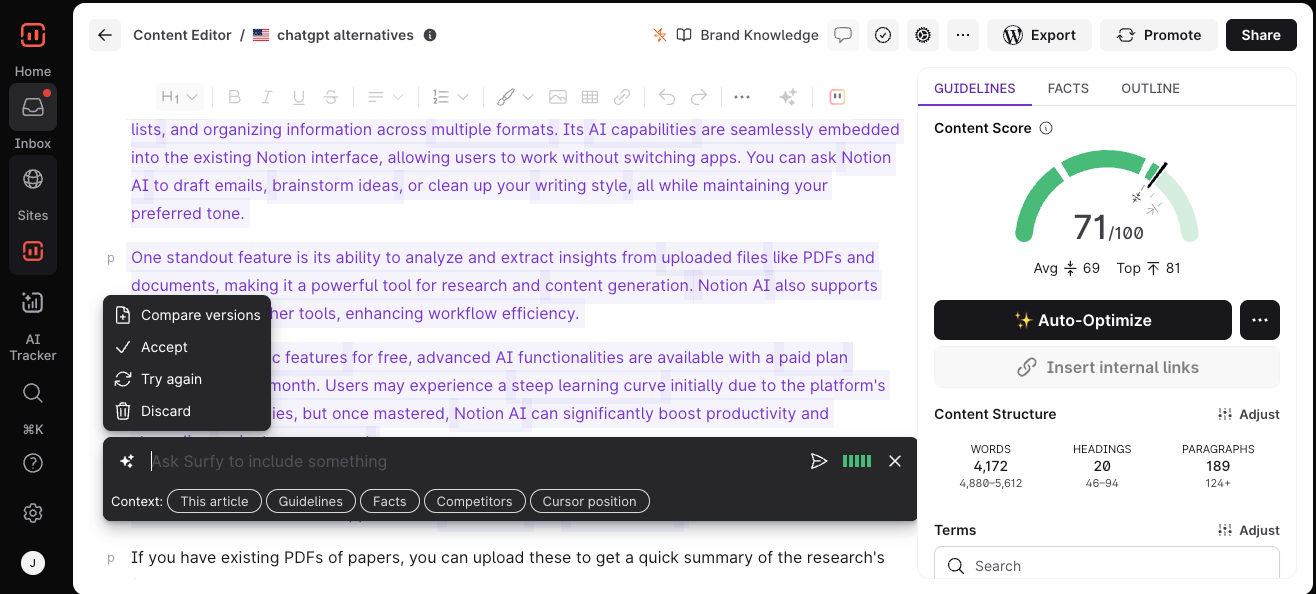
I can also use Surfy to adjust the tone of voice. All I do is highlight the text I want to change, click Surfy, then choose or add a new custom voice from the list:

If I'm pressed for time, I can also do this in a single click with Auto-Optimize (which also uses custom tone of voices).
Content Editor also helps me to optimize for AI answers by finding important facts to include:
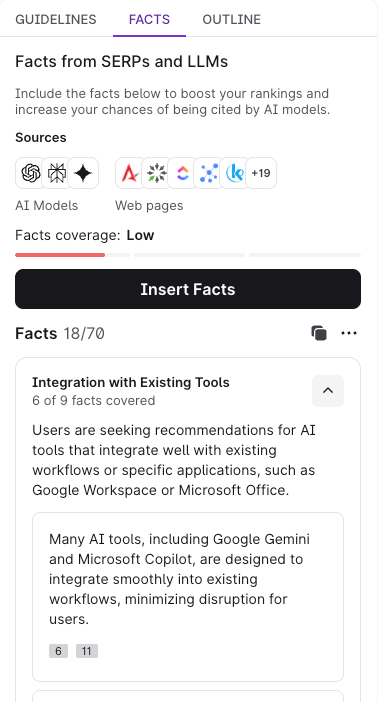
For example, I can easily copy and paste this fact about Claude’s integration with Zapier into the relevant section in the editor…
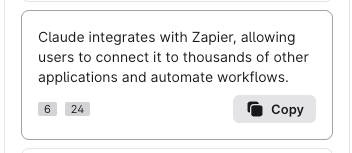
… as well as this fact about how Llama is open-source:
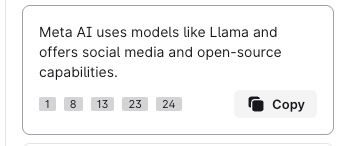
And just like that, the post’s Content Score has jumped another few points from 71 to 74:
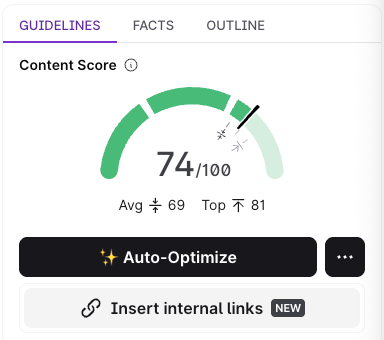
Again, if I'm pressed for time, I'd simply use the Insert Facts (Boost Coverage, if you're a lucky winner of the new Content Editor panel) button and have key missing facts inserted for me, in my tone of voice, with a single click.
This is important for AI SEO because AI Overviews consistently cite content that covers more facts. In fact, the typical AIO-cited article covers 62% more facts than the typical non-cited one:

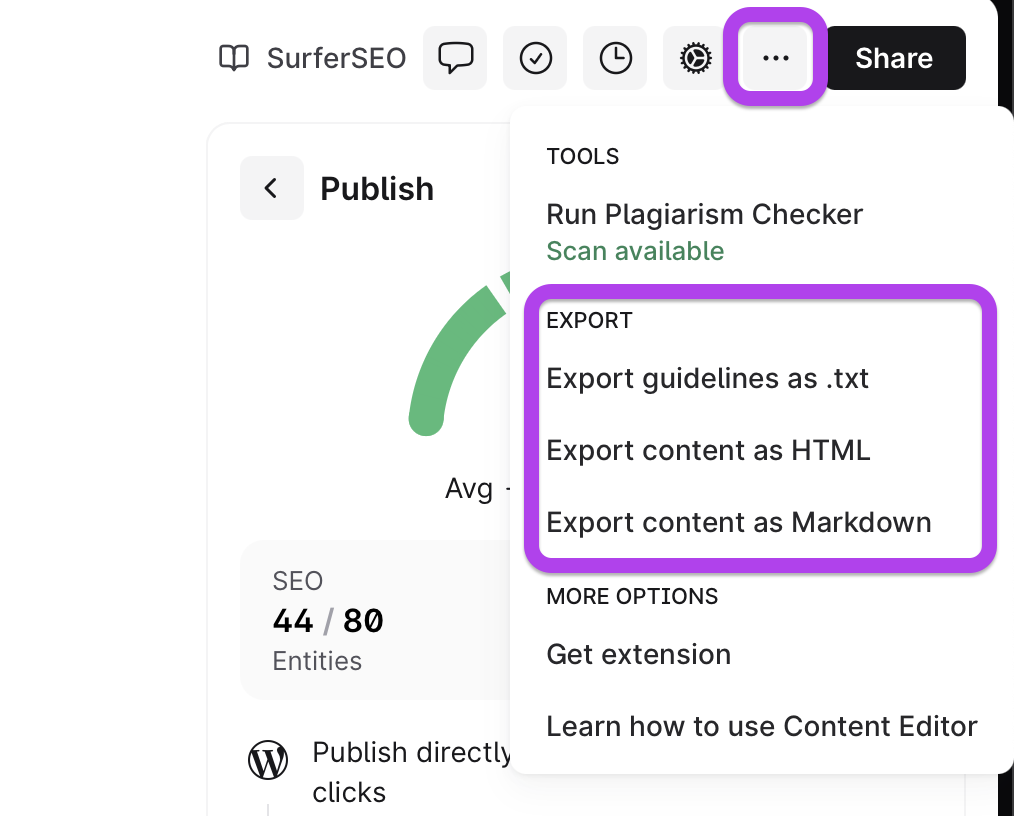
Anyway… from here I can add internal links to finalize the post (using the “Insert internal links” button). Then I can export to WordPress for publishing in one click:
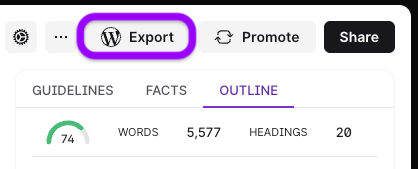
... or export as Markdown, HTML, or .txt, if working with any other CMS.
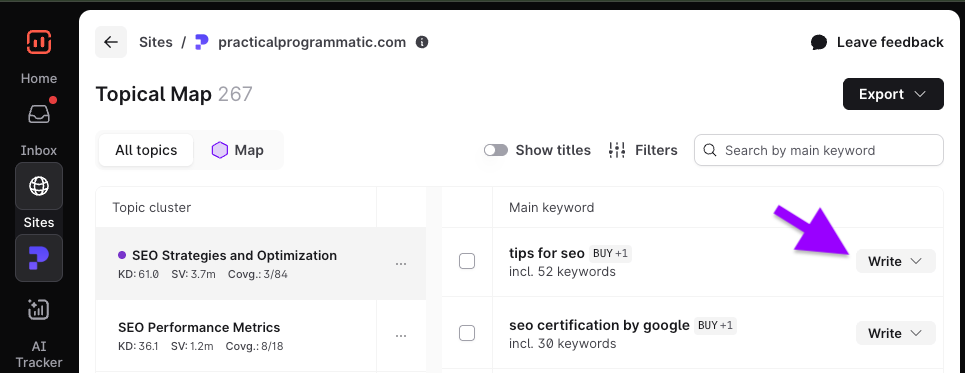
You can also use the same process as above for writing new content. Just choose a topic from the Topical Map and hit “Write”:
From here, you’ll see two options: “Write yourself” or “Generate with Surfer AI”:
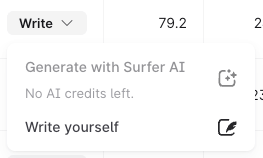
Surfer AI lets you quickly generate AI SEO-ready content using custom templates and voices. If you're looking for quality output at scale (not limited, but especially useful if you're working with API and programmatic SEO), this should be your go-to workflow.
I lean heavily on Content Editor and Surfer AI. They help me fill content gaps, improve topical coverage, and align with what's actually ranking. The best part? I can move fast and scale our optimizations while keeping quality high.
— Derek Coleman, Senior Growth Marketer, SEO & AEO Lead @ OpusClip
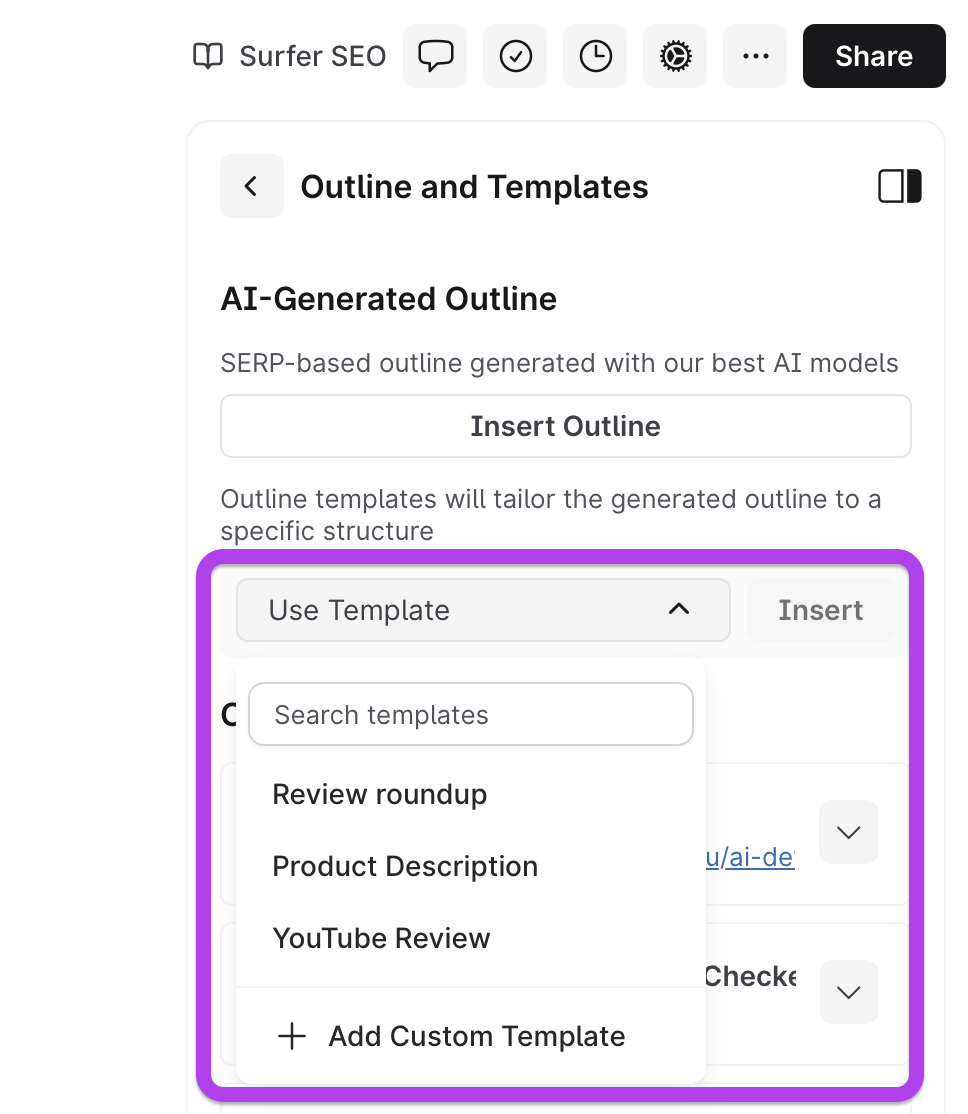
If you choose “Write yourself,” Surfer will open a blank project in the Content Editor. Here you use AI to build an outline instantly in one click…

... or create a custom outline template and use it to generate personalized outlines for any type of content: product descriptions, landing pages, or even YouTube reviews.
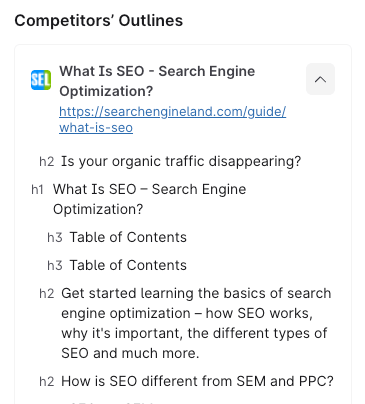
You can also check competitors’ outlines and paste anything you want to include into the Content Editor:
From there, it’s just a case of following the same process as above: use Surfy to help build out the content section by section, add important facts with Insert Facts, add missing entities with Auto-Optimize, and make sure you’re including internal links with Insert Links.
Dominate AI search in 2026 with Surfer
2025 was a breakthrough year for Surfer's top performers, and the workflow above is exactly how they did it. Follow this if you want to win in AI search next year.
What else should you focus on?
Here are some tips from our top performers for 2026:
My 2026 focus is clear: strong technical basics and structured data so AI can read our pages right, plus real human insight to keep the content valuable. AI can scale output, but people still shape the value.
— Arta Cheung, SEO consultant @ Groovy Digital
Stay relentlessly curious about AI search. Too many marketers still think “AI SEO” is hype, but LLM citations and agent-driven discovery are already shifting the landscape. Learn fast, experiment early, and you’ll gain a massive competitive edge.
— Derek Coleman, Senior Growth Marketer, SEO & AEO Lead @ OpusClip
If you want the bigger picture behind all this, check out the Next Phase of Search guide, written by our co-founder & CMO, Tomasz Niezgoda. It breaks down what’s changing in AI search, what stays the same, and how to build visibility that lasts — not just a short-term spike.
Want help putting this into practice? Grab a seat in our free AI Search Optimization Masterclass and we’ll walk you through it step by step.
Let's make 2026 your best year in AI search 🚀