Choosing the right AI writing assistant can be overwhelming with so many options available. Do you go for the one with the flashiest features, the lowest cost, or the tool everyone else seems to be using? The truth is, the “best” AI isn’t the same for everyone – it depends on what you need it for. This guide will help you understand how to choose an AI writing assistant by identifying your needs, evaluating key features, and weighing the costs and ethics, so that you can find the perfect tool for your writing tasks.
What are the benefits of using the right AI tool?
AI writing assistants offer numerous benefits that can significantly improve your writing process and productivity. Whether you are a student, professional, or creative writer, these tools provide valuable support in everyday writing tasks. Here are the most prominent benefits you can reap from choosing the right AI writing tool.
Higher efficiency
AI tools can save you time by generating drafts, suggesting ideas, and handling routine tasks like grammar fixes. This lets you focus on the big picture and get quality content faster. By generating drafts, suggesting ideas, and automating routine tasks like fixing grammatical errors, these tools save you time and reduce the effort required to produce quality content.
Improved writing quality
An AI writing assistant helps make your text clearer, more consistent, and professional. It provides style suggestions, better word choices, and ensures your writing resonates with your audience. They provide real-time grammar and style checks, suggest better word choices, and help maintain consistency throughout your text.
Overcoming writer’s block
AI writing assistants are great brainstorming tools that can help your creativity thrive. They can suggest plot development ideas for fiction writers, and content outlines for marketing or academic writing. This helps keep your creativity flowing and your projects moving forward.
Personalized help
The best AI writing tools learn from your writing style and preferences to offer suggestions that match your voice. This adaptability makes the writing process smoother and more enjoyable, especially if you’re working on long-form content or complex projects.
Support for all types of writing
AI writing assistants can use diverse writing styles and formats such as academic essays, social media posts, marketing copy, or creative writing. They can also help with research, citations, and SEO optimization.
Accessibility and ease of use
Many AI writing tools integrate seamlessly with platforms like Google Docs and Microsoft Word, so you can use them within your existing workflow. AI writing tools also have user-friendly interfaces and intuitive features that make them accessible to writers of all skill levels.
8 tips for choosing an AI writing tool
Choosing the right AI writing assistant is about aligning the tool with your specific needs, goals, and writing style. The tips below will help you evaluate key factors so you can select an assistant who truly works with you.
Identify your writing needs
AI writing assistants can help with many different tasks, like drafting emails, polishing an academic paper, or writing an engaging blog post.
Understanding your specific writing needs is the first step to discovering the right tool for you. For example, Textero is especially handy for academic work, with features for research, outlining, citing, or paraphrasing, but you might not need that if you want to create marketing copy or brainstorm creative ideas.
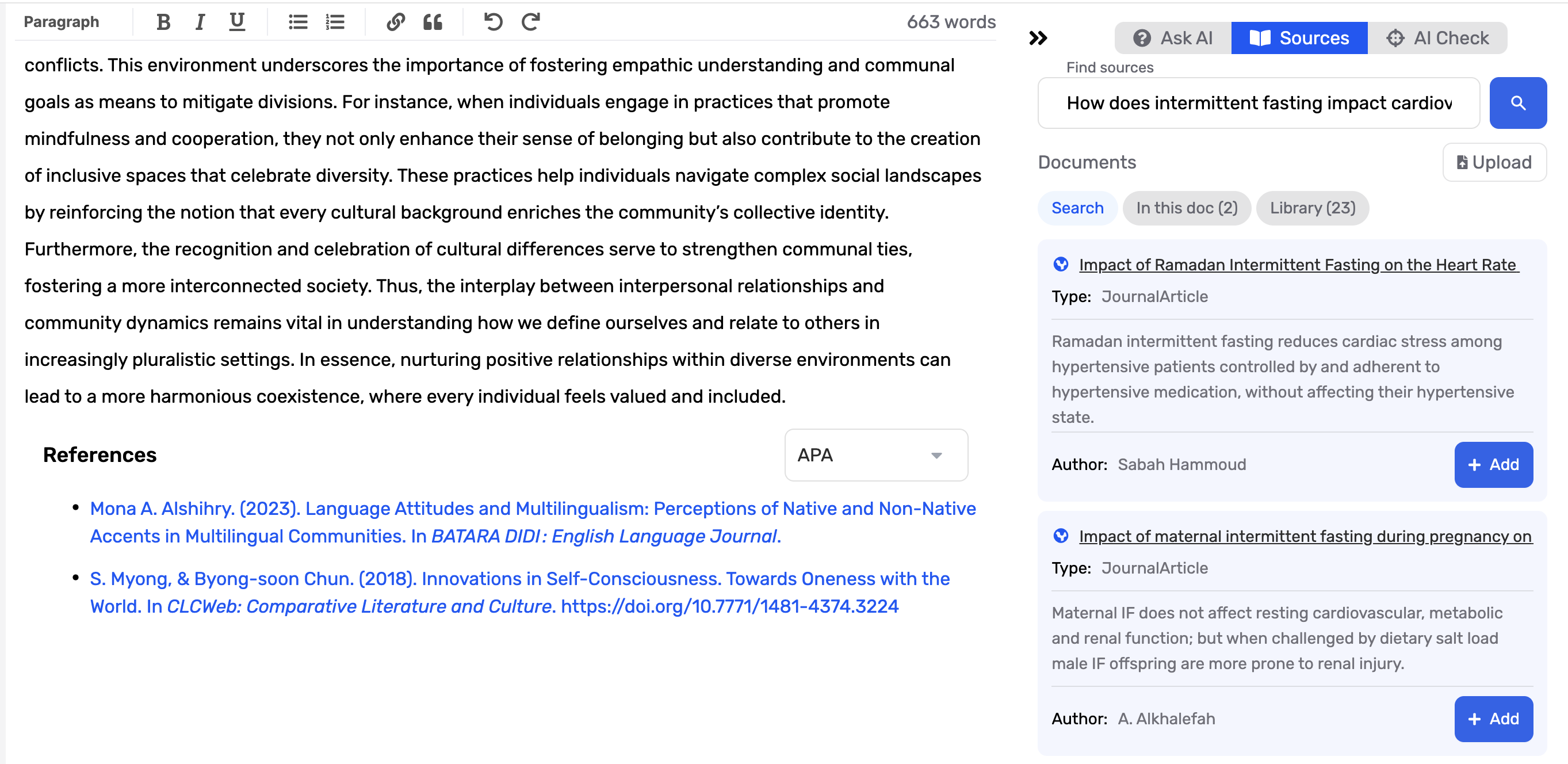
Take some time to outline your objectives and the specific outcomes you want from the AI. Are you aiming to:
- Generate blog posts, social media captions, or newsletters?
- Improve your existing content with grammar and style suggestions?
- Optimize content for SEO and increase organic traffic?
- Brainstorm ideas or overcome writer’s block?
Knowing your goals will help narrow down which AI writing assistants are relevant to your workflow. For example, an AI optimizing for SEO may not be ideal if your primary focus is creative writing.
Evaluate key features
Focusing on the features that actually help you will make sure you get the most out of the AI tool, so it’s not just another app on your list. Here are the features you need to consider when choosing an AI writing assistant:
Grammar and style checks
One of the most useful things about AI writing assistants is their built-in grammar and style checks. These tools:
- Catch grammar mistakes, typos, and punctuation slips so your writing looks polished
- Act like a virtual editor, giving you instant feedback
- Help you spot and fix issues in real time
For creative and fiction writers, keeping the right writing tone is just as important as catching errors. AI writing assistants analyze text and suggest tweaks based on your needs, whether you're a casual writer, blogger, or academic. Grammarly is a great example, offering both grammar corrections and style tips.
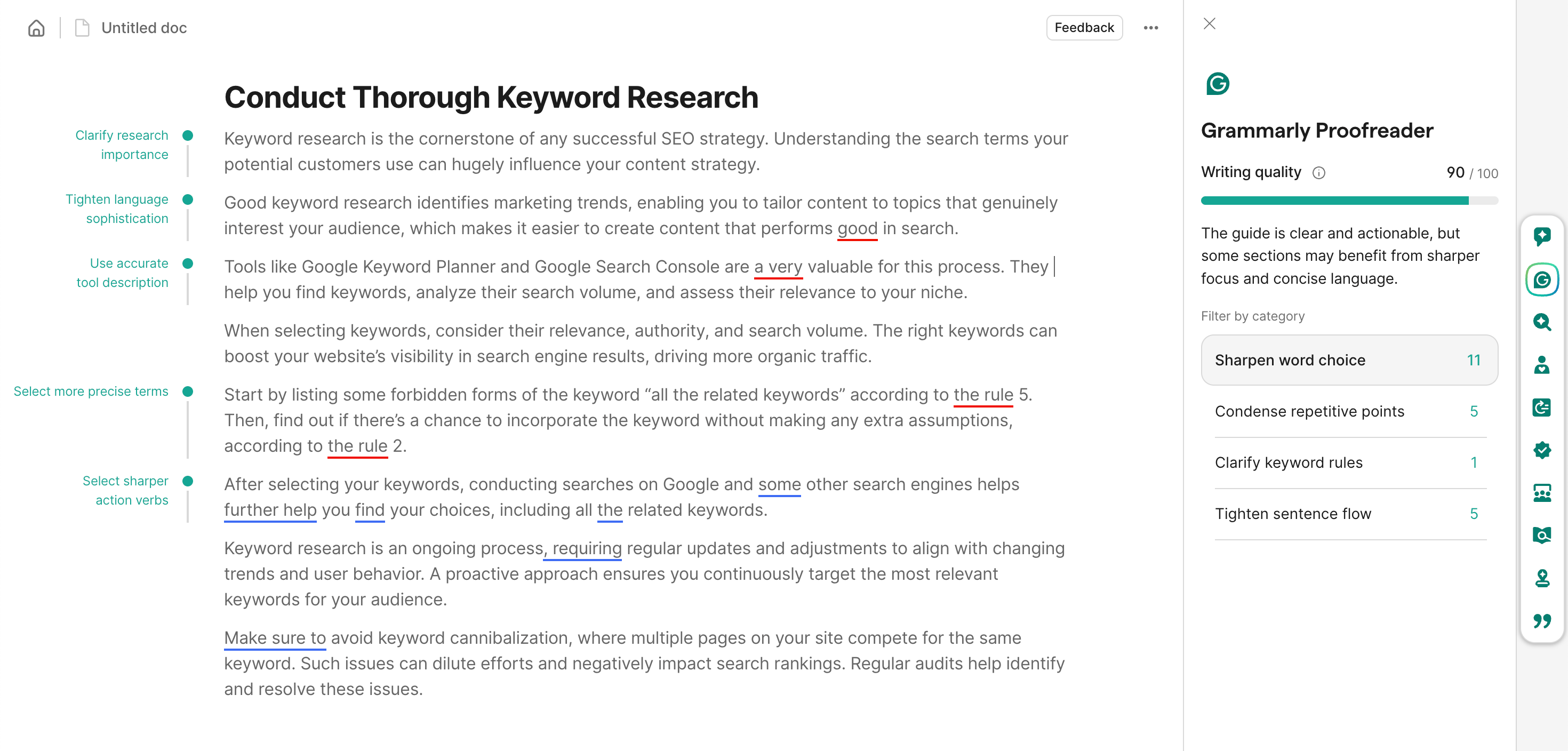
Tools like Grammarly and ProWritingAid correct grammatical errors and provide style and clarity suggestions, making writing more engaging and easier to read. Whether crafting social media posts, academic papers, or creative fiction, a grammar checker, basic corrections, and style checks are essential features that can elevate your work.
Beyond fixing mistakes, they also help improve clarity and flow, making your writing more engaging and easier to read, whether it’s a blog post, research paper, or short story.
Content generation capabilities
Another great advantage of AI writing assistants is their ability to generate content. They can help you brainstorm ideas, build outlines, and turn prompts into whole pieces of content. Jasper AI, for example, is great for blog posts, product descriptions, social ads, and emails, making it a handy all-rounder.
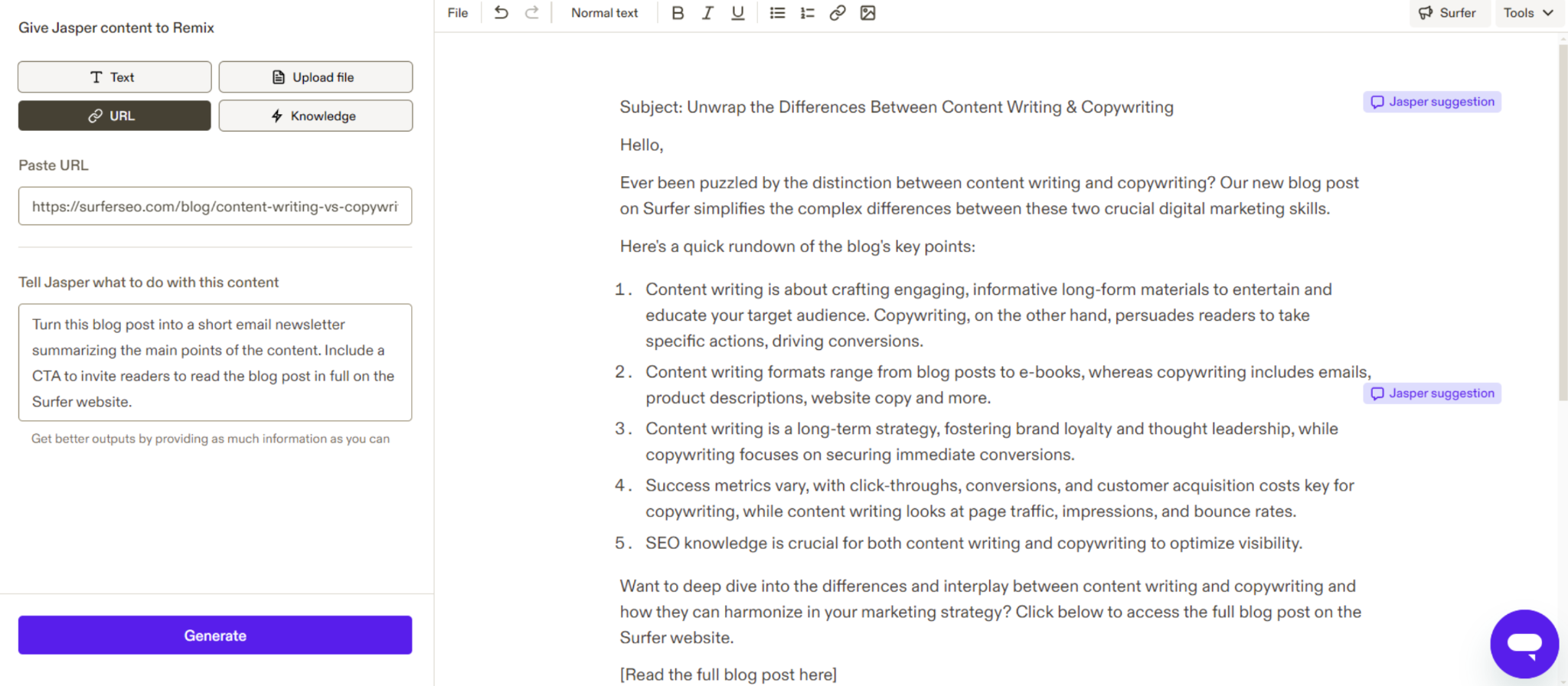
AI writing assistants are especially useful for long-form projects. They can assist in:
- Creating detailed blog articles and academic work.
- Streamlining the writing process and saving valuable time.
- Generating ideas for marketing copy, SEO content writing, or creative fiction, including AI text generation.
Surfer AI can really boost your SEO writing by giving you data-driven content suggestions that match what top-ranking pages are doing. Its AI text generation features make it easier and faster to create well-structured, engaging content that not only helps your pages rank better but also reads naturally and keeps your audience hooked.

AI-generated content can also be customized and tweaked with help of artificial intelligence. Many tools can even mimic different styles, from casual, short marketing copy to more formal and academic.
AI-generated content gives you a great starting point for quality writing, letting you polish and refine it further.
This flexibility makes AI tools valuable for content writing, social media ads, and landing pages, helping you create better work faster.
Customization and adaptability
Customization and adaptability make all the difference when choosing the best writing tools. They learn from your style and preferences, giving you smarter, more personalized suggestions the more you use them.
Choosing an AI writing assistant that customizes and adapts to your writing can enhance productivity and creativity, resulting in a smoother writing process.
For example, ParagraphAI can take your prompt and turn it into various content types you can choose from.
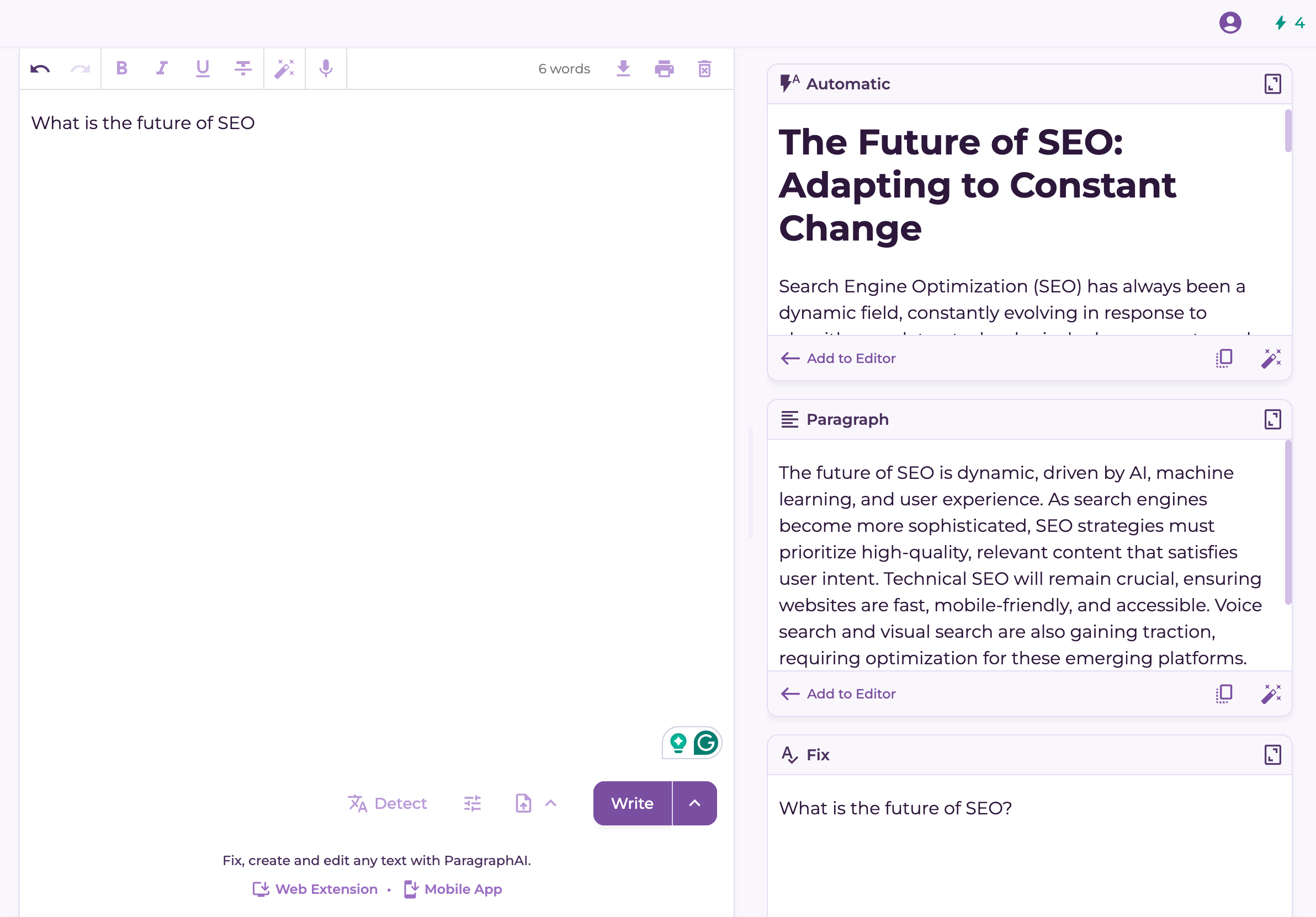
Some tools let you take that even further. They offer you customization options, allowing you to create custom workflows or choose from a library of templates. It helps your AI assistant fit seamlessly into your writing process while managing word count.
For creative projects, adaptability is especially valuable. Tools like Sudowrite go beyond grammar and style, helping with character development, plot ideas, and other story elements.
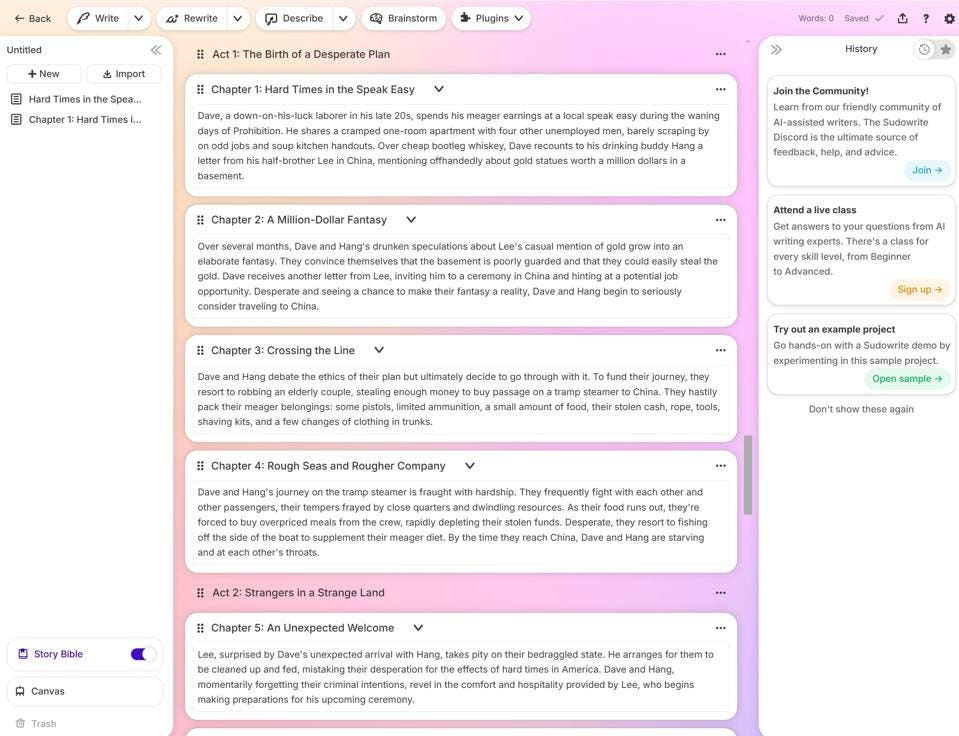
Bottom line: an AI assistant that adapts to your needs doesn’t just boost productivity. It also makes writing smoother, more creative, and way more enjoyable.
Consider ease of use
Ease of use is a big deal when picking an AI writing assistant. If a tool feels clunky or complicated, it’ll slow you down instead of helping.
The best tools are designed with user experience in mind, so you actually trust and enjoy using them. Integrations make a huge difference, too. When an AI works smoothly with apps you already use, like Google Docs or Microsoft Word, it just fits right into your workflow.
Take Grammarly, for example: it plugs right into Docs, Word, and even your browser, so it’s always there when you need it – no extra hassle.
Analyze cost and value
Analyzing the cost and value of AI writing tools will help you get the best bang for your buck.
Many AI writing assistants operate on freemium models, offering basic features for free while charging for advanced capabilities. This way, you can test the tool for free and see if it’s worth paying for in the long run. AI writing tools have prices ranging from $9 to $69 a month, depending on the features you need.
Higher-tier subscriptions usually unlock more powerful tools and upgrades, so the cost can be worth it if you’re using them regularly.
The key is knowing your needs: sometimes the free version is plenty, but other times a paid plan makes more sense. If you only use AI occasionally, pay-as-you-go models can be more budget-friendly since you’re only paying for what you use. And don’t forget free trials – testing a tool first is the easiest way to see if it’s worth the upgrade.
Test multiple tools
Testing multiple writing assistants is the best way to find the best AI writing tool for your needs. Each platform offers different capabilities and UX features, so you can easily find what suits you best.
Sometimes, it makes sense to mix and match different tools for different writing tasks. One tool might be better suited for brainstorming, while another is better at cleaning up grammar and style.
Pay attention to what each tool adds to your workflow. This makes it easier to figure out how to use them together and get the most out of your writing process.
Keep an eye on how each AI tool actually helps with your writing and editing. This way, you can spot which ones pull their weight, which ones don’t, and adjust how you use them to get the best results.
Monitoring how each AI tool contributes to your writing and editing process helps you judge their effectiveness and adjust how to use many tools effectively. This makes it easier to get better outcomes and boost overall productivity.
Trying multiple tools helps identify which excel in specific areas you need help with, and choose the best AI tool for your writing tasks. Additionally, using AI writing software can enhance your overall writing experience.
Read reviews and testimonials
Reading reviews and testimonials should be one of your first steps when choosing an AI writing assistant. You’ll gain valuable insight into how effective each tool really is and what the overall experience feels like.
You can look up the tools that interest you on review aggregators. Here’s an overview of Writesonic’s profile on GA2:
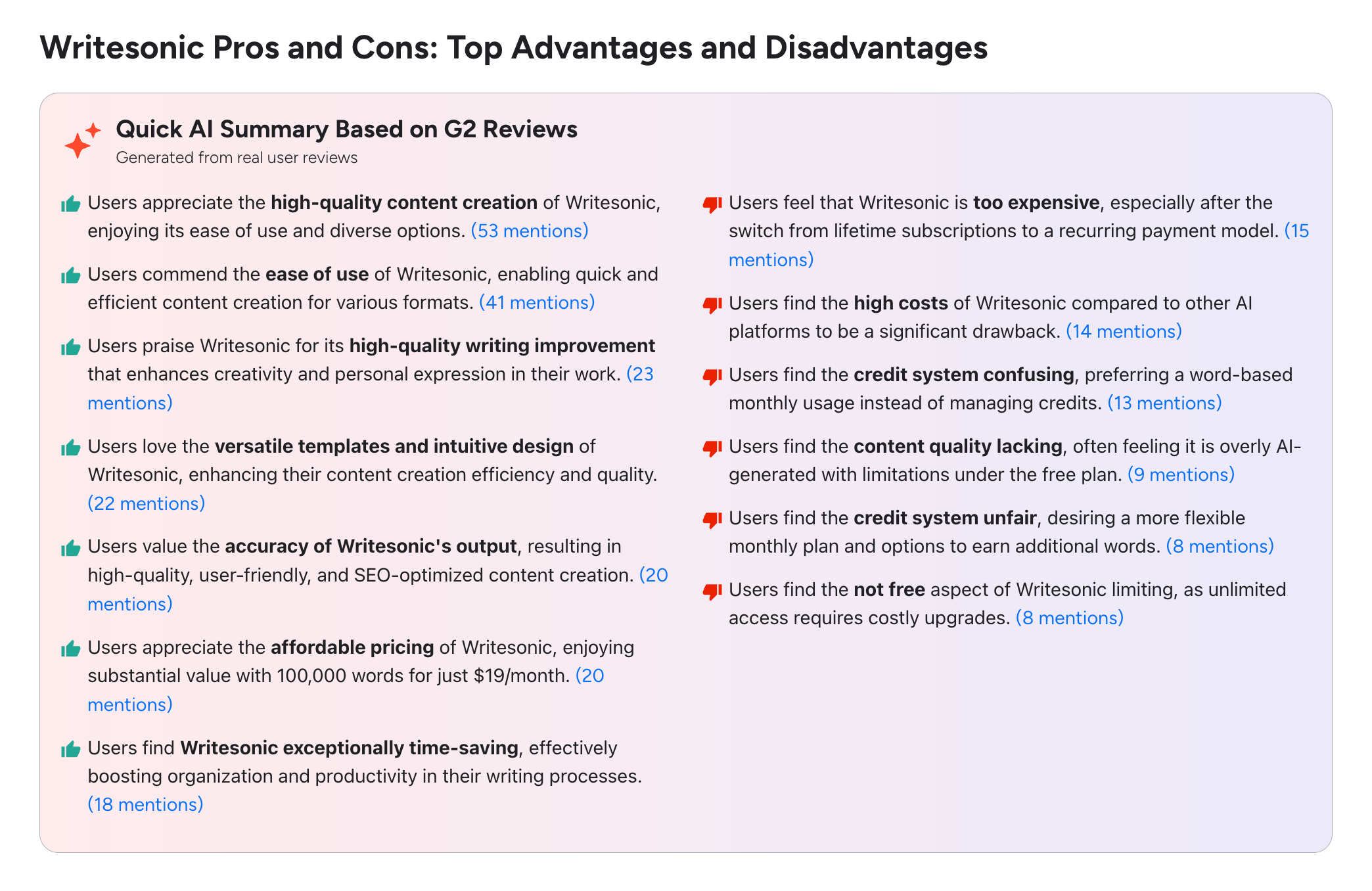
Checking other users’ experiences also shows you the strengths and weaknesses of each tool. By comparing perspectives, you’ll be able to choose the writing assistant that works best for you.
If you have specific needs, some tools stand out: Gemini Advanced works seamlessly with Google services, while Raptor Write is a solid free option despite some limitations.
Look up support and resources
Getting the most out of an AI writing tool means having solid support and resources at your fingertips. You want a tool that offers responsive customer support, so if you run into issues or have questions, you’re not left waiting.
Also, a good knowledge base or FAQ section can save you time by helping you troubleshoot common problems on your own, keeping the tool easy and convenient for you to use.
Tutorials are a lifesaver too – they help you get familiar with all the features so you can actually use them to your advantage.
Don’t forget about community forums. They’re perfect for swapping tips, tricks, and best practices with other users, making your content creation process smoother.
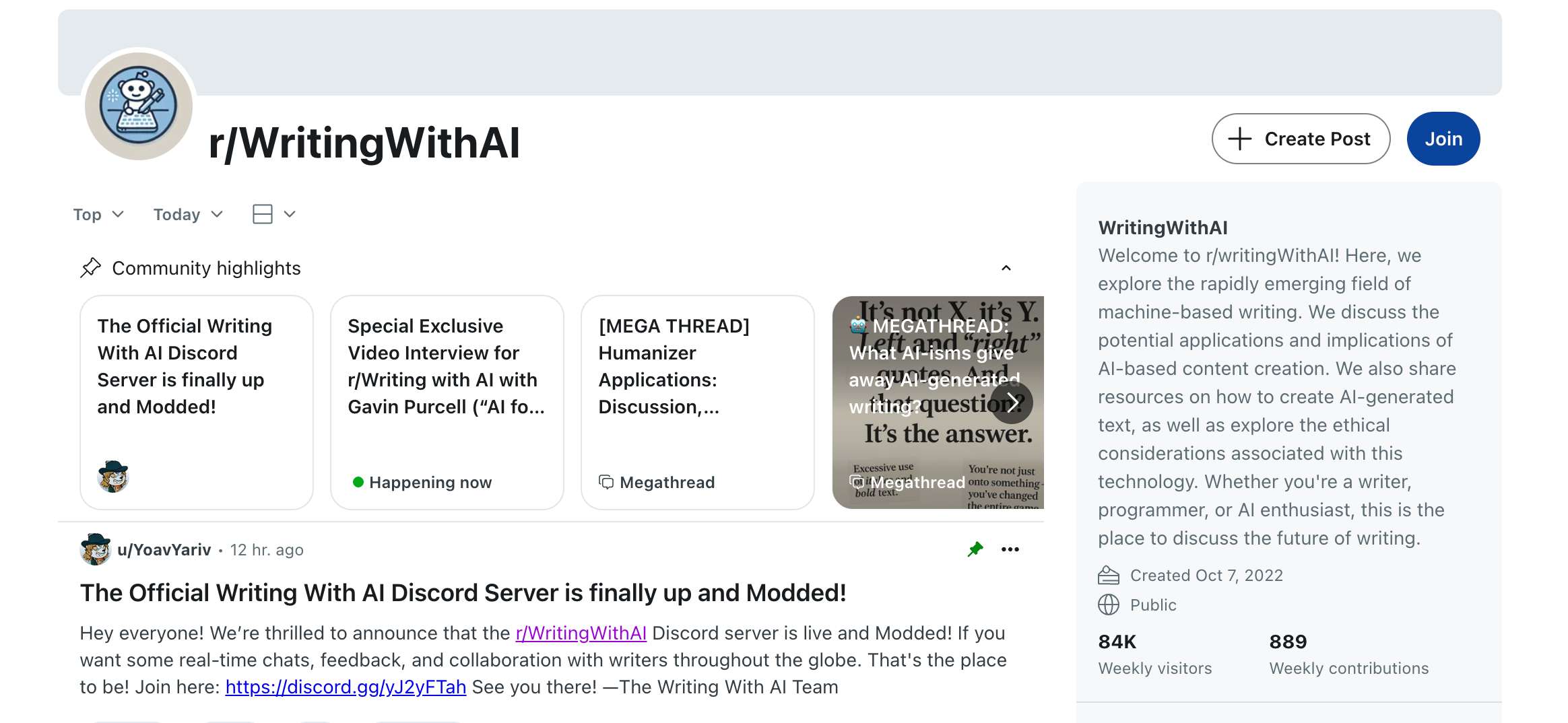
There's an interesting subreddit, r/WritingWithAI, dedicated to content creation.
Future-proof your choice
AI keeps evolving, so it’s smart to choose a writing assistant that can grow with you. Here’s what to look for:
- Regular updates and improvements
- Modern tech, like natural language generation, for better output
- Real-time learning that adapts to your style
- Features that keep up with the latest advancements
Want your content to stand out? Use multimodal tools that let you mix words with visuals or audio for more engaging content. And if accuracy is critical, like in legal, medical, or tech writing, domain-specific models can deliver tailored, reliable results.
Key Takeaways
- Identify your specific writing needs, whether they’re academic, creative, or casual.
- Define the writing tasks you want help with, then compare tools based on features, usability, cost, and ethics.
- Evaluate key features like grammar checks, content generation, and customization options to ensure the AI writing assistant aligns with your writing style and tasks.
- When testing multiple tools to find the best fit, make sure you’re informed about features, user feedback, and support resources.
- Choose assistants that protect privacy, reduce bias, and provide accurate information, and always verify AI-generated content.
- Free versions are fine for light or casual use, but paid plans unlock advanced features and better support.
- Pick a tool that updates regularly and offers domain-specific models to stay relevant.